
RunMat for academia
Teach and publish MATLAB-syntax work without requiring MATLAB
RunMat gives students, educators, and researchers a free workspace for MATLAB-compatible code. Run supported assignments and research projects in the browser or on Desktop, and share code and results with colleagues and readers without requiring MATLAB.
Teaching and research
Use MATLAB syntax for teaching and research
Use familiar matrix notation to explain a numerical method, explore a dataset, or test a research model. Share the project so others can work with the code and results.
Educators can share MATLAB-syntax examples and assignments. Students can run supported code, change parameters, and plot results as they learn numerical methods.
Run numerical experiments and share the code, data, and figures in a research project that colleagues and readers can inspect in a browser.
Comparison
RunMat vs MATLAB for academic work
Compare how RunMat and MATLAB approach access, MATLAB-syntax work, browser execution, and shared computational projects.
MATLAB product and access details last verified: September 2026. Source links are collected in the FAQ below.
MATLAB to Python
Avoid a Python rewrite when MATLAB syntax still fits the work
Python removes licensing barriers and has a broad open-source package ecosystem. Moving an established course, laboratory, or research workflow also means translating code, adopting new environment practices, and revalidating results. RunMat lets you evaluate supported MATLAB-syntax work in the browser before committing to that rewrite.
Compare RunMat, GNU Octave, Python, and Julia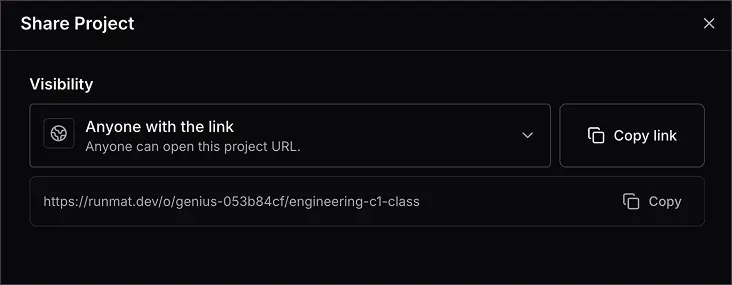
Public research
Publish code and results with one public link
A public RunMat project keeps the files and results behind one link. Readers can inspect code, data, figures, and variables, then run supported code locally in their browser without obtaining MATLAB.
Keep the computational project with the final figure.
Let readers inspect the state behind a result and run supported code without MATLAB.
Project review
Review course and research work in one project
Share assignments and research calculations with the files and figures that explain the result. Review available run history alongside the code.
Assignments and research files
Keep code, supporting files, variables, and figures in the same project for handoff and review.
Project history and snapshots
Return to saved project states within the included history window.
Previous runs
Inspect runs within the included history window alongside the files and state that produced them.
Runtime
Run supported work in the browser, on Desktop, and from the CLI
The same supported project can move between browser, Desktop, and terminal workflows without changing runtimes.
Browser and Desktop
Open supported course or research projects in the browser, or use Desktop when the work needs local files and hardware.
CLI and CI
Run supported .m files and project entrypoints from the terminal, batch jobs, or CI workflows.
CPU and GPU
RunMat plans suitable supported array work across CPU and GPU backends. Performance depends on the workload, so test a representative script.
FAQ
Questions about RunMat for academia
Free access, MATLAB compatibility, and sharing coursework and research.
Can students, educators, and researchers use RunMat for free?⌄
Do I need an account or a university email address?⌄
Can I keep using RunMat after graduation?⌄
Can I use my existing MATLAB code?⌄
Does a reviewer need MATLAB to use a public RunMat project?⌄
Does RunMat support Simulink and every MATLAB toolbox?⌄
How does RunMat compare with moving coursework or research to Python?⌄
What MATLAB access is available to students and universities?⌄
Try RunMat with your coursework or research
Start free to save and share your projects, or try a MATLAB-syntax file in the browser sandbox.