
image — Display indexed or truecolor images in MATLAB and RunMat.
image displays indexed or truecolor data as a graphics object and returns an image handle. Axes placement, handle properties, and rendering semantics follow MATLAB behavior.
Syntax
h = image(C)
h = image(X, Y, C)
h = image(C, Name, Value, ...)
h = image(X, Y, C, Name, Value, ...)
Inputs
| Name | Type | Required | Default | Description |
|---|---|---|---|---|
C | Any | Yes | — | Image data array (indexed matrix or truecolor MxNx3/MxNx4). |
X | NumericArray | Yes | — | X coordinates or extent vector. |
Y | NumericArray | Yes | — | Y coordinates or extent vector. |
props | Any | Variadic | — | Name/value surface style options. |
Returns
| Name | Type | Description |
|---|---|---|
h | NumericScalar | Handle to the rendered image object. |
Errors
| Identifier | When | Message |
|---|---|---|
RunMat:image:InvalidArgument | Image data, axis inputs, or name/value style arguments are invalid. | image: invalid argument |
RunMat:image:Internal | Internal image/surface construction or rendering fails unexpectedly. | image: internal operation failed |
How image works
image(C)displays image data using implicit axes;image(X, Y, C)places the image explicitly on the target axes.- Indexed images and truecolor images both use the shared surface/image rendering architecture.
- The returned value is an image-handle object that works with
getandset. imageis object-oriented and placement-oriented; useimagescwhen you specifically want scaled matrix visualization with color mapping semantics.- Dedicated GPU-backed paths cover both indexed and truecolor image inputs when plotting-compatible buffers are available.
Does RunMat run image on the GPU?
Indexed images and truecolor images both have dedicated GPU-aware rendering paths in the image stack.
Image handle behavior, axes placement, and replay/export semantics remain aligned across GPU and fallback paths.
GPU memory and residency
image preserves GPU residency when the image pipeline can consume exported indexed or truecolor image buffers directly. If the active combination cannot stay on the direct path, RunMat gathers once and renders the same image-object semantics on the fallback path.
Examples
Display a simple indexed image
C = [1 2 3; 3 2 1; 2 3 1];
image(C);
colormap('jet');
Display a truecolor RGB image
img = zeros(100, 100, 3);
img(:,:,1) = 1;
img(25:75,25:75,2) = 1;
image(img);
Expected output:
% Displays a truecolor image objectPosition an image explicitly on axes and inspect the handle
C = reshape(1:16, 4, 4);
h = image([0 3], [10 40], C);
get(h, 'Type')
Expected output:
ans =
    'image'
Rendered image example
[X, Y] = meshgrid(linspace(0, 1, 180), linspace(0, 1, 180));
pattern = 0.5 + 0.5*sin(4*pi*X).*cos(3*pi*Y);
color_index = round(1 + 63*pattern);

image(color_index);
colormap('turbo');
colorbar;
title('Indexed Color Field');
xlabel('Column');
ylabel('Row');
axis equal;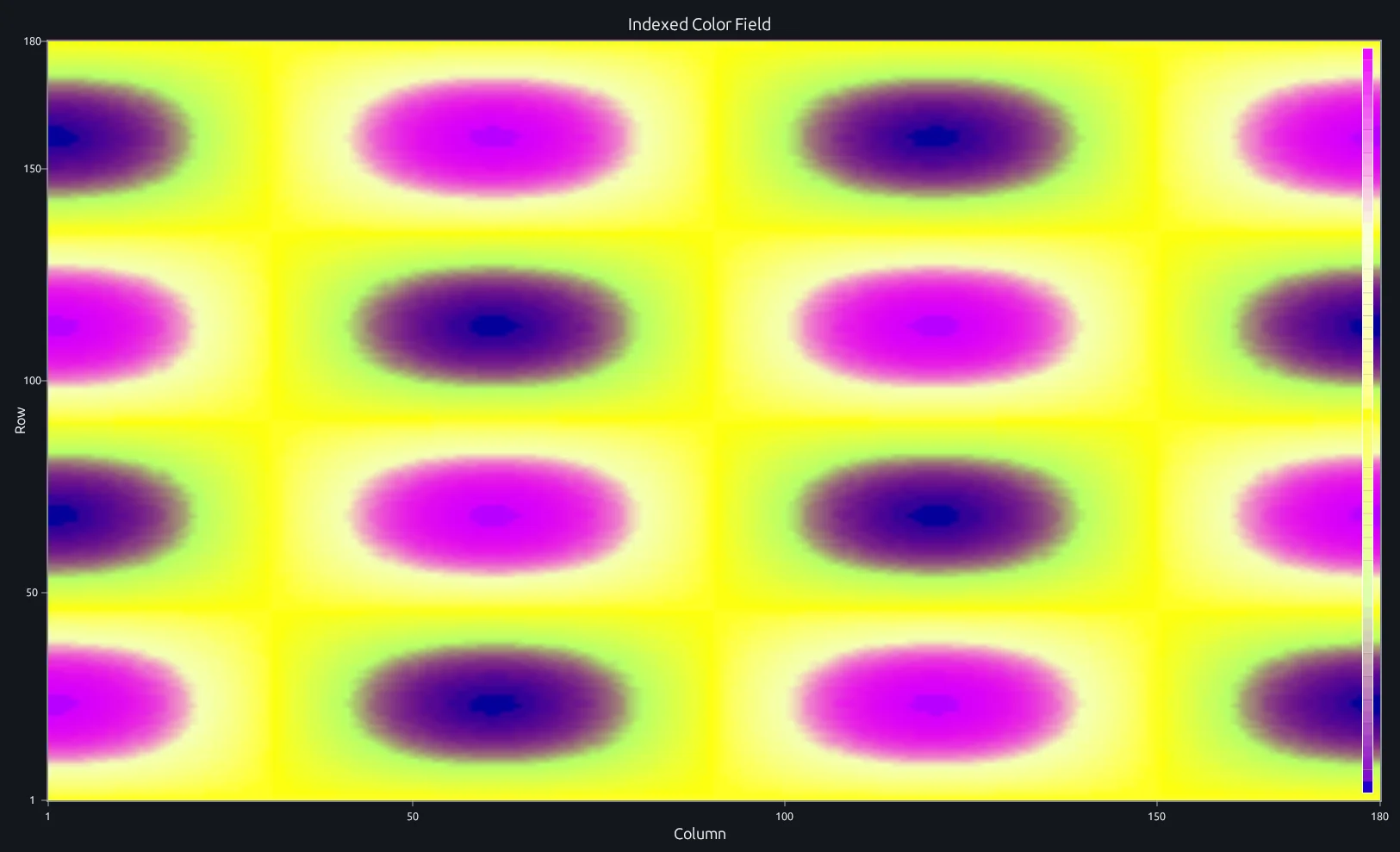
Compare this result with other chart types in the MATLAB Plot Gallery.
Using image with coding agents
Open a RunMat example with live inputs, then ask the agent to explain how image changes the result.
Run a small image example, explain the result, then change one input and compare the output.
FAQ
How do I display RGB data with image?⌄
Pass an MxNx3 array where the third dimension holds red, green, and blue channels. Values should be in [0, 1] for doubles or [0, 255] for uint8.
img = zeros(100, 100, 3);
img(:,:,1) = 1;           % full red
img(30:70, 30:70, 2) = 1; % green square
image(img);
When should I use image vs imagesc?⌄
image displays pixel data as-is — either indexed colors through a colormap or direct RGB truecolor. imagesc automatically scales a 2-D matrix so its min and max span the full colormap range. If you're showing actual image pixels or pre-indexed data, use image. If you're visualizing a matrix of computed values as a heatmap, use imagesc.
Why does my image appear upside down?⌄
By default, image sets the y-axis to go from top to bottom (row 1 at the top), which matches matrix indexing. If your coordinate system expects y to increase upward, call axis xy after image to flip the axis direction. Use axis ij to restore the default matrix-style orientation.
Related Plotting functions
2D Charts
area · bar · errorbar · heatmap · hist · histogram · loglog · pie · plot · scatter · semilogx · semilogy · stairs · stem
Other
addpoints · ancestor · animatedline · axes · barh · caxis · cla · clf · clim · colorcube · colororder · copyobj · daspect · datacursormode · dataTipTextRow · fcontour · figure · fill · fill3 · findobj · fsurf · gobjects · groot · hgload · hgsave · hidden · histogram2 · hold · line · linkaxes · openfig · opengl · pan · parula · patch · plotmatrix · plotyy · polarhistogram · polarplot · polarscatter · print · quiver3 · ribbon · saveas · savefig · sphere · stackedplot · subtitle · suptitle · text · textscatter · textscatter3 · triplot · waitbar · wordcloud · xlabel · xlim · xline · xscale · xtickangle · xtickformat · xticklabels · xticks · ylabel · ylim · yline · yscale · ytickangle · ytickformat · yticklabels · yticks · zlim · zoom
More plotting resources
Open-source implementation
Unlike proprietary runtimes, every RunMat function is open-source. Read exactly how image is executed, line by line, in Rust.
- View the source for image in Rust on GitHub
- Learn how the RunMat runtime works
- Found a bug? Open an issue with a minimal reproduction.
About RunMat
RunMat is an open-source runtime that executes MATLAB-syntax code blazing on any GPU. It is licensed under the Apache 2.0 license.
- RunMat automatically optimizes your math for GPU execution on Apple, Nvidia, and AMD hardware. No code changes needed. Simulations that took hours now take minutes.
- Start running code in seconds. RunMat runs in the browser, on the desktop, or from the CLI. No license server, no IT ticket.