
RunMat Desktop
RunMat Desktop is the app for writing and running MATLAB-syntax code, notebooks and simulations. It holds the editor, the Command Window, figures, variables, run history, tests and RunMat Agent in one window. The installed app runs code on your computer's CPU and GPU. The same app also runs in a browser, where code runs in the page through WebAssembly.
Install
Download the installer for your platform from Download RunMat Desktop.
| Platform | Package |
|---|---|
| macOS, Apple silicon | DMG |
| macOS, Intel | DMG |
| Windows x86_64 | Installer |
| Linux x86_64 | AppImage |
To try RunMat without installing it, open the browser sandbox. The sandbox keeps files in the browser until you save them as a project.
Run your first script
-
Open a project, or start in the sandbox. See Open or create a project.
-
Create a file named
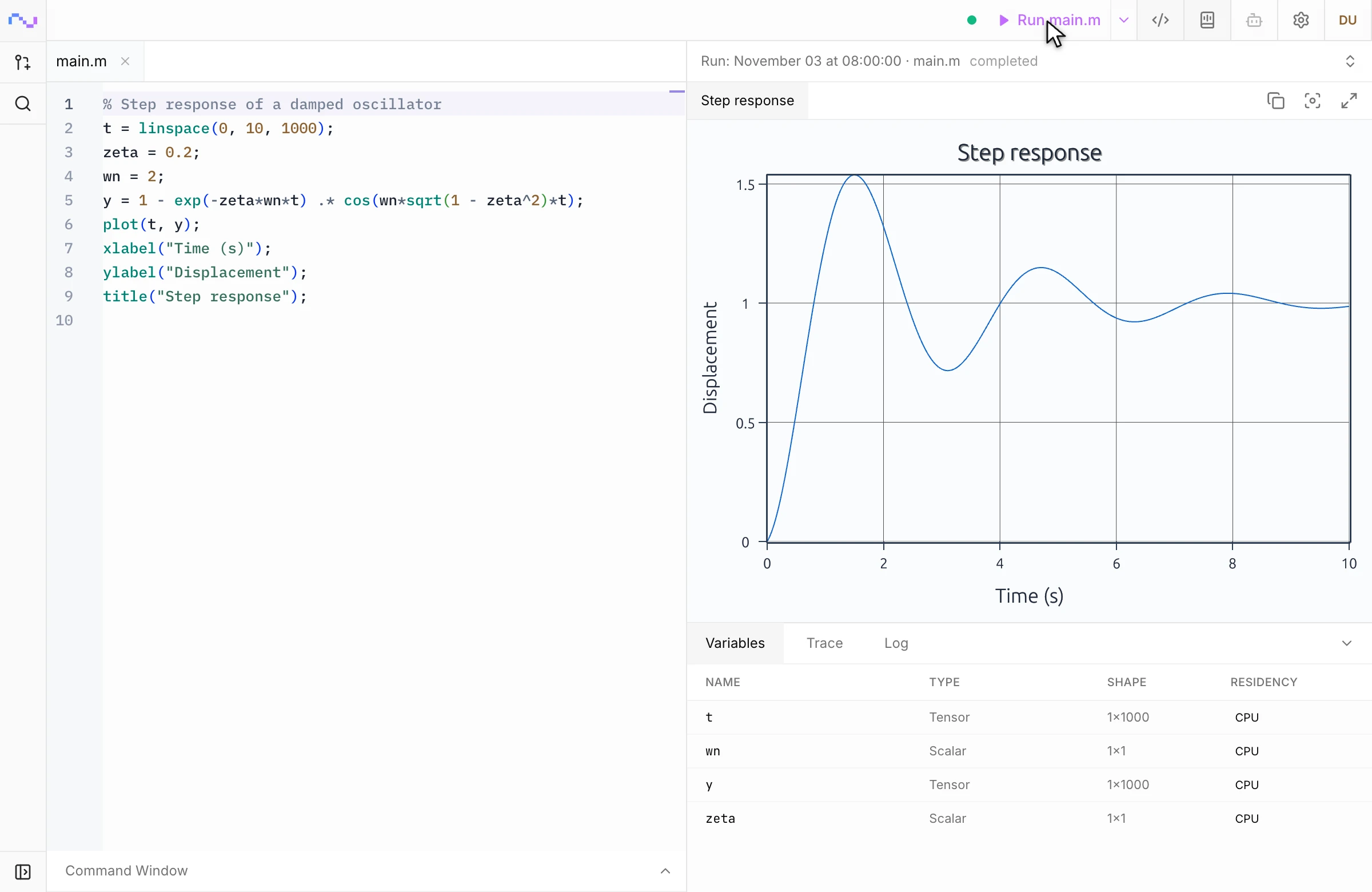
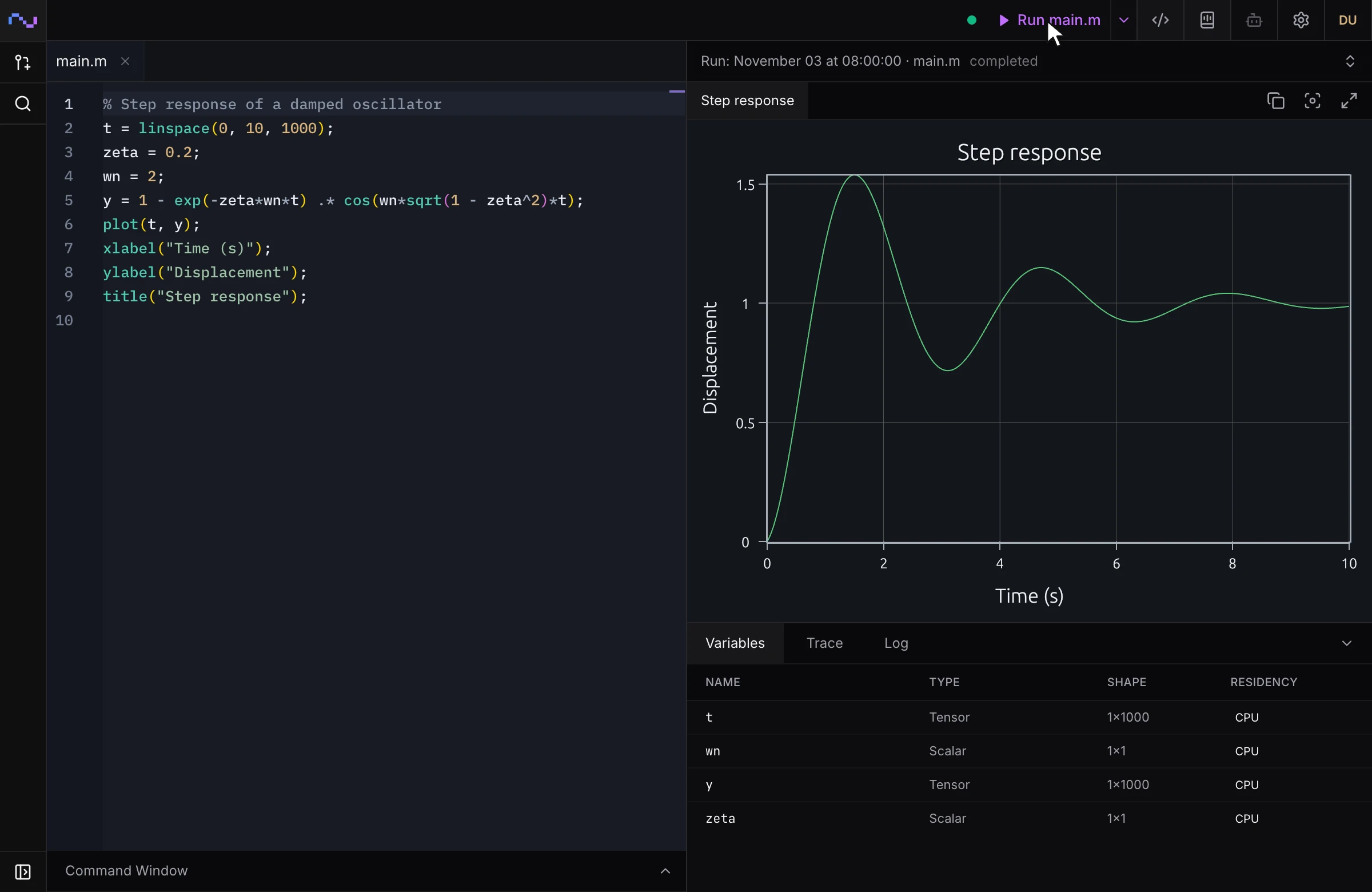
main.mand paste this code:% Step response of a damped oscillator t = linspace(0, 10, 1000); zeta = 0.2; wn = 2; y = 1 - exp(-zeta*wn*t) .* cos(wn*sqrt(1 - zeta^2)*t); plot(t, y); xlabel("Time (s)"); ylabel("Displacement"); title("Step response"); -
Select Run main.m at the top of the window.
The runtime panel opens on the right. The figure appears at the top, and the Variables table below it lists t, y, zeta and wn with their type and shape.
To check a value, open the Command Window at the bottom of the editor and type max(y). The Command Window shares the workspace the script left behind.
Guides
| Task | Guide |
|---|---|
| Open a folder, start a project, save the sandbox as a project | Open or create a project |
| Learn where the editor, runtime panel and Command Window sit | Find your way around |
| Run a file, an entry point or a selection; choose this computer or a cluster | Run code |
| Read a figure and open a variable's values | Inspect plots and variables |
| Mix prose, equations and runnable cells in one Markdown file | Write a runnable notebook |
| Open the output of an earlier run | Go back to an earlier run |
| Edit a cloud project with teammates at the same time | Work together live |
| Hand a task to RunMat Agent, or connect Claude Code or Codex | Use the agent in Desktop |
| Run a project's tests | Run tests |
| Change the theme, run defaults, the GPU and other settings | Change settings |
For language syntax and built-in functions, see the Runtime documentation.