
imagesc — Display scaled matrix images in MATLAB and RunMat.
imagesc displays matrix data using scaled colormap mapping and returns an image handle. Color-limit behavior and axes integration follow MATLAB semantics.
Syntax
h = imagesc(C)
h = imagesc(X, Y, C)
h = imagesc(C, clims)
h = imagesc(C, Name, Value, ...)
h = imagesc(X, Y, C, Name, Value, ...)
Inputs
| Name | Type | Required | Default | Description |
|---|---|---|---|---|
C | NumericArray | Yes | — | Indexed image matrix. |
X | NumericArray | Yes | — | X coordinates or extent vector. |
Y | NumericArray | Yes | — | Y coordinates or extent vector. |
clims | NumericArray | Yes | — | Two-element color limits. |
props | Any | Variadic | — | Name/value surface style options. |
Returns
| Name | Type | Description |
|---|---|---|
h | NumericScalar | Handle to the rendered scaled image object. |
Errors
| Identifier | When | Message |
|---|---|---|
RunMat:imagesc:InvalidArgument | Image data, axis inputs, or name/value style arguments are invalid. | imagesc: invalid argument |
RunMat:imagesc:Internal | Internal image/surface construction or rendering fails unexpectedly. | imagesc: internal operation failed |
How imagesc works
imagesc(C)displays a matrix using implicit axes and scaled color mapping.imagesc(X, Y, C)places the scaled image explicitly on the axes using the provided coordinate extents.- Unlike
image,imagescis fundamentally about colormap-driven value visualization rather than direct indexed/truecolor graphics-object placement. - The returned value is still an image-handle object in the shared plotting handle system.
imagescworks naturally withcolormap,colorbar,caxis, and subplot-local axes state.
Examples
Display a matrix as a heatmap-style scaled image
[X, Y] = meshgrid(linspace(-3, 3, 60), linspace(-3, 3, 60));
A = sin(X) .* cos(Y);
imagesc(A);
colorbar;
Place a scaled image on explicit axes
A = reshape(1:100, 10, 10);
imagesc([-5 5], [0 1], A);
colormap('parula');
Use subplot-local color workflows
[X, Y] = meshgrid(linspace(-3, 3, 40), linspace(-3, 3, 40));
Z = sin(X) .* cos(Y);
subplot(1, 2, 1);
imagesc(Z);
colormap('jet');
colorbar;
subplot(1, 2, 2);
imagesc(magic(20));
colormap('gray');
Dense matrix as a heatmap
[X, Y] = meshgrid(linspace(-pi, pi, 300), linspace(-pi, pi, 300));
Z = sin(3*X) .* cos(2*Y) + cos(X.*Y);

imagesc(Z);
colormap('turbo');
colorbar;
title('Scalar Field Heatmap');
xlabel('Column');
ylabel('Row');
axis equal;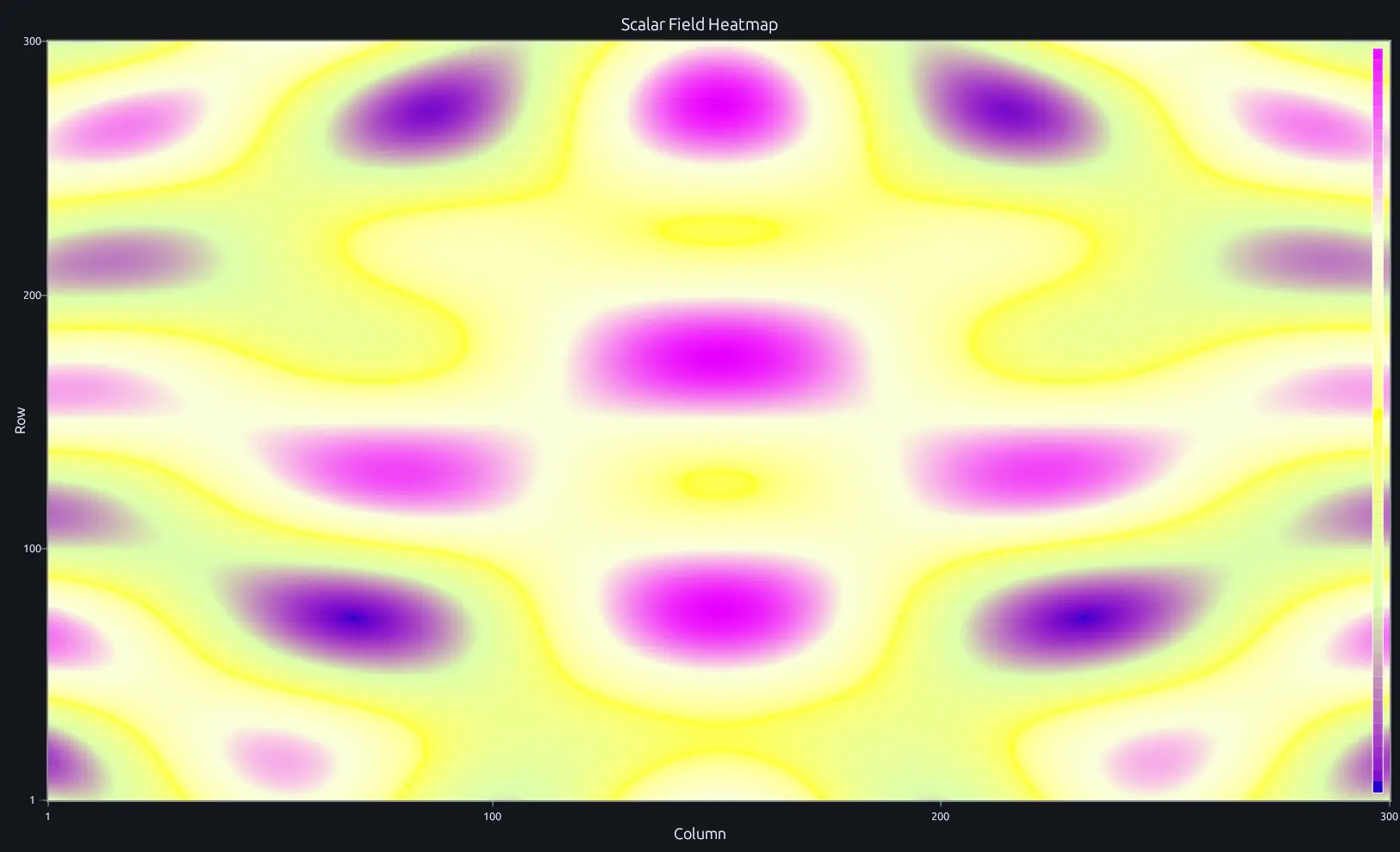
Compare this result with other chart types in the MATLAB Plot Gallery.
Using imagesc with coding agents
Open a RunMat example with live inputs, then ask the agent to explain how imagesc changes the result.
Run a small imagesc example, explain the result, then change one input and compare the output.
FAQ
What's the difference between imagesc and image?⌄
imagesc maps a 2-D matrix through the colormap with automatic scaling — the min value maps to the bottom of the colormap and the max to the top. image treats input as direct indexed or truecolor data without automatic scaling. Use imagesc for heatmaps and value visualization; use image when you have actual image pixel data (RGB arrays or pre-indexed values).
How does colormap scaling work with imagesc?⌄
imagesc sets the color limits (caxis) to [min(C(:)), max(C(:))] automatically. Every value in the matrix maps linearly into that range across the active colormap. To override the auto-scaling, call caxis([lo hi]) after imagesc.
imagesc(A);
caxis([-1 1]);
colorbar;
How do I display a matrix as a heatmap?⌄
Pass the matrix directly to imagesc and add a colorbar for the legend. Pair with a colormap that suits your data — diverging maps like 'coolwarm' work well for data centered around zero, sequential maps like 'parula' for positive-only ranges.
imagesc(myMatrix);
colormap('parula');
colorbar;
Related Plotting functions
2D Charts
area · bar · errorbar · heatmap · hist · histogram · loglog · pie · plot · scatter · semilogx · semilogy · stairs · stem
Other
addpoints · ancestor · animatedline · axes · barh · caxis · cla · clf · clim · colorcube · colororder · copyobj · daspect · datacursormode · dataTipTextRow · fcontour · figure · fill · fill3 · findobj · fsurf · gobjects · groot · hgload · hgsave · hidden · histogram2 · hold · line · linkaxes · openfig · opengl · pan · parula · patch · plotmatrix · plotyy · polarhistogram · polarplot · polarscatter · print · quiver3 · ribbon · saveas · savefig · sphere · stackedplot · subtitle · suptitle · text · textscatter · textscatter3 · triplot · waitbar · wordcloud · xlabel · xlim · xline · xscale · xtickangle · xtickformat · xticklabels · xticks · ylabel · ylim · yline · yscale · ytickangle · ytickformat · yticklabels · yticks · zlim · zoom
More plotting resources
Open-source implementation
Unlike proprietary runtimes, every RunMat function is open-source. Read exactly how imagesc is executed, line by line, in Rust.
- View the source for imagesc in Rust on GitHub
- Learn how the RunMat runtime works
- Found a bug? Open an issue with a minimal reproduction.
About RunMat
RunMat is an open-source runtime that executes MATLAB-syntax code blazing on any GPU. It is licensed under the Apache 2.0 license.
- RunMat automatically optimizes your math for GPU execution on Apple, Nvidia, and AMD hardware. No code changes needed. Simulations that took hours now take minutes.
- Start running code in seconds. RunMat runs in the browser, on the desktop, or from the CLI. No license server, no IT ticket.