
loglog — Plot data on logarithmic x and y axes in MATLAB and RunMat.
loglog(x, y, ...) creates line plots and sets both axes to logarithmic scale. Argument handling, returned handles, and axis-scaling behavior follow MATLAB semantics.
Syntax
h = loglog(Y)
h = loglog(X, Y)
h = loglog(args...)
Inputs
| Name | Type | Required | Default | Description |
|---|---|---|---|---|
Y | NumericArray | Yes | — | Y data vector/matrix. |
X | NumericArray | Yes | — | X data vector/matrix. |
args | Any | Variadic | — | Plot-style inputs: optional axes handle, style tokens, and Name/Value pairs. |
Returns
| Name | Type | Description |
|---|---|---|
h | NumericScalar | Line handle. |
Errors
| Identifier | When | Message |
|---|---|---|
RunMat:loglog:PlotFailed | Underlying plot rendering/parsing fails while building the log-log plot. | loglog: plot operation failed |
RunMat:loglog:LogAxisFailed | Applying logarithmic axis modes fails. | loglog: failed to apply logarithmic axis mode |
How loglog works
- The returned value is a numeric line handle.
- Both x and y axes are switched to log scale on the active axes.
- Axes scale state remains subplot-local.
- Logarithmic axes are meaningful for positive-domain data on both x and y.
Examples
Plot a power-law curve on logarithmic axes
x = logspace(0, 3, 200);
loglog(x, x.^(-1.5));
Compare multiple scaling laws
x = logspace(0, 3, 200);
h1 = loglog(x, x.^(-1));
set(h1, 'DisplayName', 'x^{-1}');
hold on;
h2 = loglog(x, x.^(-2));
set(h2, 'DisplayName', 'x^{-2}');
legend;
Inspect both axes after plotting
x = logspace(0, 2, 50);
loglog(x, x.^2);
ax = gca;
xscale = get(ax, 'XScale');
yscale = get(ax, 'YScale');
Expected output:
% Both axes report 'log'Rendered loglog example
problem_size = logspace(1, 6, 300);
measured = 0.018*problem_size.^1.42 .* (1 + 0.035*sin(log(problem_size)));
reference = 0.018*problem_size.^1.42;

h1 = loglog(problem_size, measured);
set(h1, 'LineWidth', 2, 'DisplayName', 'Measured');
hold on;
h2 = loglog(problem_size, reference, '--');
set(h2, 'LineWidth', 1.5, 'DisplayName', 'n^{1.42} reference');
hold off;
title('Scaling Law Comparison');
xlabel('Problem size');
ylabel('Work units');
legend();
grid on;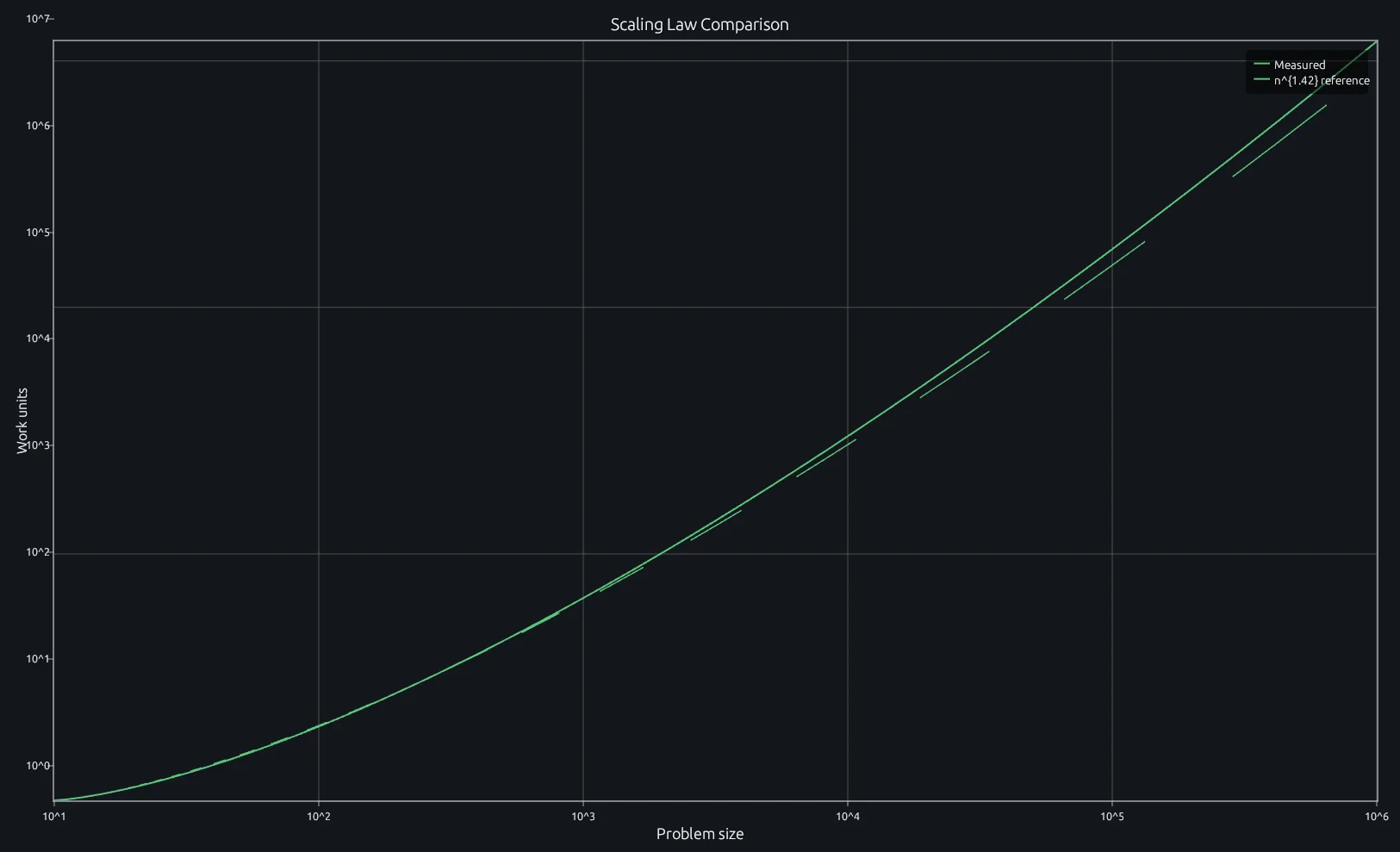
Compare this result with other chart types in the MATLAB Plot Gallery.
Using loglog with coding agents
Open a RunMat example with live inputs, then ask the agent to explain how loglog changes the result.
Run a small loglog example, explain the result, then change one input and compare the output.
FAQ
Why do power-law relationships appear as straight lines on a log-log plot?⌄
Taking the log of both sides of y = a * x^b gives log(y) = log(a) + b * log(x), which is linear in log-space. The slope of the line equals the exponent b, and the y-intercept gives log(a). That's why log-log is the standard way to identify and compare power laws.
How is loglog different from semilogx or semilogy?⌄
semilogx only logs the x-axis (linear y), semilogy only logs the y-axis (linear x), and loglog logs both. Use loglog when both dimensions span orders of magnitude — spectrum plots, scaling benchmarks, fractal dimension analysis.
Can I mix loglog with other scale modes in a subplot layout?⌄
Yes. Axes scale state is subplot-local, so loglog in one panel doesn't affect neighbors.
subplot(1, 2, 1);
loglog(x, x.^(-2));
subplot(1, 2, 2);
plot(x, x.^(-2)); % linear axes here
Related Plotting functions
2D Charts
area · bar · errorbar · heatmap · hist · histogram · pie · plot · scatter · semilogx · semilogy · stairs · stem
Other
addpoints · ancestor · animatedline · axes · barh · caxis · cla · clf · clim · colorcube · colororder · copyobj · daspect · datacursormode · dataTipTextRow · fcontour · figure · fill · fill3 · findobj · fsurf · gobjects · groot · hgload · hgsave · hidden · histogram2 · hold · line · linkaxes · openfig · opengl · pan · parula · patch · plotmatrix · plotyy · polarhistogram · polarplot · polarscatter · print · quiver3 · ribbon · saveas · savefig · sphere · stackedplot · subtitle · suptitle · text · textscatter · textscatter3 · triplot · waitbar · wordcloud · xlabel · xlim · xline · xscale · xtickangle · xtickformat · xticklabels · xticks · ylabel · ylim · yline · yscale · ytickangle · ytickformat · yticklabels · yticks · zlim · zoom
More plotting resources
Open-source implementation
Unlike proprietary runtimes, every RunMat function is open-source. Read exactly how loglog is executed, line by line, in Rust.
- View the source for loglog in Rust on GitHub
- Learn how the RunMat runtime works
- Found a bug? Open an issue with a minimal reproduction.
About RunMat
RunMat is an open-source runtime that executes MATLAB-syntax code blazing on any GPU. It is licensed under the Apache 2.0 license.
- RunMat automatically optimizes your math for GPU execution on Apple, Nvidia, and AMD hardware. No code changes needed. Simulations that took hours now take minutes.
- Start running code in seconds. RunMat runs in the browser, on the desktop, or from the CLI. No license server, no IT ticket.