
imshow — Display images in MATLAB and RunMat.
imshow displays grayscale, binary, and truecolor image data with MATLAB-style defaults. File-input handling and display scaling behavior follow MATLAB semantics.
Syntax
h = imshow(I)
h = imshow(I, [low high])
h = imshow(I, [])
Inputs
| Name | Type | Required | Default | Description |
|---|---|---|---|---|
I | Any | Yes | — | Image matrix/array or filename. |
I | Any | Yes | — | Numeric grayscale image matrix/array. |
DisplayRange | NumericArray | Yes | [] | Display limits as [] or [low high]. |
Returns
| Name | Type | Description |
|---|---|---|
h | NumericScalar | Handle to the image object. |
Errors
| Identifier | When | Message |
|---|---|---|
RunMat:imshow:InvalidArgument | Image input, filename, or display range arguments are malformed or unsupported. | imshow: invalid argument |
RunMat:imshow:Internal | Internal image decoding or render preparation fails unexpectedly. | imshow: internal operation failed |
How imshow works
imshow(I)displays 2-D numeric data with grayscale limits[0, 1], matching MATLAB double-image defaults.imshow(BW)displays logical image data as black and white using[0, 1]limits.imshow(RGB)displays MxNx3 truecolor data directly.- In
runmatcompatibility mode,imshow(RGBA)accepts supported numeric MxNx4 data as a RunMat extension and displays its fourth channel as alpha. imshow(I, [low high])displays grayscale image data using an explicit display range.imshow(I, [])auto-scales grayscale image data from finite minimum to finite maximum.imshow(filename)reads and decodes an image file, then displays it as truecolor data.
Examples
Display a simple grayscale image
row = 100;
col = 100;
rsm = ones(row, col);
imshow(rsm);
Auto-scale a matrix for display
A = peaks(128);
imshow(A, []);
Display truecolor RGB data
R = ones(64, 64);
G = zeros(64, 64);
B = zeros(64, 64);
RGB = cat(3, R, G, B);
imshow(RGB);
Display an image file
imshow("photo.png");Rendered imshow example
[X, Y] = meshgrid(linspace(-3, 3, 220), linspace(-2, 2, 150));
field = exp(-0.8*((X-1).^2 + Y.^2)) - 0.7*exp(-((X+1).^2 + (Y-0.4).^2));

imshow(field, []);
title('Autoscaled Grayscale Field');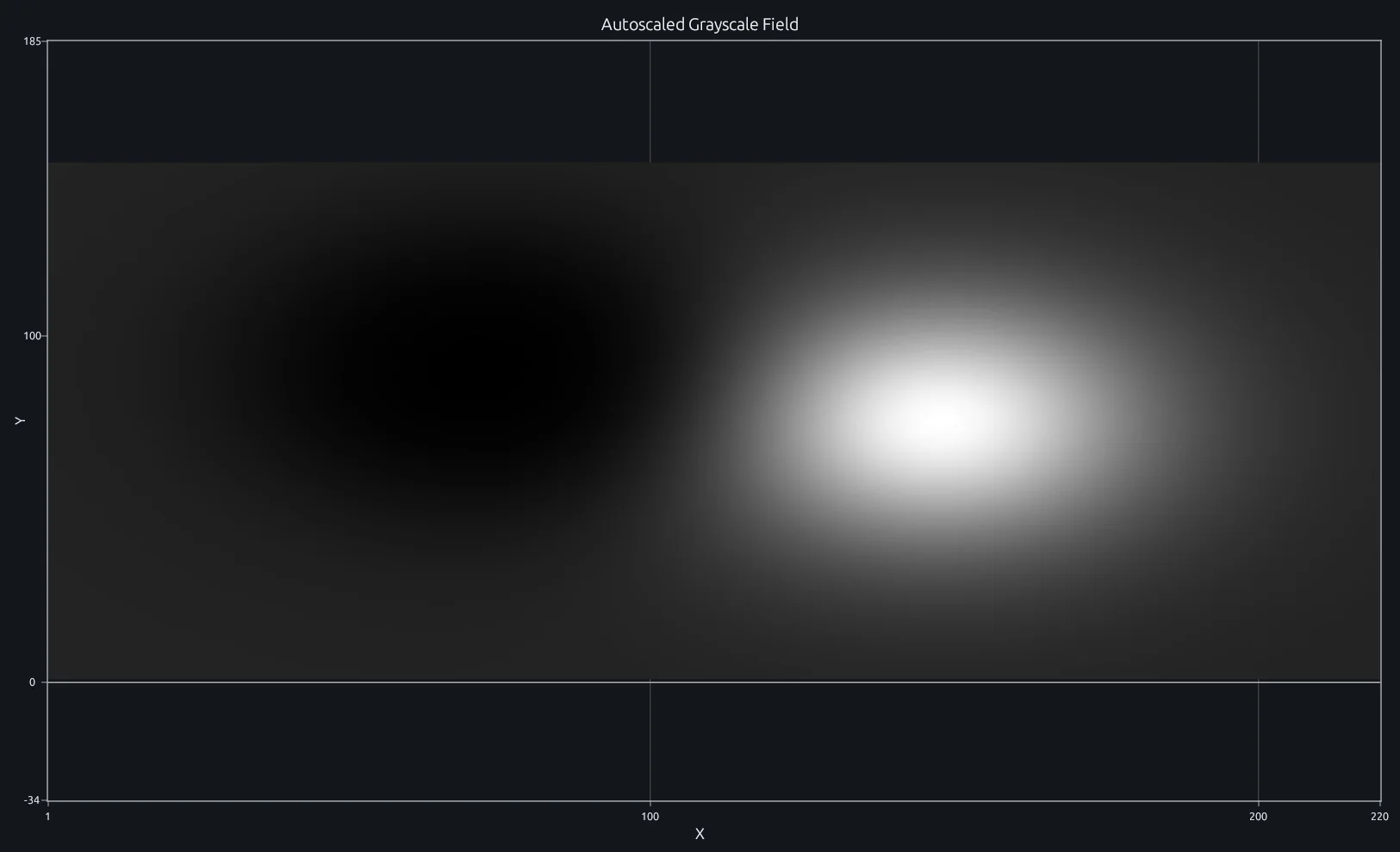
Compare this result with other chart types in the MATLAB Plot Gallery.
Using imshow with coding agents
Open a RunMat example with live inputs, then ask the agent to explain how imshow changes the result.
Run a small imshow example, explain the result, then change one input and compare the output.
FAQ
What display range does imshow use for doubles?⌄
imshow(I) uses [0, 1] for floating-point grayscale data. Use imshow(I, []) when you want RunMat to scale the visible range from the data minimum to maximum.
Does imshow support uint8 and uint16 image defaults?⌄
Yes. Grayscale uint8 data uses [0, 255], grayscale uint16 data uses [0, 65535], and truecolor data of either class is normalized by the corresponding full-scale value.
How is imshow different from imagesc?⌄
imshow is for image display and uses grayscale or truecolor image defaults. imagesc is for scaled matrix visualization and maps data through the active colormap.
Related Plotting functions
2D Charts
area · bar · errorbar · heatmap · hist · histogram · loglog · pie · plot · scatter · semilogx · semilogy · stairs · stem
Other
addpoints · ancestor · animatedline · axes · barh · caxis · cla · clf · clim · colorcube · colororder · copyobj · daspect · datacursormode · dataTipTextRow · fcontour · figure · fill · fill3 · findobj · fsurf · gobjects · groot · hgload · hgsave · hidden · histogram2 · hold · line · linkaxes · openfig · opengl · pan · parula · patch · plotmatrix · plotyy · polarhistogram · polarplot · polarscatter · print · quiver3 · ribbon · saveas · savefig · sphere · stackedplot · subtitle · suptitle · text · textscatter · textscatter3 · triplot · waitbar · wordcloud · xlabel · xlim · xline · xscale · xtickangle · xtickformat · xticklabels · xticks · ylabel · ylim · yline · yscale · ytickangle · ytickformat · yticklabels · yticks · zlim · zoom
Open-source implementation
Unlike proprietary runtimes, every RunMat function is open-source. Read exactly how imshow is executed, line by line, in Rust.
- View the source for imshow in Rust on GitHub
- Learn how the RunMat runtime works
- Found a bug? Open an issue with a minimal reproduction.
About RunMat
RunMat is an open-source runtime that executes MATLAB-syntax code blazing on any GPU. It is licensed under the Apache 2.0 license.
- RunMat automatically optimizes your math for GPU execution on Apple, Nvidia, and AMD hardware. No code changes needed. Simulations that took hours now take minutes.
- Start running code in seconds. RunMat runs in the browser, on the desktop, or from the CLI. No license server, no IT ticket.