
heatmap — Create heatmap charts in MATLAB and RunMat.
heatmap creates heatmap charts from numeric matrix data. All eight integer classes remain exact in chart ColorData; a separate normalized renderer representation preserves distinctions between adjacent wide integers.
Syntax
h = heatmap(CData)
h = heatmap(CData, Name, Value, ...)
h = heatmap(XValues, YValues, CData)
h = heatmap(XValues, YValues, CData, Name, Value, ...)
Inputs
| Name | Type | Required | Default | Description |
|---|---|---|---|---|
CData | NumericArray | Yes | — | M-by-N numeric matrix of color values. |
props | Any | Variadic | — | Heatmap property name/value pairs. |
XValues | Any | Yes | — | Column labels (length N). |
YValues | Any | Yes | — | Row labels (length M). |
Returns
| Name | Type | Description |
|---|---|---|
h | NumericScalar | Handle to the heatmap chart. |
Errors
| Identifier | When | Message |
|---|---|---|
RunMat:heatmap:InvalidArgument | CData/label/property inputs are malformed or incompatible. | heatmap: invalid argument |
RunMat:heatmap:Internal | Internal render/surface construction fails. | heatmap: internal operation failed |
How heatmap works
heatmap(CData)andheatmap(CData, Name, Value, ...)display matrix values using default row and column labels.heatmap(XValues, YValues, CData)uses text, string-array, cell-array, or numeric labels for the displayed columns and rows.- The returned heatmap handle participates in RunMat's plotting property system.
- Integer ColorData is retained authoritatively on the chart while exact range-relative normalization supplies the floating renderer boundary.
- ColorLimits, FontSize, ColorbarVisible, and GridVisible accept documented integer values with exact structural validation; ColorLimits remain public in the source data domain.
Examples
Create a labeled heatmap chart
cdata = [45 60 32; 43 54 76; 32 94 68; 23 95 58];
xvalues = {'Small','Medium','Large'};
yvalues = {'Green','Red','Blue','Gray'};
h = heatmap(xvalues,yvalues,cdata);
h.Title = 'T-Shirt Orders';
h.XLabel = 'Sizes';
h.YLabel = 'Colors';
Create a heatmap from matrix data
A = magic(5);
h = heatmap(A);
h.Colormap = 'hot';
h.ColorbarVisible = true;
Rendered heatmap example
results = [92 88 81 76; 85 91 87 82; 78 84 93 89; 90 86 80 94];
conditions = {'Cold', 'Nominal', 'Hot', 'Vibration'};
components = {'Pump A', 'Pump B', 'Valve A', 'Valve B'};

h = heatmap(conditions, components, results);
h.Title = 'Component Test Score';
h.XLabel = 'Test condition';
h.YLabel = 'Component';
h.Colormap = 'turbo';
h.ColorbarVisible = true;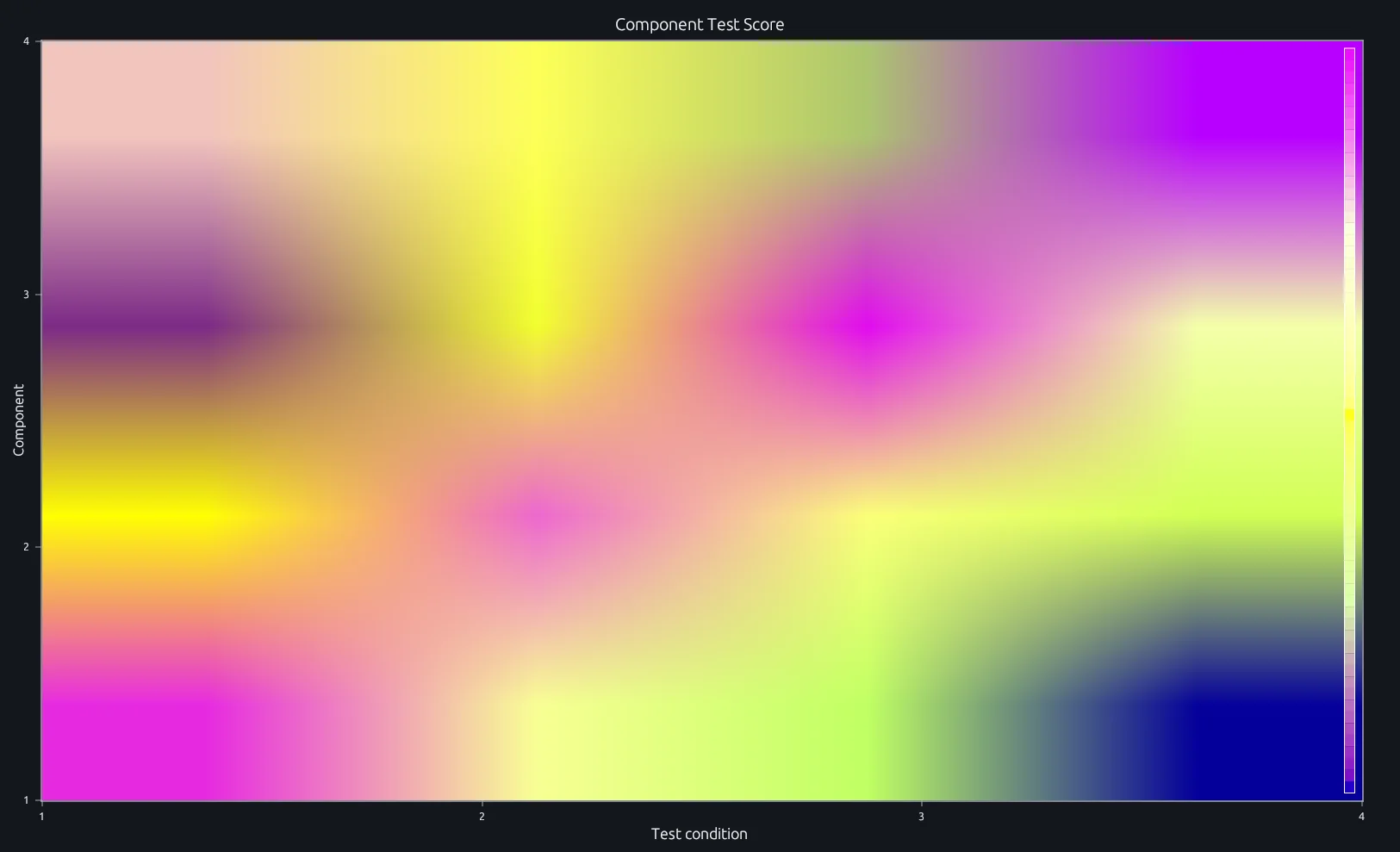
Compare this result with other chart types in the MATLAB Plot Gallery.
Using heatmap with coding agents
Open a RunMat example with live inputs, then ask the agent to explain how heatmap changes the result.
Run a small heatmap example, explain the result, then change one input and compare the output.
FAQ
Does heatmap support table inputs?⌄
Not yet. RunMat currently supports matrix CData inputs with optional row and column labels. Table-based MATLAB signatures will be added once table values are represented in the runtime.
Related Plotting functions
2D Charts
area · bar · errorbar · hist · histogram · loglog · pie · plot · scatter · semilogx · semilogy · stairs · stem
Other
addpoints · ancestor · animatedline · axes · barh · caxis · cla · clf · clim · colorcube · colororder · copyobj · daspect · datacursormode · dataTipTextRow · fcontour · figure · fill · fill3 · findobj · fsurf · gobjects · groot · hgload · hgsave · hidden · histogram2 · hold · line · linkaxes · openfig · opengl · pan · parula · patch · plotmatrix · plotyy · polarhistogram · polarplot · polarscatter · print · quiver3 · ribbon · saveas · savefig · sphere · stackedplot · subtitle · suptitle · text · textscatter · textscatter3 · triplot · waitbar · wordcloud · xlabel · xlim · xline · xscale · xtickangle · xtickformat · xticklabels · xticks · ylabel · ylim · yline · yscale · ytickangle · ytickformat · yticklabels · yticks · zlim · zoom
More plotting resources
Open-source implementation
Unlike proprietary runtimes, every RunMat function is open-source. Read exactly how heatmap is executed, line by line, in Rust.
- View the source for heatmap in Rust on GitHub
- Learn how the RunMat runtime works
- Found a bug? Open an issue with a minimal reproduction.
About RunMat
RunMat is an open-source runtime that executes MATLAB-syntax code blazing on any GPU. It is licensed under the Apache 2.0 license.
- RunMat automatically optimizes your math for GPU execution on Apple, Nvidia, and AMD hardware. No code changes needed. Simulations that took hours now take minutes.
- Start running code in seconds. RunMat runs in the browser, on the desktop, or from the CLI. No license server, no IT ticket.