
contour3 — Create 3-D contour line plots in MATLAB and RunMat.
contour3 creates 3-D contour line plots from scalar fields. It accepts core contour-style inputs but places each isoline at its scalar Z level rather than projecting onto a flat plane.
Syntax
contour3(Z)How contour3 works
contour3(Z)uses implicit X and Y axes derived from the Z matrix shape.contour3(X, Y, Z)accepts explicit vector axes or meshgrid-style X and Y matrices.- A scalar fourth argument selects the number of contour levels; a vector fourth argument selects exact contour levels.
- LineSpec color tokens such as
'k'and name-value pairs such as'LineWidth'are accepted. - GPU-aware contour generation is used when the shared plotting path can operate directly on GPU-resident scalar fields.
Options
'LevelList'/'Levels'accepts an explicit, strictly increasing vector of contour values.'LevelStep'specifies the spacing between generated contour levels.'LineColor'accepts MATLAB color strings, RGB triples,'auto', and'none'.'LineWidth'controls contour line thickness.
GPU memory and residency
contour3 preserves GPU residency when the shared WGPU plotting context can consume the Z buffer directly. If that path is unavailable, RunMat gathers once and builds the same contour geometry on the CPU.
Examples
Create a basic 3-D contour plot
[X, Y] = meshgrid(-2:0.25:2, -2:0.25:2);
Z = X .* exp(-X.^2 - Y.^2);
contour3(X, Y, Z);
Use explicit contour levels with high-contrast lines
[X, Y] = meshgrid(linspace(-3, 3, 80), linspace(-3, 3, 80));
Z = sin(X) .* cos(Y);
contour3(X, Y, Z, [-0.75 -0.25 0.25 0.75], 'Color', [0.05 0.35 0.95], 'LineWidth', 2.25);
zlabel('Potential');
view(45, 30);
Inspect the returned contour handle
Z = peaks(40);
h = contour3(Z, 12, 'Color', [0.9 0.2 0.05], 'LineWidth', 2.0);
get(h, 'Type')
Expected output:
ans =
    'contour'
Rendered contour3 example
[X, Y] = meshgrid(linspace(-3, 3, 100), linspace(-3, 3, 100));
Z = sin(X).*cos(Y) + 0.25*cos(2*X + Y);
levels = [-0.9 -0.6 -0.3 0 0.3 0.6 0.9];

contour3(X, Y, Z, levels, 'LineWidth', 2);
title('Potential Field Levels');
xlabel('x');
ylabel('y');
zlabel('Potential');
view(42, 28);
grid on;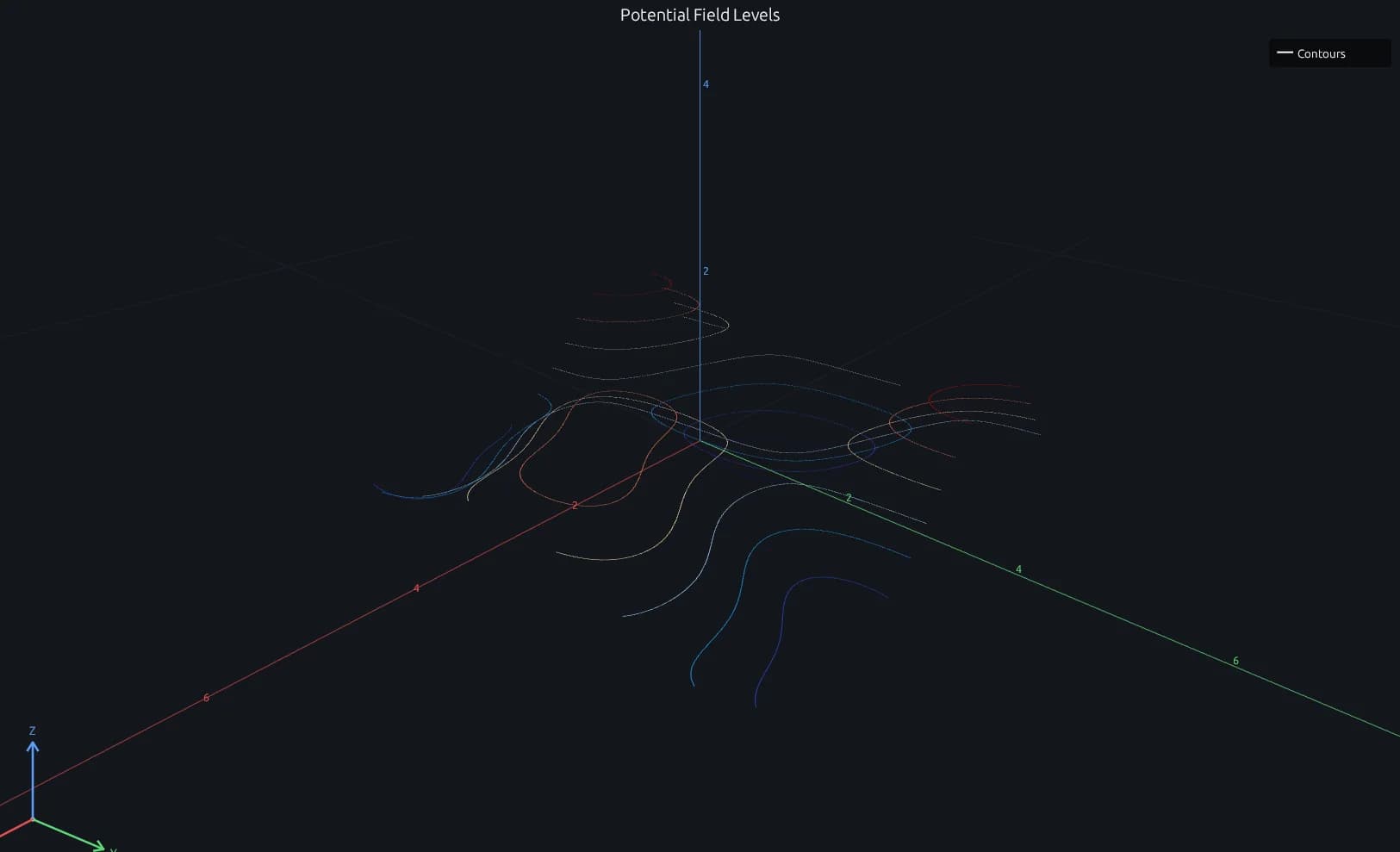
Compare this result with other chart types in the MATLAB Plot Gallery.
Using contour3 with coding agents
Open a RunMat example with live inputs, then ask the agent to explain how contour3 changes the result.
Run a small contour3 example, explain the result, then change one input and compare the output.
FAQ
How is contour3 different from contour?⌄
contour draws contour lines on a single flat plane. contour3 places each contour line at its own scalar level on the Z axis, which makes level height visible in the 3-D camera.
Can contour3 be combined with surface plots?⌄
Yes. Use hold on to overlay contour3 with surf, mesh, plot3, or scatter3. Because contour3 is camera-aware, it shares the same 3-D axes state as other 3-D plot types.
Related Plotting functions
2D Charts
area · bar · errorbar · heatmap · hist · histogram · loglog · pie · plot · scatter · semilogx · semilogy · stairs · stem
Other
addpoints · ancestor · animatedline · axes · barh · caxis · cla · clf · clim · colorcube · colororder · copyobj · daspect · datacursormode · dataTipTextRow · fcontour · figure · fill · fill3 · findobj · fsurf · gobjects · groot · hgload · hgsave · hidden · histogram2 · hold · line · linkaxes · openfig · opengl · pan · parula · patch · plotmatrix · plotyy · polarhistogram · polarplot · polarscatter · print · quiver3 · ribbon · saveas · savefig · sphere · stackedplot · subtitle · suptitle · text · textscatter · textscatter3 · triplot · waitbar · wordcloud · xlabel · xlim · xline · xscale · xtickangle · xtickformat · xticklabels · xticks · ylabel · ylim · yline · yscale · ytickangle · ytickformat · yticklabels · yticks · zlim · zoom
More plotting resources
Open-source implementation
Unlike proprietary runtimes, every RunMat function is open-source. Read exactly how contour3 is executed, line by line, in Rust.
- View the source for contour3 in Rust on GitHub
- Learn how the RunMat runtime works
- Found a bug? Open an issue with a minimal reproduction.
About RunMat
RunMat is an open-source runtime that executes MATLAB-syntax code blazing on any GPU. It is licensed under the Apache 2.0 license.
- RunMat automatically optimizes your math for GPU execution on Apple, Nvidia, and AMD hardware. No code changes needed. Simulations that took hours now take minutes.
- Start running code in seconds. RunMat runs in the browser, on the desktop, or from the CLI. No license server, no IT ticket.