Newton-Raphson power flow
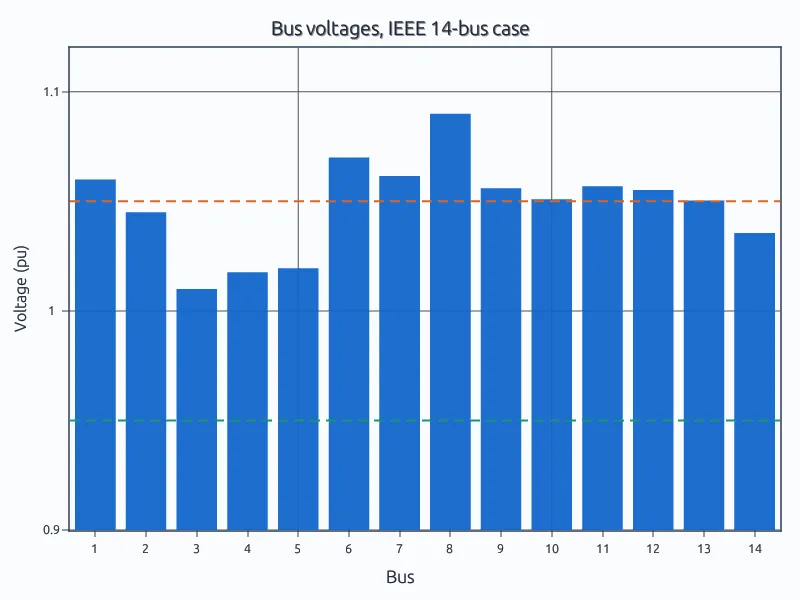
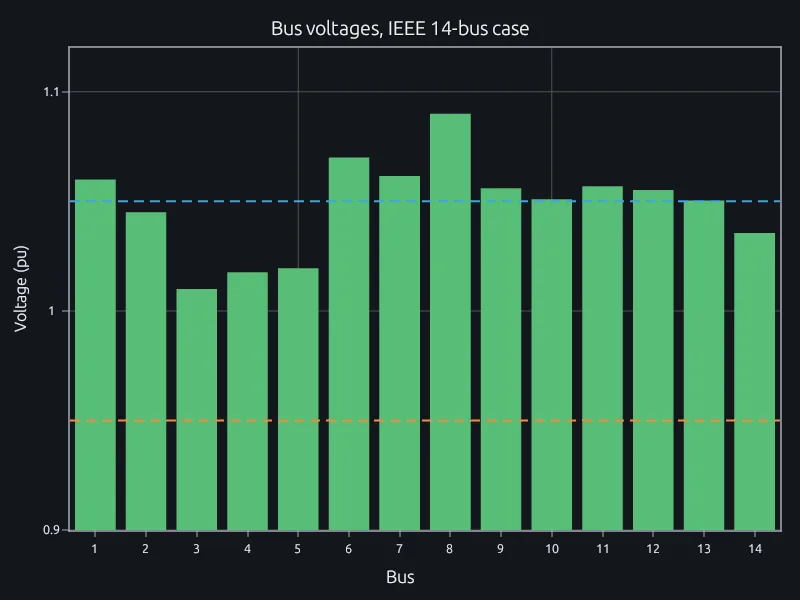
The IEEE 14-bus case, checked against its published solution.
Run power-flow and hosting-capacity scripts in the MATLAB language, from one case on a laptop to every hour of the year on a cluster.
Your power-flow, hosting-capacity and load-flow scripts run in RunMat as they are, so nobody rewrites them in Python and validates them again.
The script beside this matches the published solution for a standard IEEE test grid.
P = (bus(:, 6) - bus(:, 4)) / 100; Q = -bus(:, 5) / 100;pv = find(bus(:, 2) == 2); pq = find(bus(:, 2) == 0); ns = vertcat(pv, pq);V = bus(:, 3); th = zeros(n, 1); S = zeros(n, 1);for it = 1:20E = V .* exp(1i*th);S = E .* conj(Y*E);mis = vertcat(P(ns) - real(S(ns)), Q(pq) - imag(S(pq)));if max(abs(mis)) < 1e-8, break; enddSdth = 1i*diag(E)*conj(diag(Y*E) - Y*diag(E));dSdV = diag(E)*conj(Y*diag(E./V)) + diag(conj(Y*E).*(E./V));J = vertcat(horzcat(real(dSdth(ns, ns)), real(dSdV(ns, pq))), ...horzcat(imag(dSdth(pq, ns)), imag(dSdV(pq, pq))));dx = J \ mis;m = numel(ns);th(ns) = th(ns) + dx((1:m)');V(pq) = V(pq) + dx((m+1:numel(dx))');end
$ runmat power-flow.mslack bus supplies 232.4 MW and -16.5 Mvarbus 14 at 1.036 pu, -16.03 degrees (published 1.036 pu, -16.04)
% Power flow for every hour of the year
vmax = zeros(8760, 1);
parfor k = 1:8760
    b = scale(bus, load(k), solar(k));
    vmax(k) = max(powerflow(b, br));
end
over = find(vmax > 1.05);Planners open the same project and edit the same scripts at once. Each person sees the others' cursors and edits as they happen, and a rerun shows everyone the new result.
Every run is kept with the case, the script version and who ran it, so a study can be reviewed, handed over or rerun months later from the copy that produced its numbers.
RunMat is a deterministic engine: the same case and script give the same result every time. It is designed for AI models to use in a controlled loop, for work like the studies on this page.
The model writes the script or the study. RunMat checks its types, shapes and units and sends any error back for the model to fix, then runs it. The model reports the result and how it was computed, and every number in that answer came from RunMat, so it can go in a planning study.
It works with Claude Code, Codex, any MCP client or the agent built into RunMat, on the model your company already uses.
Works withClaude CodeCodexAny MCP client
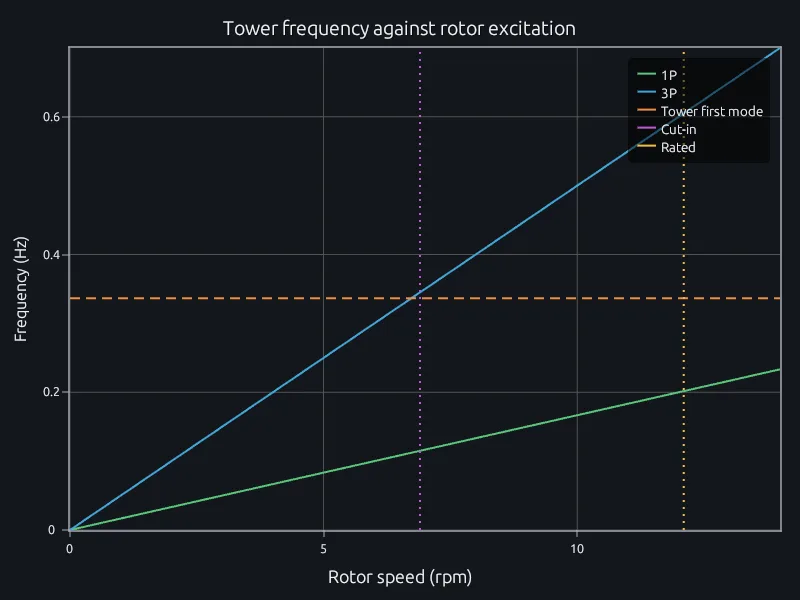
Check a tower's first mode against 1P and 3P as a study in the same project as the rest of the analysis, with a beam model beside it to check against. When the foundation stiffness or the nacelle mass changes, edit one line and rerun.
A study is a short text file with a unit on every number, so a variant is a change you can review line by line, and a sweep over foundations or masses runs in parallel like any script.
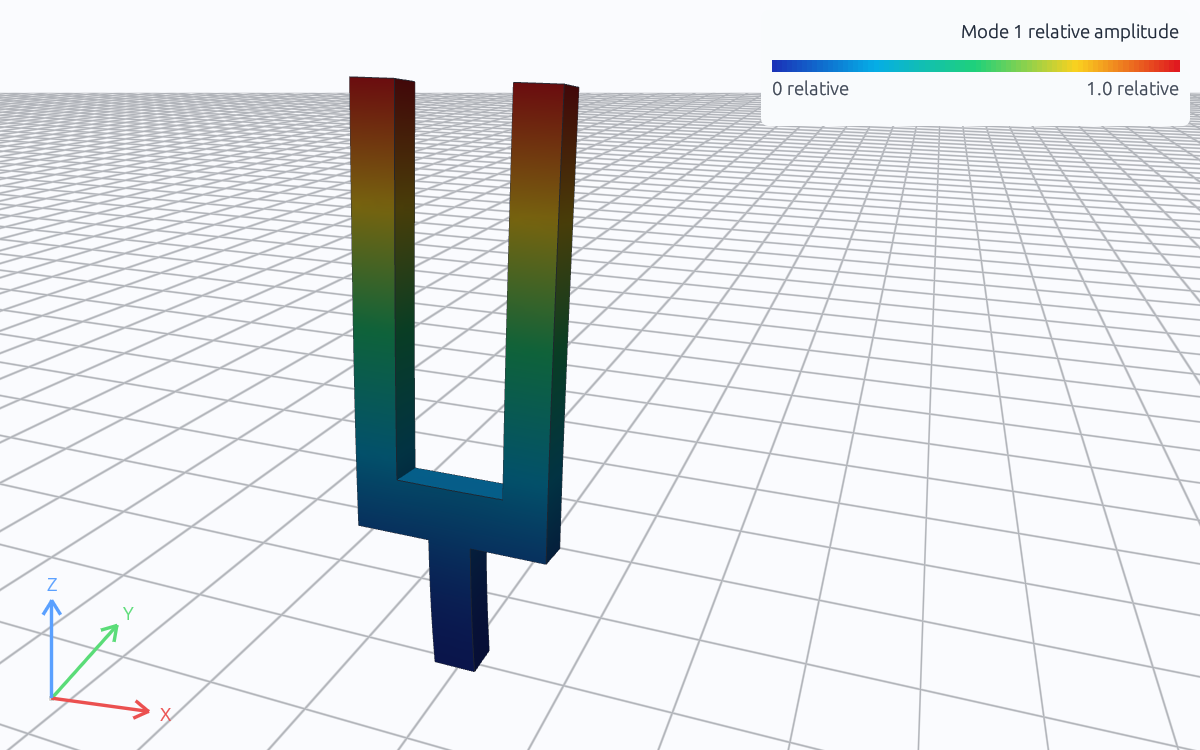
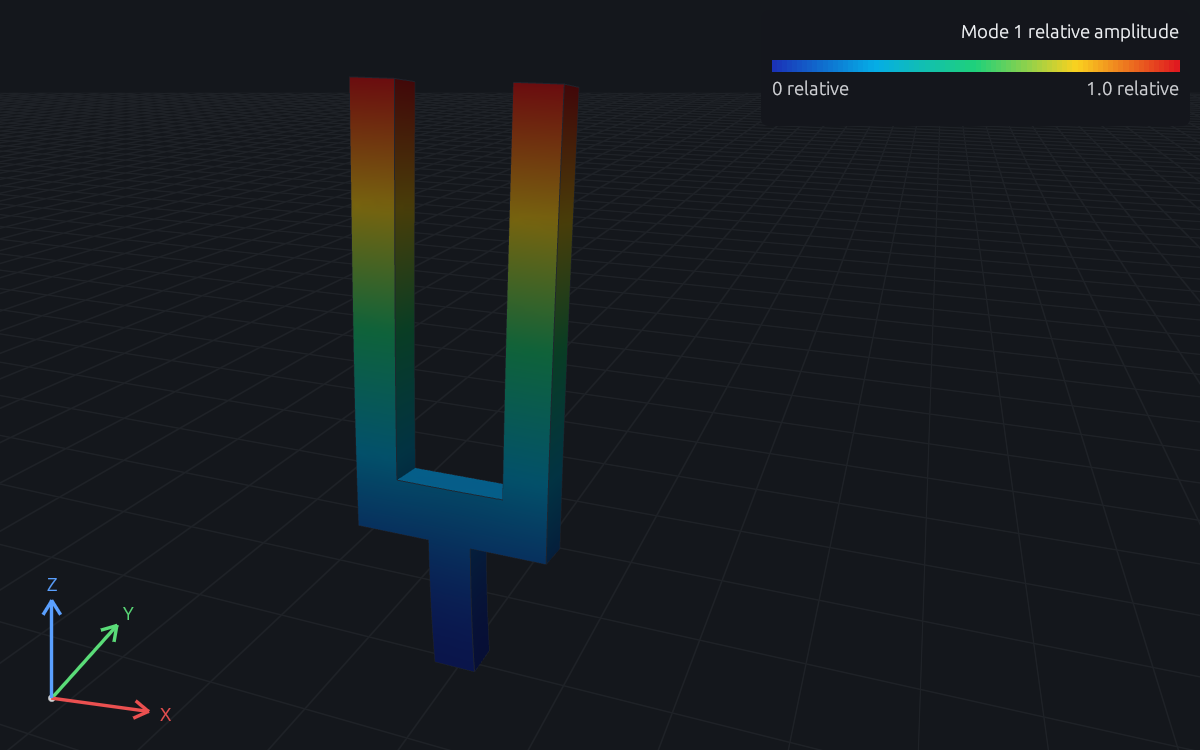
Preview: a solved RunMat modal study of a tuning fork. This tower's first mode replaces it once the study runs.
Base cases are CEII. RunMat runs on servers you control, offline if needed, so the cases never leave the network.
The IEEE 14-bus case, checked against its published solution.
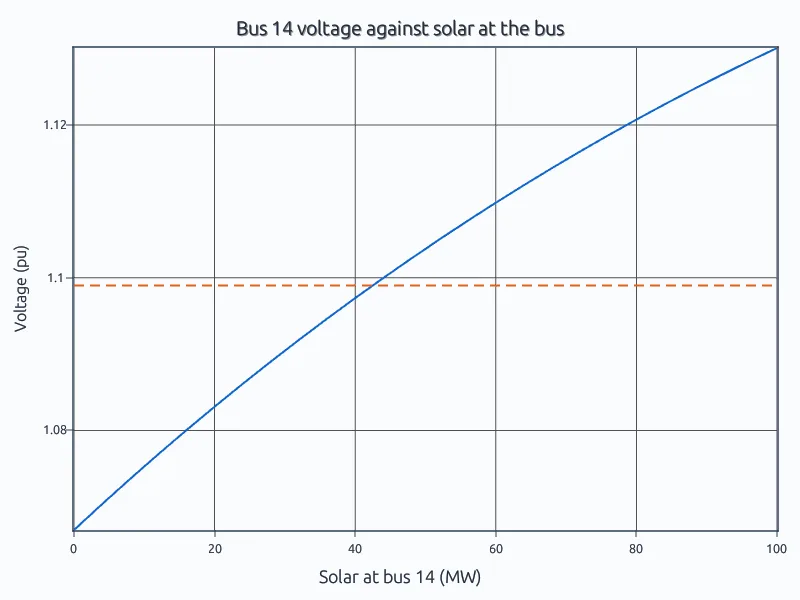
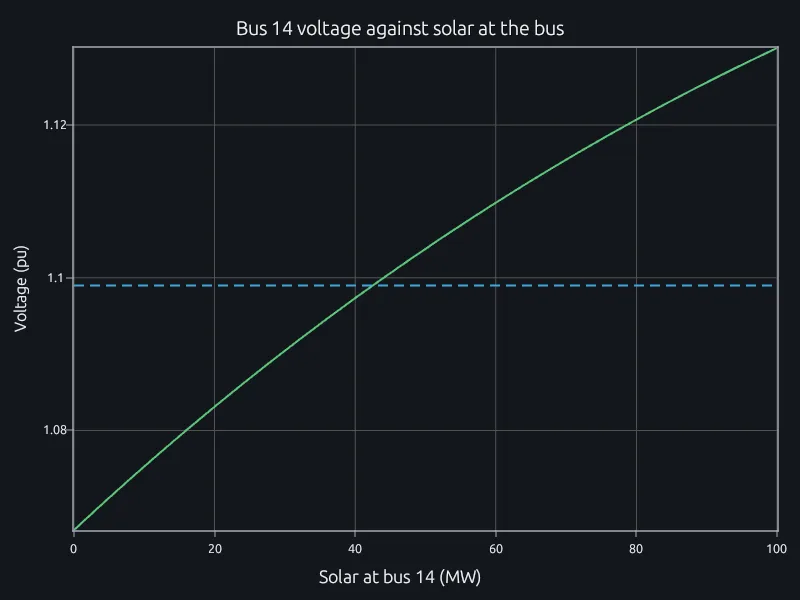
How much solar a bus takes before its voltage passes the limit.
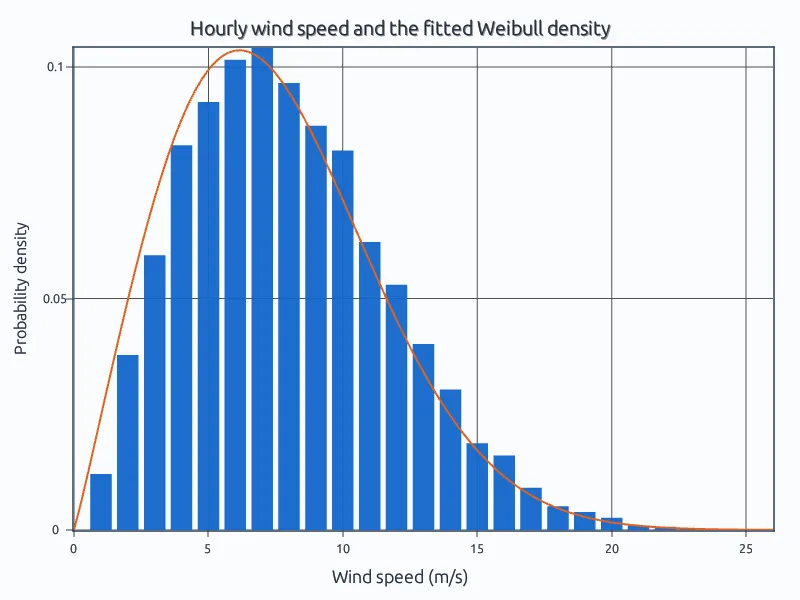
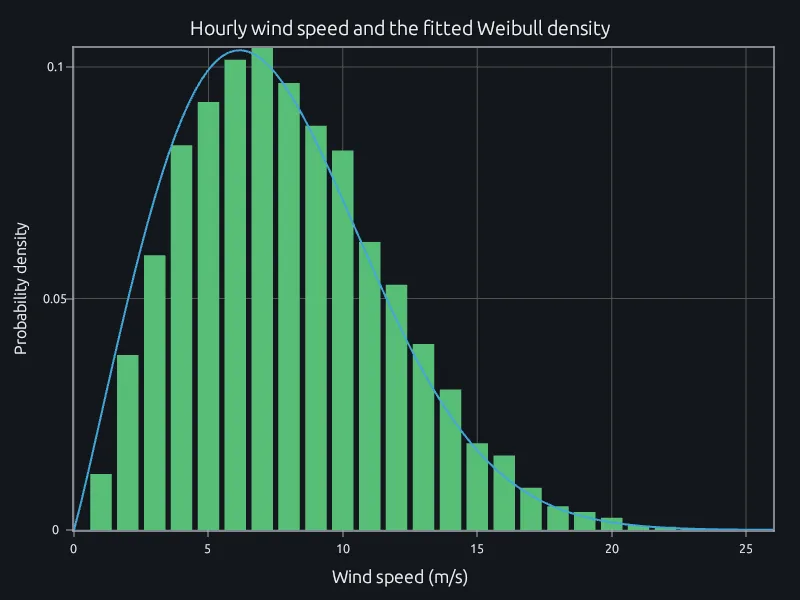
A Weibull fit to a year of wind and a 5 MW turbine's output.
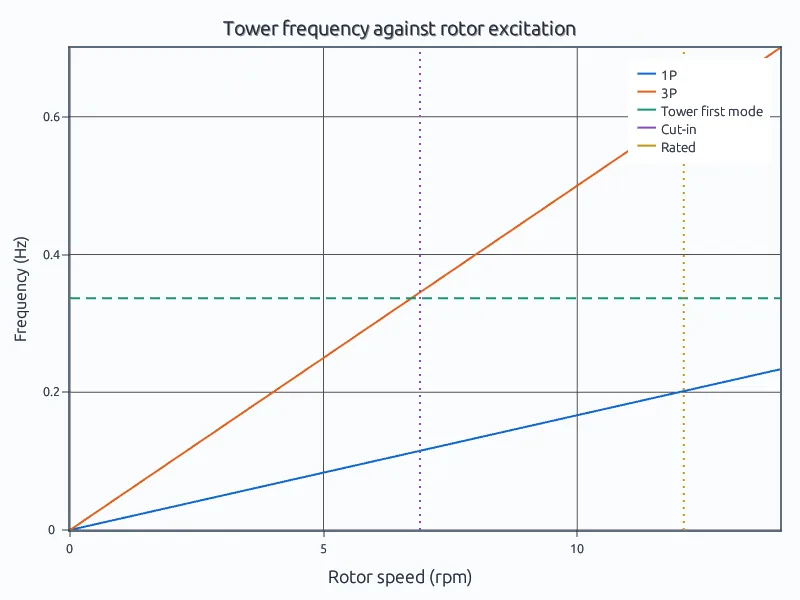
The NREL 5-MW tower's first mode against rotor excitation.
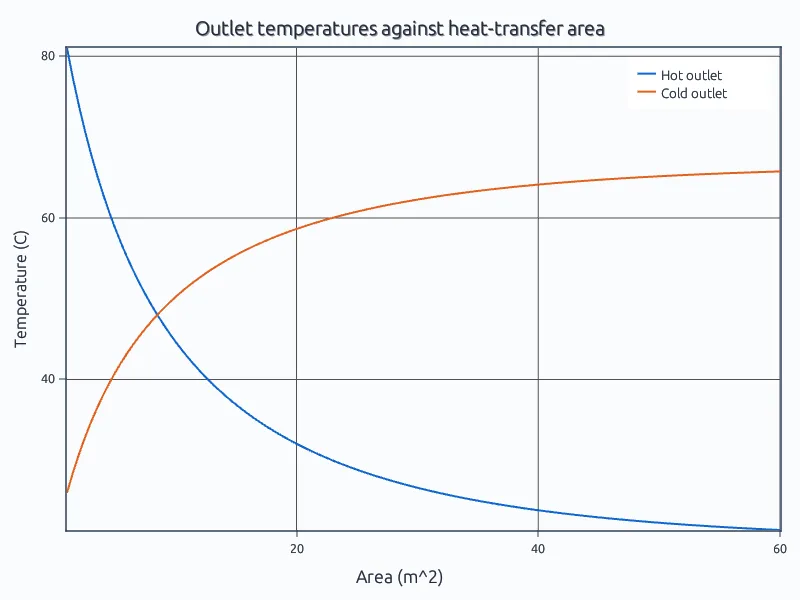
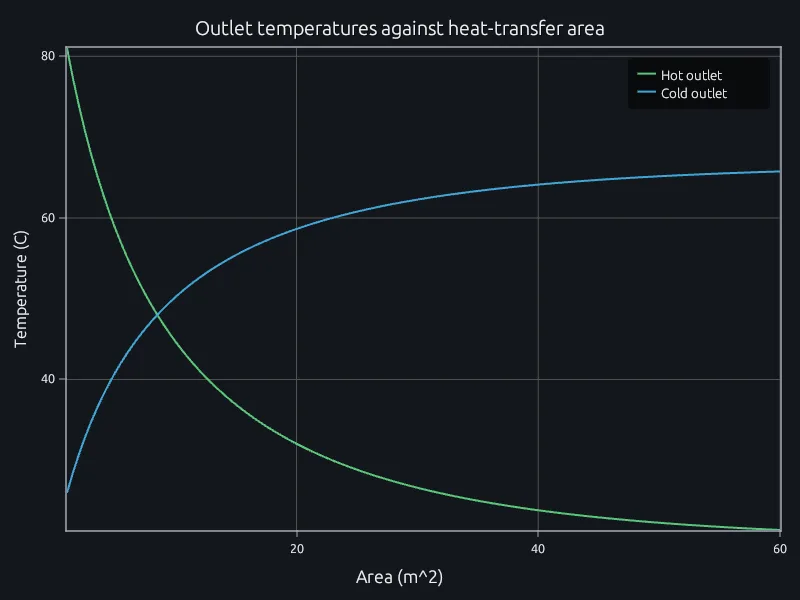
Effectiveness-NTU for a counterflow exchanger.
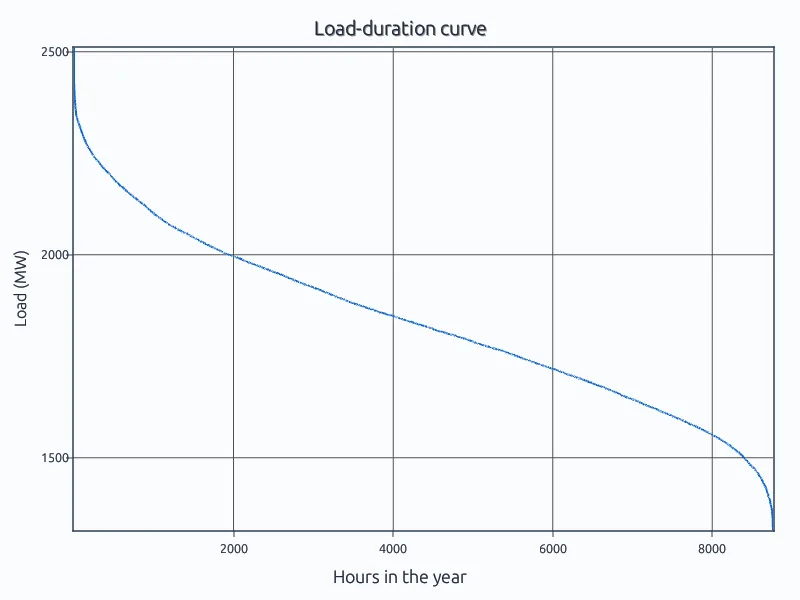
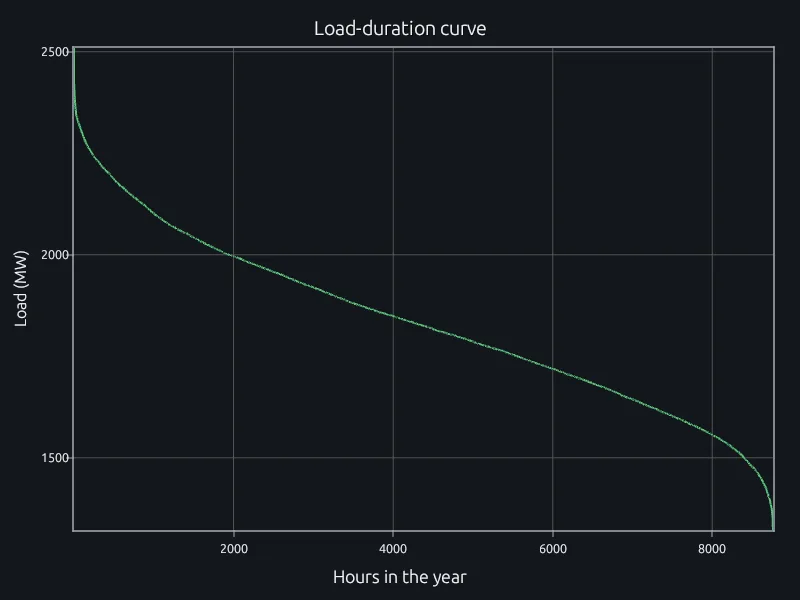
A year of hourly load, its peak and its load factor.
Open the IEEE 14-bus power flow in a browser. No account needed.
Run three planning scripts and compare results and run times.
Talk to us about where your models need to run.
Linear algebraStatisticsSignal processingSimulation in RunMat