
RunMat vs COMSOL
RunMat solves coupled physics on your CAD geometry, with the whole setup in one short text file that an engineer or an AI model writes and RunMat checks. COMSOL Multiphysics offers more physics modules and a mature graphical model builder.
- Thermal stress, prestressed modes, Joule heating and conjugate heat transfer
- From STEP file to a checked study by answering questions
- Published price, and a free license for individuals and small organizations
Facts about COMSOL checked November 6, 2026. Sources
geometry box {file = "./avionics-box.step"region body : solid {select id "solid_000001"expect exactly_one}region mount : face {select id "face_000005"expect exactly_one}region board : face {select id "face_000011"expect exactly_one}}mesh box on geometry.box {tetrahedra {order = quadratictarget_size = 4 mmmaximum_deviation = 0.2 mm}}material aluminum_6061 {mass_density = 2700 kg/m^3elastic {youngs_modulus = 68.9 GPapoisson_ratio = 0.33}thermal {reference_temperature = 293.15 Kmodulus_temperature_coefficient = 0 K^-1conductivity = 167 W/m/Kspecific_heat = 896 J/kg/Kexpansion_coefficient = 0.0000236 K^-1}}model operating {thermal { reference_temperature = 293.15 K }thermomechanical { reference_temperature = 293.15 K }assign material.aluminum_6061 to geometry.box.region.bodyconstraint mount {structural.fixed { target = geometry.box.region.mount }}constraint board_heat {thermal.temperature {target = geometry.box.region.boardvalue = 358.15 K}}}study heated_modes {geometry = geometry.boxmesh = mesh.boxmodel = model.operatinganalysis heat { thermal steady {} retain heated }analysis preload after analysis.heat {thermomechanical preload { temperature = analysis.heat.state.heated }}analysis modes after analysis.preload {structural prestressed_modal {prestress = analysis.preload.state.geometric_stiffnessmodes = 6}}}
At a glance
| Topic | RunMat | COMSOL |
|---|---|---|
| What it is | Multiphysics simulation on CAD geometry: structural, thermal, electromagnetic, acoustic, laminar fluid and coupled studies, on the desktop, in the browser and on your servers. | General-purpose simulation software: a base product with coupled multiphysics, extended by 38 add-on modules sold separately [1]. |
| Setup and learning | Guided setup asks about the goal, supports, loads and material, answered by clicking faces on the part, and writes a short study file with a unit on every number. | Models are built node by node in the COMSOL Desktop's model builder. COMSOL sells training as 2-day intensive and 1-day specialized classes [2]. |
| Physics | Structural, thermal, electromagnetic, acoustic and laminar fluid flow. | Electromagnetics, fluid flow and heat transfer, structural mechanics and acoustics, chemical engineering and multipurpose modules [1]. |
| Coupling | Thermal stress, prestressed modes and buckling, Joule heating, conjugate heat transfer and fluid–structure, each hand-off between analyses named and checked before it runs. Included. | Fully coupled multiphysics in the base product [1]. |
| GPU | Solvers run on NVIDIA, AMD, Intel and Apple GPUs, with no extra license. | NVIDIA GPUs only, through the cuDSS direct solver on one computer and the time-explicit acoustics interface; more than one GPU for explicit acoustics needs a floating network license [3]. |
| Parallel and cluster | Every core of one computer with no extra license. On Professional, each person's three computers run together as a cluster; larger clusters run under Enterprise. | Clusters need a floating network license: distributed-memory runs aren't allowed on the other license types [4]. |
| In the browser | RunMat runs in a browser tab on your own computer, with nothing to install, and the same studies run on the desktop. | The model builder is a desktop app. Finished apps run in a browser only through COMSOL Server, its own license [5]. |
| Licenses and remote use | One license per person covers the desktop, the browser, your servers and up to three of your own computers. | Four license types. CPU-Locked licenses can't be used over a network or remotely, and Named Single-User allows one secure remote connection [6]. |
| Collaboration and data | Several people edit one project live and see each other's cursors, in the study, the code and the 3D results. Projects sit on an elastic file system, and every run is kept with its inputs. | Model Manager keeps versions in a shared database and flags a conflict when two people save the same model [7]. |
| AI | An agent sets up studies from a description, and Claude Code, Codex and MCP clients run them. RunMat checks what the model writes before it solves. | A Chatbot window on Windows only, which needs your own OpenAI or Azure API key, billed separately [8]. Version 2027 adds an MCP server for external agents [9]. |
| Free version | Free for individuals, academics, open-source contributors and smaller organizations, with every analysis type and 50 GFLOP a week of physics simulation. | No free version; COMSOL sells licenses through sales [6]. |
| Price | Professional license: $99 per person per month in the US, or the local equivalent, with 100 TFLOP a week of physics simulation included, about one complex multiphysics battery pack study on a modest mesh. More comes in 100 TFLOP packs at US $25 each. | No published prices [6]. Purdue University puts its base license at about $4,500, perpetual, plus about 20% a year to keep using new versions [10]; physics outside the base product adds modules [1]. |
- What it is
- RunMatMultiphysics simulation on CAD geometry: structural, thermal, electromagnetic, acoustic, laminar fluid and coupled studies, on the desktop, in the browser and on your servers.
- COMSOLGeneral-purpose simulation software: a base product with coupled multiphysics, extended by 38 add-on modules sold separately [1].
- Setup and learning
- RunMatGuided setup asks about the goal, supports, loads and material, answered by clicking faces on the part, and writes a short study file with a unit on every number.
- COMSOLModels are built node by node in the COMSOL Desktop's model builder. COMSOL sells training as 2-day intensive and 1-day specialized classes [2].
- Physics
- RunMatStructural, thermal, electromagnetic, acoustic and laminar fluid flow.
- COMSOLElectromagnetics, fluid flow and heat transfer, structural mechanics and acoustics, chemical engineering and multipurpose modules [1].
- Coupling
- RunMatThermal stress, prestressed modes and buckling, Joule heating, conjugate heat transfer and fluid–structure, each hand-off between analyses named and checked before it runs. Included.
- COMSOLFully coupled multiphysics in the base product [1].
- GPU
- RunMatSolvers run on NVIDIA, AMD, Intel and Apple GPUs, with no extra license.
- COMSOLNVIDIA GPUs only, through the cuDSS direct solver on one computer and the time-explicit acoustics interface; more than one GPU for explicit acoustics needs a floating network license [3].
- Parallel and cluster
- RunMatEvery core of one computer with no extra license. On Professional, each person's three computers run together as a cluster; larger clusters run under Enterprise.
- COMSOLClusters need a floating network license: distributed-memory runs aren't allowed on the other license types [4].
- In the browser
- RunMatRunMat runs in a browser tab on your own computer, with nothing to install, and the same studies run on the desktop.
- COMSOLThe model builder is a desktop app. Finished apps run in a browser only through COMSOL Server, its own license [5].
- Licenses and remote use
- RunMatOne license per person covers the desktop, the browser, your servers and up to three of your own computers.
- COMSOLFour license types. CPU-Locked licenses can't be used over a network or remotely, and Named Single-User allows one secure remote connection [6].
- Collaboration and data
- RunMatSeveral people edit one project live and see each other's cursors, in the study, the code and the 3D results. Projects sit on an elastic file system, and every run is kept with its inputs.
- COMSOLModel Manager keeps versions in a shared database and flags a conflict when two people save the same model [7].
- AI
- RunMatAn agent sets up studies from a description, and Claude Code, Codex and MCP clients run them. RunMat checks what the model writes before it solves.
- COMSOLA Chatbot window on Windows only, which needs your own OpenAI or Azure API key, billed separately [8]. Version 2027 adds an MCP server for external agents [9].
- Free version
- RunMatFree for individuals, academics, open-source contributors and smaller organizations, with every analysis type and 50 GFLOP a week of physics simulation.
- COMSOLNo free version; COMSOL sells licenses through sales [6].
- Price
- RunMatProfessional license: $99 per person per month in the US, or the local equivalent, with 100 TFLOP a week of physics simulation included, about one complex multiphysics battery pack study on a modest mesh. More comes in 100 TFLOP packs at US $25 each.
- COMSOLNo published prices [6]. Purdue University puts its base license at about $4,500, perpetual, plus about 20% a year to keep using new versions [10]; physics outside the base product adds modules [1].
Set up a study by answering questions
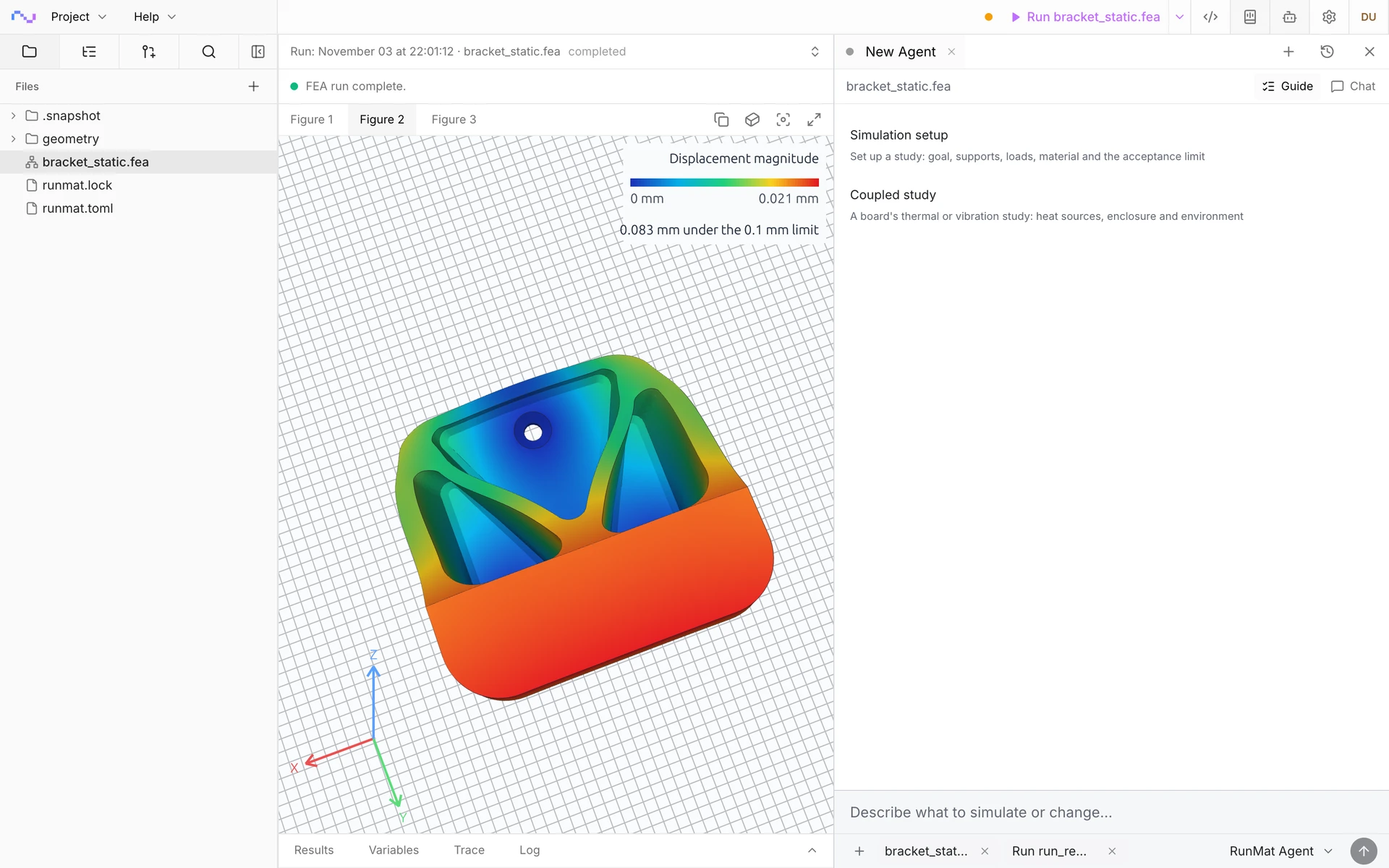
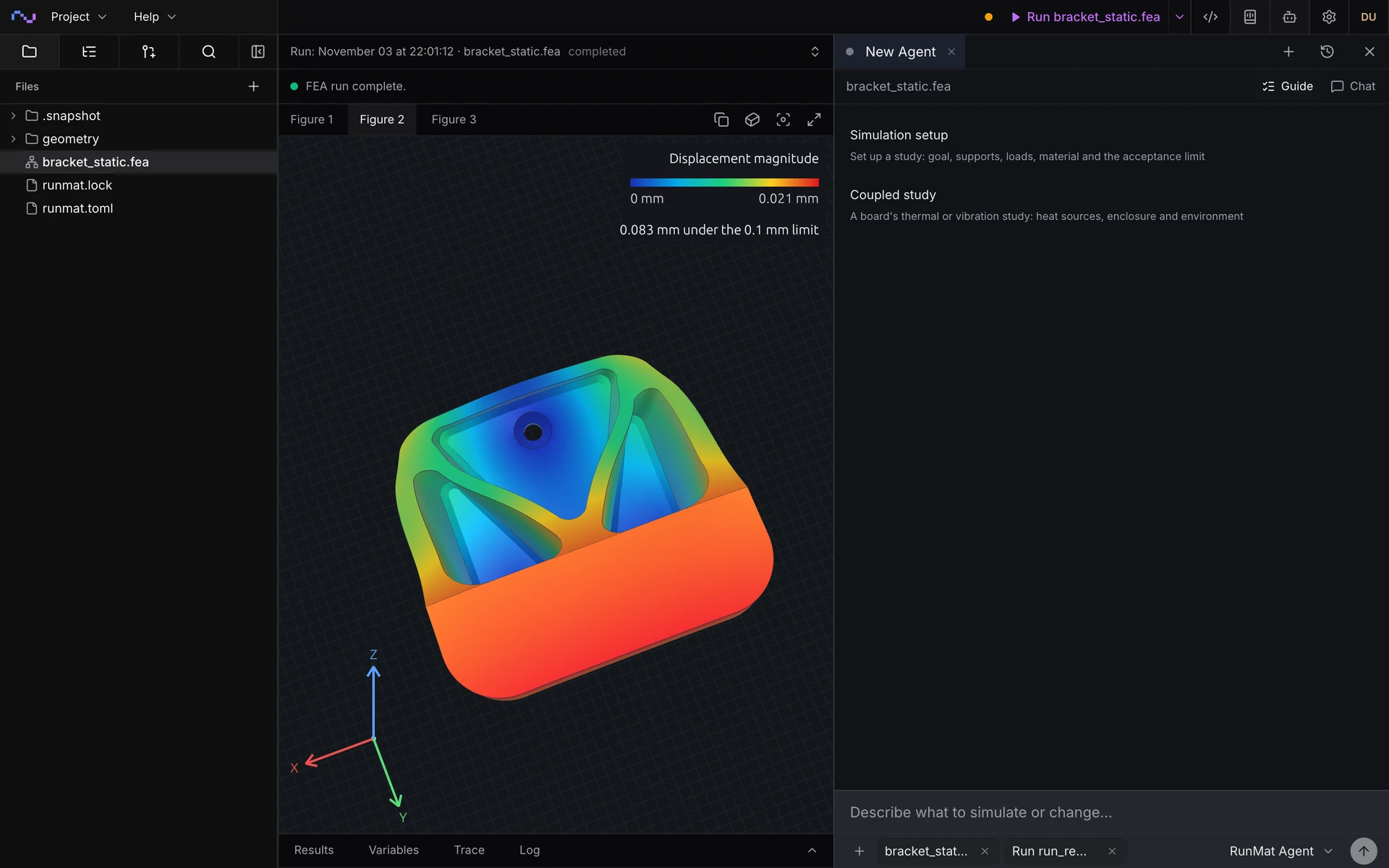
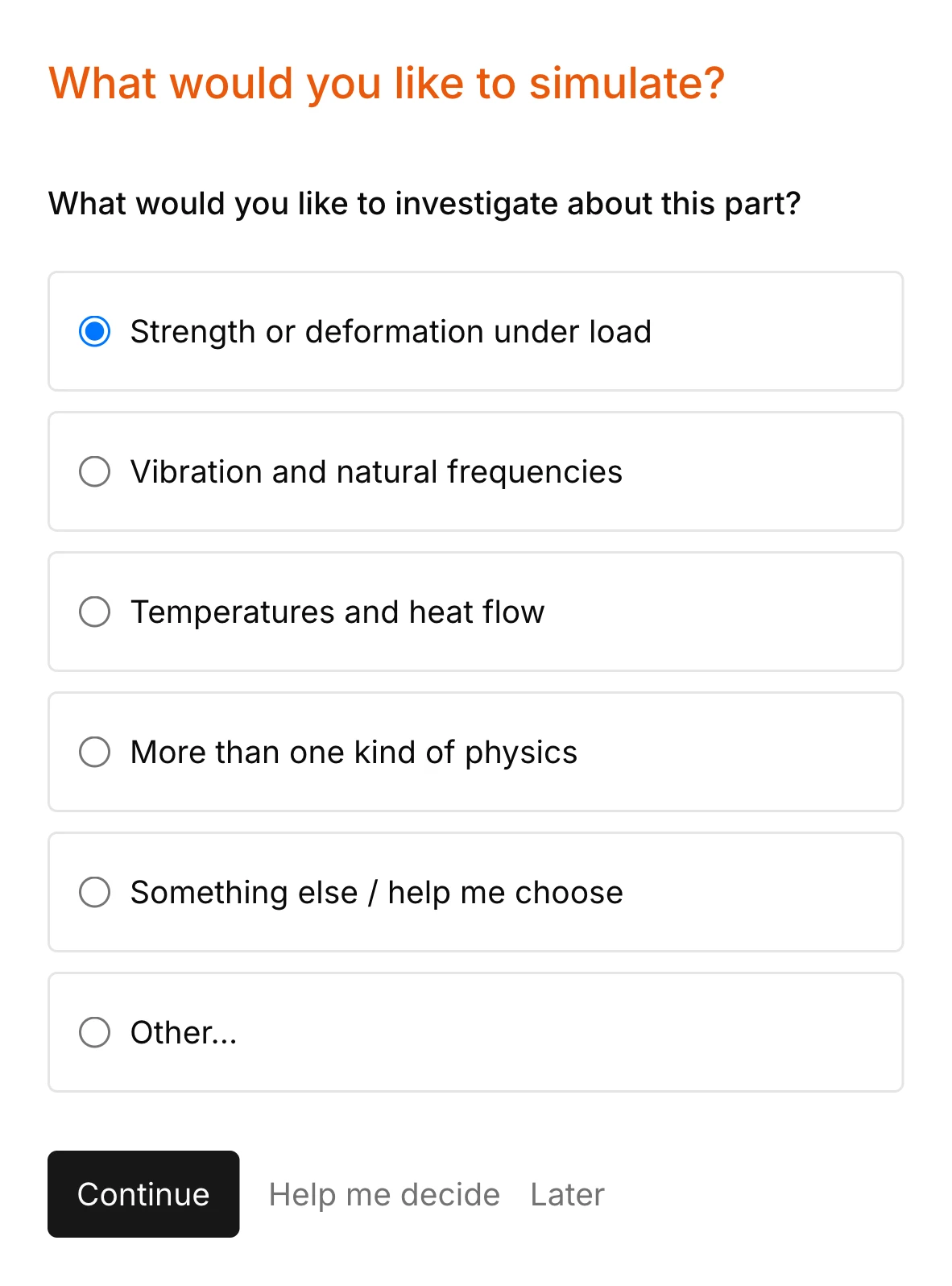
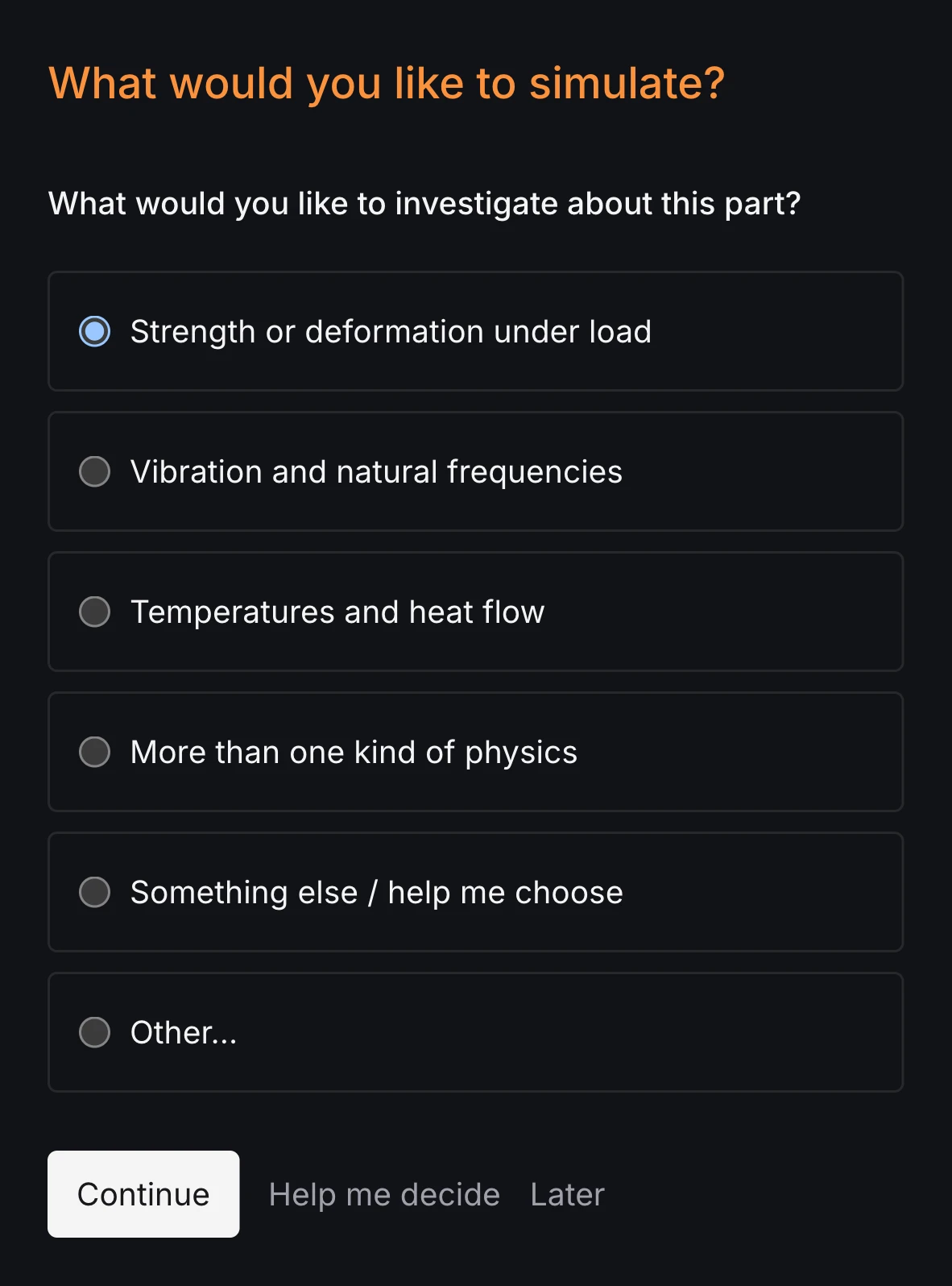
Open a STEP file and RunMat asks what to find out, which faces hold the part, where loads and heat act and what it is made of. Faces are answered by clicking them on the part. Each answer goes into a study file you own, so a complete setup does not depend on knowing the input language first.
The recording shows a structural setup on a wall hook. Coupled studies add their analyses to the same file, with each hand-off named and checked.
Catch setup mistakes before anything meshes
Every number in a RunMat study carries its unit, and every load names the region it acts on. Here a traction was written in newtons where it needs force per area. RunMat refuses the study before meshing and points at the line.
Coupled studies get the same check on each hand-off: a temperature field can only go where a temperature is expected. An AI model that writes the study gets the error back, fixes it and runs again.
geometry beam {file = "./geometry/cantilever.step"units = mmregion body : solid { select name "Beam" }region fixed_end : face { select name "Fixed End" }region loaded_end : face { select name "Loaded End" }}material steel {elastic {youngs_modulus = 200 GPapoisson_ratio = 0.3}}model loaded_beam {assign material.steel to geometry.beam.region.bodyconstraint fixed_end {structural.fixed { target = geometry.beam.region.fixed_end }}load end_traction {traction on geometry.beam.region.loaded_end = [0, 0, -100000] N}}study cantilever_static {geometry = geometry.beammesh = mesh.beammodel = model.loaded_beamanalysis static { structural static {} }}
$ runmat check cantilever.feaerror[fea.semantic.model]: traction must be force per area, found N--> cantilever.fea:22:55|22 | traction on geometry.beam.region.loaded_end = [0, 0, -100000] N| ^^^^^^^^^^^^^^^^^ expected Pachecked cantilever.fea: 1 error(s), 0 warning(s)
What you can simulate in RunMat
Import a STEP, IGES or BREP file and set up any of these physics and couplings on it, in a short study file you can read.
Thermal and thermal stress
- Steady and transient conduction
- Thermal stress and distortion
- Buckling and modes of a heated part
- Measured or solved temperature fields
Electrothermal
- Current flow and resistive loss
- Joule heating in busbars and heaters
- Temperature-dependent conductivity
- Electrostatics
Flow and heat
- Steady and transient laminar flow
- Conjugate heat transfer in cold plates
- Fluid–structure on flexible walls
- Pressure drop and flow split
Electromagnetic
- Magnetostatics
- Time-harmonic fields
- Current density and losses
- Coils, cores and conductors
Acoustics
- Sound pressure at each frequency
- Acoustic modes of a volume
- Transmission loss
- Rigid, absorbing and radiating boundaries
Structural
- Static, modal and buckling
- Harmonic, transient and random vibration
- Response spectrum and plasticity
- Load cases, ties and connectors
When RunMat is the better choice
RunMat is the better choice when coupled studies have to be set up quickly, reviewed as text and run alongside analysis code.
Engineers who need a thermal-stress or Joule-heating answer on a CAD part without first learning a model builder.
Coupled studies that must be reviewed: each analysis and what it hands to the next is a named line in a text file.
Setups an AI agent writes. Units, regions and every hand-off between analyses are checked before meshing.
Sweeps and post-processing in MATLAB code in the same project, with no separate link product.
Work on laptops, in a browser, on your servers or a cluster, under one per-person license.
When COMSOL is the better choice
- Chemical engineering, batteries, plasma and other physics covered by COMSOL's add-on modules [1].
- Writing your own partial differential equations in a graphical, equation-based interface.
- Building simulation apps for colleagues with COMSOL's Application Builder [9].
- Turbulent or compressible flow, and high-frequency electromagnetics.
- Existing COMSOL models and a team trained in the model builder.
Simulation works with the rest of RunMat
- Runtime
With MATLAB code
Run studies from MATLAB code in the same project, with no link product to buy: sweep a load or a dimension, solve every case across your cores and read the results back as arrays.
- MCAD
With MCAD
Model the part in RunMat MCAD and the study reads it directly. Change a dimension and the coupled study reruns on the new geometry, with its loads and heat sources still on the right faces.
- ECAD
With ECAD
Board temperature, IR drop and warpage solve on the board you laid out in RunMat ECAD, from its stackup, copper and the circuit's power, with no export step.
Try a coupled study
- 01
Open the study on this page
Open the heated avionics box in your browser: steady heat, the thermal preload and the vibration modes it shifts, on one mesh.
- 02
Bring your own part
Give RunMat a STEP file and describe the physics. The agent writes the study, lists every input it used and asks about the ones you did not state.
- 03
Check it against what you trust
Solve a model you have already run in COMSOL and compare the numbers. RunMat's own reference cases are published with their results.
License
RunMat is source-available under the Business Source License 1.1, and each version converts to the Apache License 2.0 three years after the date it is first published.
The source code is available on GitHub, so you can read, build and modify the code that produces every result. Enterprise adds self-hosted deployment, including fully offline, under contract.
Questions
01Is RunMat an alternative to COMSOL Multiphysics?
For coupled thermal, structural, electromagnetic, acoustic and laminar-flow studies on CAD geometry, yes, with the setup in a text file that an engineer or an AI model writes. For chemical, battery or plasma physics, and for equation-based modeling in a graphical interface, COMSOL is the better tool.
02How much does a COMSOL license cost?
COMSOL does not publish prices; its licensing page lists CPU-Locked, Named Single-User, Floating Network and Class Kit licenses and directs you to sales [6]. Purdue University puts its base license at about $4,500 plus about 20% a year for maintenance [10]. RunMat is free for individuals, academics, open-source contributors and smaller organizations. Larger organizations pay $99 per person per month for Professional in the US, or the local equivalent.
03Ansys vs COMSOL: what is the difference?
04Can I use a COMSOL license remotely?
It depends on the type. CPU-Locked licenses may not be used over a network or remotely; a Named Single-User license allows a secure remote connection, and a Floating Network license supports remote computing on your network [6].
05How does RunMat couple physics?
A study lists its analyses in order and names what each passes to the next, such as a temperature field into a thermal-stress analysis. RunMat checks each hand-off before it runs, and the analyses share one mesh.
06Can AI agents drive RunMat simulations?
Yes. RunMat's agent sets up studies from a description, and Claude Code, Codex and other MCP clients can write and run them. RunMat checks units, regions and the analysis chain of every study before it solves. COMSOL announced an MCP server in version 2027 [9].
Sources
We checked the facts about COMSOL on this page against these sources on November 6, 2026.
- [1]COMSOL, Productscomsol.com
- [2]COMSOL, Training coursescomsol.com
- [3]COMSOL, GPU Acceleration in COMSOL Multiphysics (version 6.4)comsol.com
- [4]COMSOL Documentation, Running COMSOL in Parallel on Clusters (6.4)doc.comsol.com
- [5]COMSOL, COMSOL Servercomsol.com
- [6]COMSOL, Licensingcomsol.com
- [7]COMSOL, Model Managercomsol.com
- [8]COMSOL Documentation, Using a Chatbot (6.3)doc.comsol.com
- [9]COMSOL, System-Level Modeling and Agentic AI Take the Spotlight in COMSOL Multiphysics Version 2027 (press release)comsol.com
- [10]Purdue University IT, COMSOL Licensing (read 2026-11-06)service.purdue.edu
- [11]Ansys, Ansys Mechanicalansys.synopsys.com