
RunMat vs Ansys
RunMat takes an engineer from a STEP file to a solved structural or thermal study in one sitting. Guided setup asks how the part is held, loaded and made, and writes a short study file with a unit on every number, which RunMat checks before it meshes. Ansys covers more physics, and learning it runs through a training catalog of more than 300 courses.
- From STEP file to a checked study by answering questions
- Studies you, a reviewer or an AI model can read line by line
- Published price, and a free license for individuals and small organizations
Facts about Ansys checked November 6, 2026. Sources
At a glance
| Topic | RunMat | Ansys |
|---|---|---|
| What it is | Multiphysics simulation on CAD geometry: structural, thermal, electromagnetic, acoustic, fluid and coupled studies, on the desktop, in the browser and on your servers. | A family of simulation products. Ansys Mechanical is its finite element solver for structural work [1]. |
| Setup and learning | Guided setup asks about the goal, supports, loads and material, answered by clicking faces on the part, and writes a short study file with a unit on every number. | Setup runs through Workbench menus, journaling and APDL commands [1], or Python through PyAnsys [2]. Learning it is a catalog of more than 300 courses, sold as an annual Learning Hub subscription [3]. |
| Structural | Static, modal, buckling, transient, harmonic, response spectrum, random vibration and plasticity. | Linear dynamics, nonlinear materials, contact, large deflection, fatigue, explicit analysis and composites [1]. |
| Thermal and coupled | Steady and transient heat transfer, thermal stress, prestressed modes and buckling, Joule heating, conjugate heat transfer and fluid–structure. Included. | Conduction, convection, radiation and fluid–structure interaction in Mechanical [1]. Fluids and electromagnetics are separate products, each licensed and learned on its own [4]. |
| GPU | Solvers run on NVIDIA, AMD, Intel and Apple GPUs, with no extra license. | Only parts of certain equation solvers move to the GPU, on Windows and Linux, and each GPU counts against HPC licensing like a CPU core [5]. |
| Parallel and cluster | Every core of one computer with no extra license. On Professional, each person's three computers run together as a cluster; larger clusters run under Enterprise. | Four CPU cores and GPUs combined are included. Every core beyond that needs Ansys HPC or HPC Pack licenses bought on top [5] [6]. |
| In the browser and cloud | RunMat runs in a browser tab on your own computer, with nothing to install, and the same studies run on the desktop. | No browser version: Mechanical installs on Windows or Linux. Solving in Ansys Cloud needs a cloud plan, a Burst seat and prepaid compute credits, and works only from Windows with the Mechanical APDL solver [7]. |
| Collaboration and data | Several people edit one project live and see each other's cursors, in the study, the code and the 3D results. Projects sit on an elastic file system, and every run is kept with its inputs. | Projects are files on the analyst's workstation. Version control and shared workflows come through Ansys Minerva, a separate data-management product [8]. |
| AI | An agent sets up the study from a description, and Claude Code, Codex and MCP clients run studies. Every result comes from the solver. | AnsysGPT answers questions about the product once it is enabled for the account [9]. SimAI predicts results from a model trained on earlier simulations, without solving the case [10]. |
| Free version | Free for individuals, academics, open-source contributors and smaller organizations, with every analysis type and 50 GFLOP a week of physics simulation. | Ansys Student is capped at 128K nodes or elements for structural work and 1 million cells for fluids, runs on Windows only and is for education only [11]. |
| Price | Professional license: $99 per person per month in the US, or the local equivalent, with 100 TFLOP a week of physics simulation included, about one complex multiphysics battery pack study on a modest mesh. More comes in 100 TFLOP packs at US $25 each. | No published prices. Every license is quoted, in Pro, Premium and Enterprise tiers [1], and cores beyond four add HPC licenses to the quote [6]. |
- What it is
- RunMatMultiphysics simulation on CAD geometry: structural, thermal, electromagnetic, acoustic, fluid and coupled studies, on the desktop, in the browser and on your servers.
- AnsysA family of simulation products. Ansys Mechanical is its finite element solver for structural work [1].
- Setup and learning
- RunMatGuided setup asks about the goal, supports, loads and material, answered by clicking faces on the part, and writes a short study file with a unit on every number.
- AnsysSetup runs through Workbench menus, journaling and APDL commands [1], or Python through PyAnsys [2]. Learning it is a catalog of more than 300 courses, sold as an annual Learning Hub subscription [3].
- Structural
- RunMatStatic, modal, buckling, transient, harmonic, response spectrum, random vibration and plasticity.
- AnsysLinear dynamics, nonlinear materials, contact, large deflection, fatigue, explicit analysis and composites [1].
- Thermal and coupled
- RunMatSteady and transient heat transfer, thermal stress, prestressed modes and buckling, Joule heating, conjugate heat transfer and fluid–structure. Included.
- AnsysConduction, convection, radiation and fluid–structure interaction in Mechanical [1]. Fluids and electromagnetics are separate products, each licensed and learned on its own [4].
- GPU
- RunMatSolvers run on NVIDIA, AMD, Intel and Apple GPUs, with no extra license.
- AnsysOnly parts of certain equation solvers move to the GPU, on Windows and Linux, and each GPU counts against HPC licensing like a CPU core [5].
- Parallel and cluster
- RunMatEvery core of one computer with no extra license. On Professional, each person's three computers run together as a cluster; larger clusters run under Enterprise.
- AnsysFour CPU cores and GPUs combined are included. Every core beyond that needs Ansys HPC or HPC Pack licenses bought on top [5] [6].
- In the browser and cloud
- RunMatRunMat runs in a browser tab on your own computer, with nothing to install, and the same studies run on the desktop.
- AnsysNo browser version: Mechanical installs on Windows or Linux. Solving in Ansys Cloud needs a cloud plan, a Burst seat and prepaid compute credits, and works only from Windows with the Mechanical APDL solver [7].
- Collaboration and data
- RunMatSeveral people edit one project live and see each other's cursors, in the study, the code and the 3D results. Projects sit on an elastic file system, and every run is kept with its inputs.
- AnsysProjects are files on the analyst's workstation. Version control and shared workflows come through Ansys Minerva, a separate data-management product [8].
- AI
- RunMatAn agent sets up the study from a description, and Claude Code, Codex and MCP clients run studies. Every result comes from the solver.
- AnsysAnsysGPT answers questions about the product once it is enabled for the account [9]. SimAI predicts results from a model trained on earlier simulations, without solving the case [10].
- Free version
- RunMatFree for individuals, academics, open-source contributors and smaller organizations, with every analysis type and 50 GFLOP a week of physics simulation.
- AnsysAnsys Student is capped at 128K nodes or elements for structural work and 1 million cells for fluids, runs on Windows only and is for education only [11].
- Price
- RunMatProfessional license: $99 per person per month in the US, or the local equivalent, with 100 TFLOP a week of physics simulation included, about one complex multiphysics battery pack study on a modest mesh. More comes in 100 TFLOP packs at US $25 each.
- AnsysNo published prices. Every license is quoted, in Pro, Premium and Enterprise tiers [1], and cores beyond four add HPC licenses to the quote [6].
Set up a study by answering questions
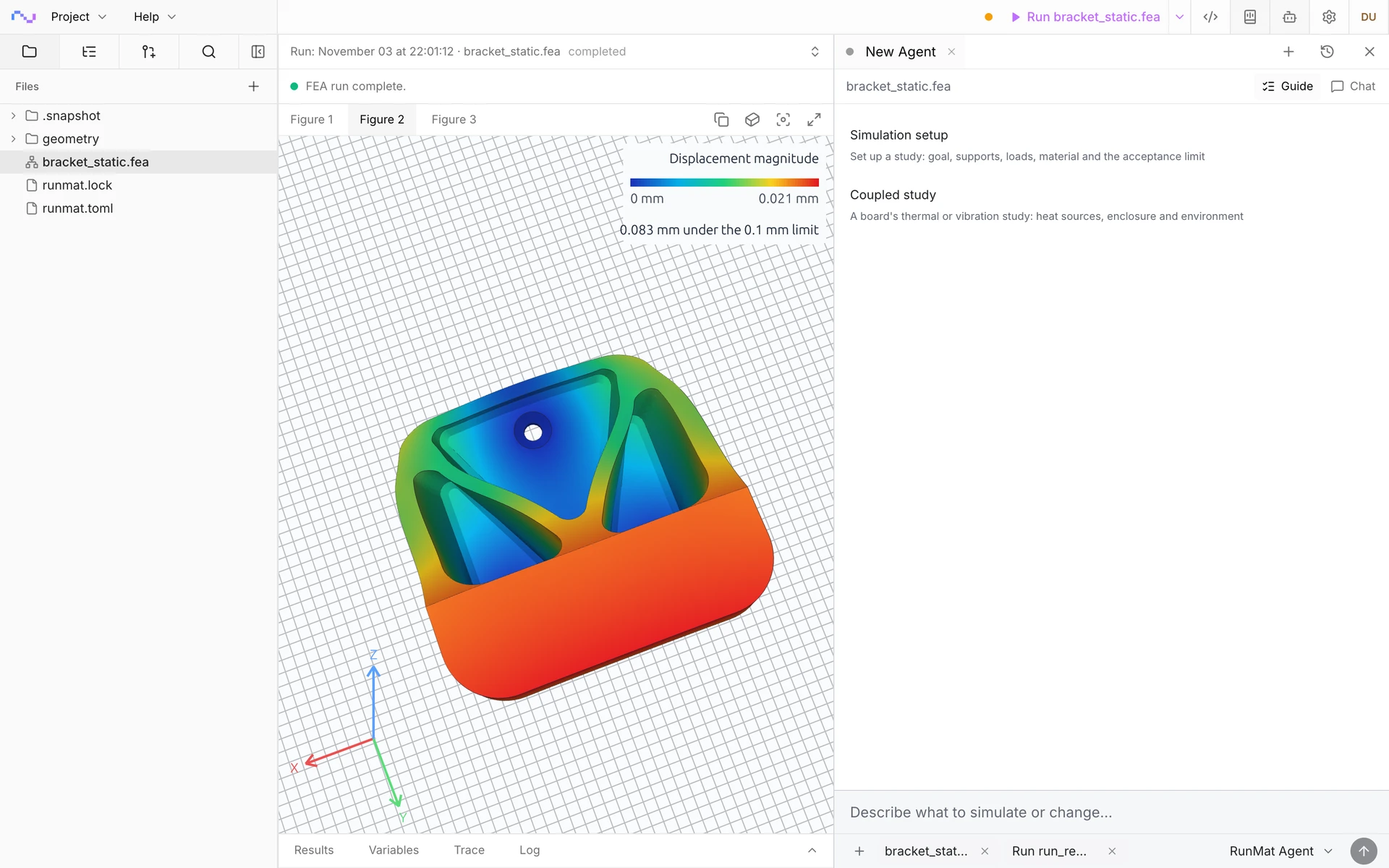
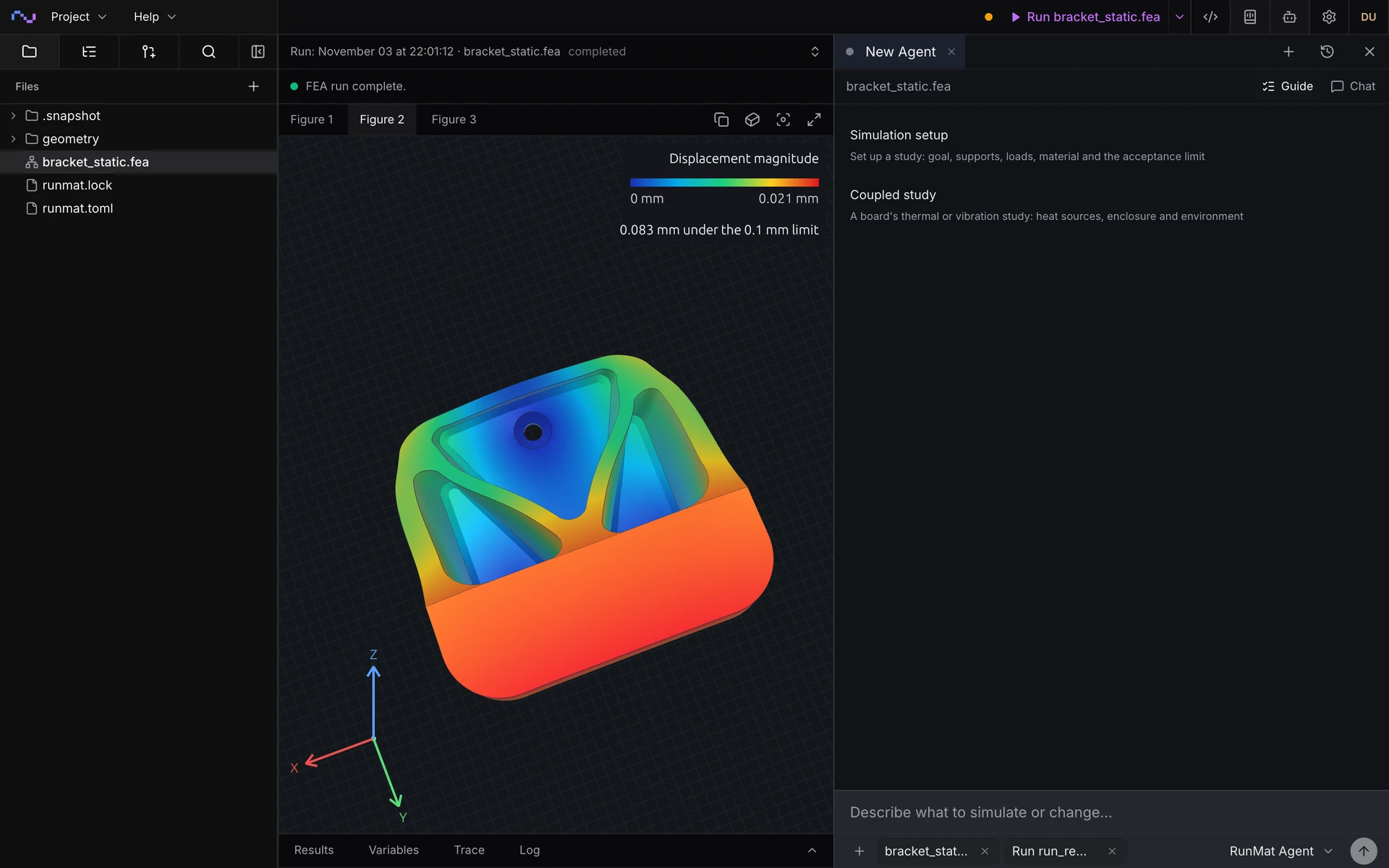
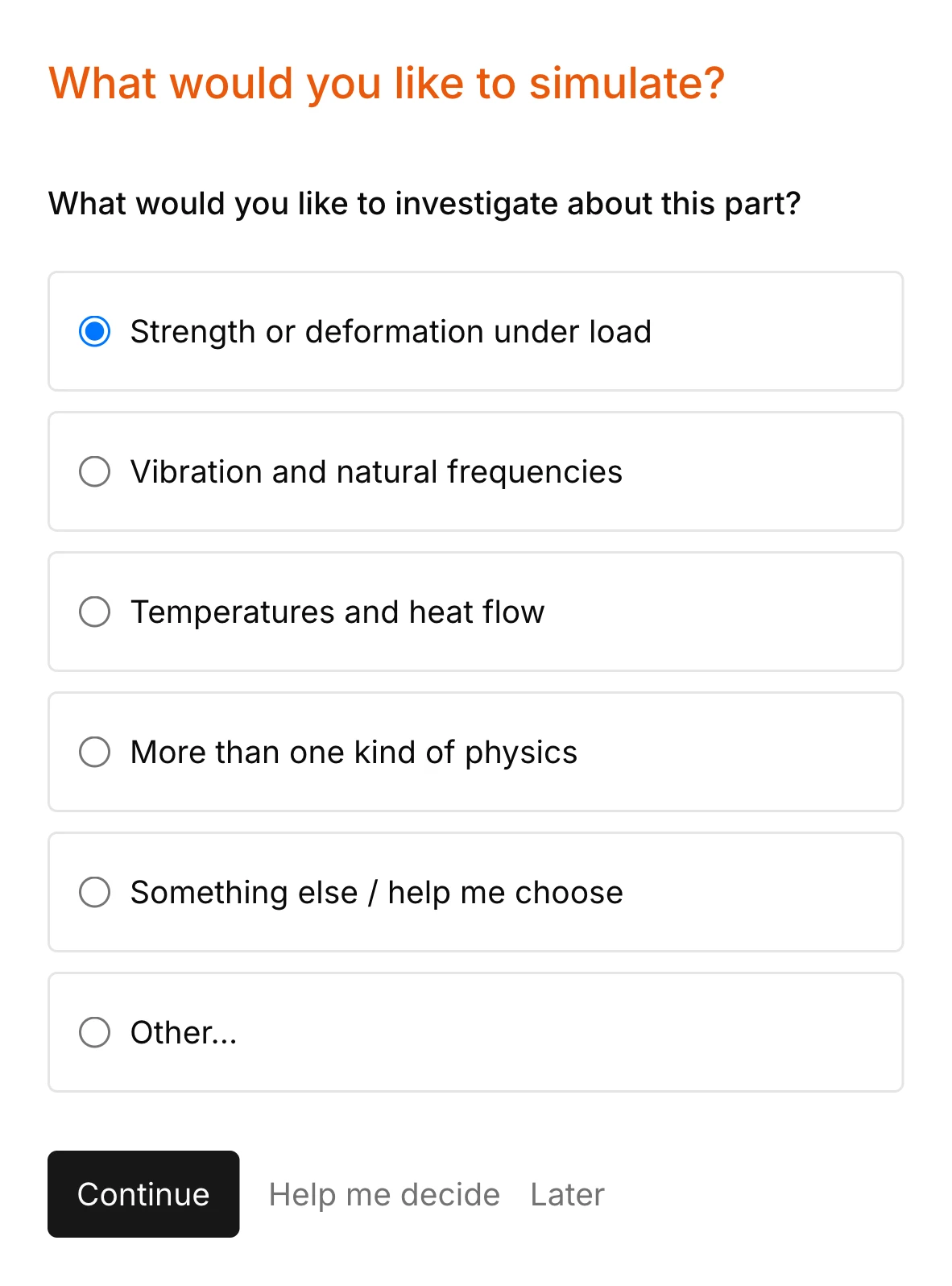
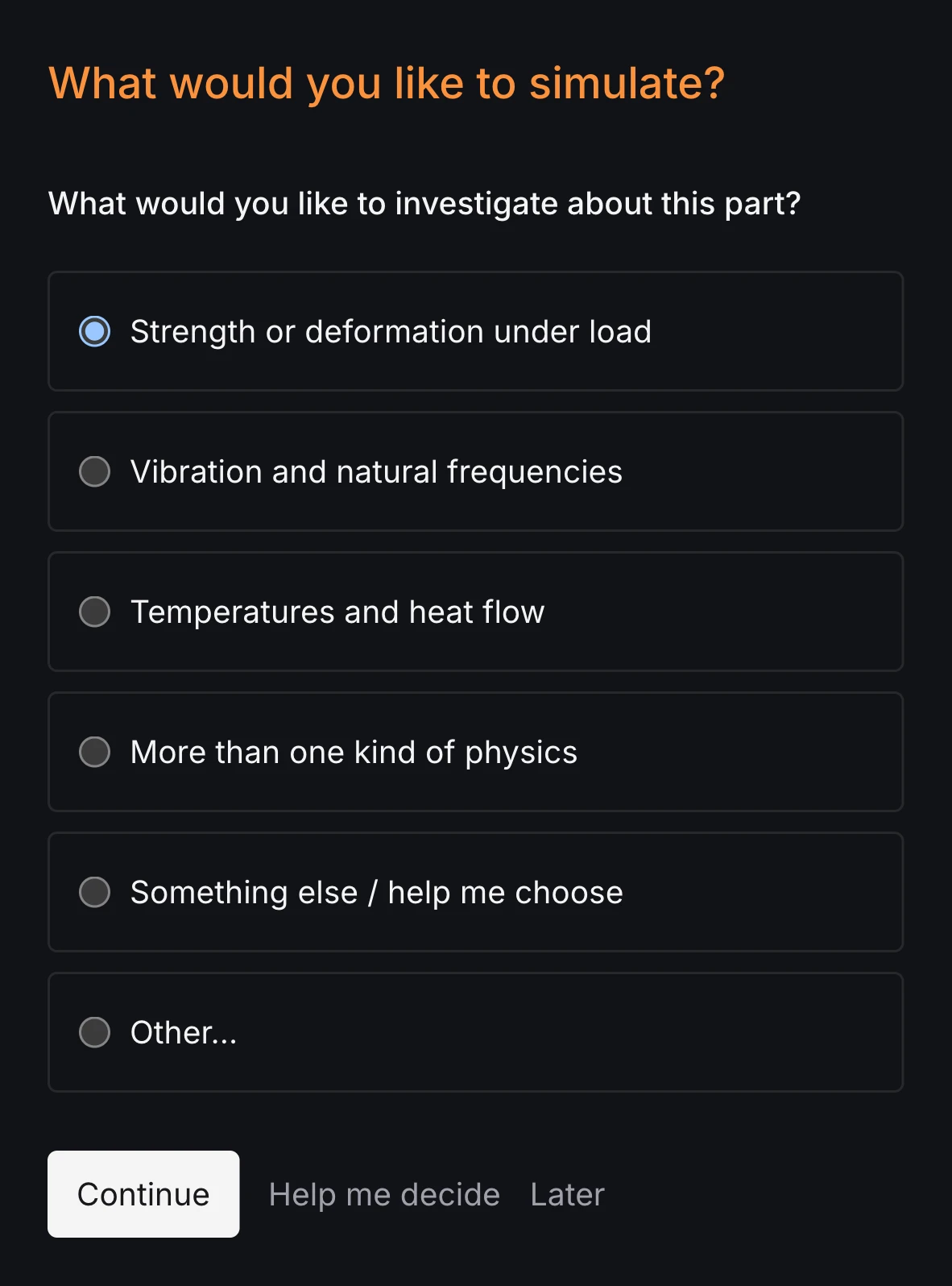
Open a STEP file and RunMat asks what to find out, which faces hold the part, where the load acts and what the part is made of. Faces are answered by clicking them on the part. Each answer goes into the study file, so a complete setup does not depend on knowing the input language first.
Learning Ansys Mechanical is a larger investment: Ansys sells training as an annual Learning Hub subscription with classroom, virtual and self-paced courses, more than 300 in all [3], and Mechanical is driven from the Workbench interface, journaling and APDL [1].
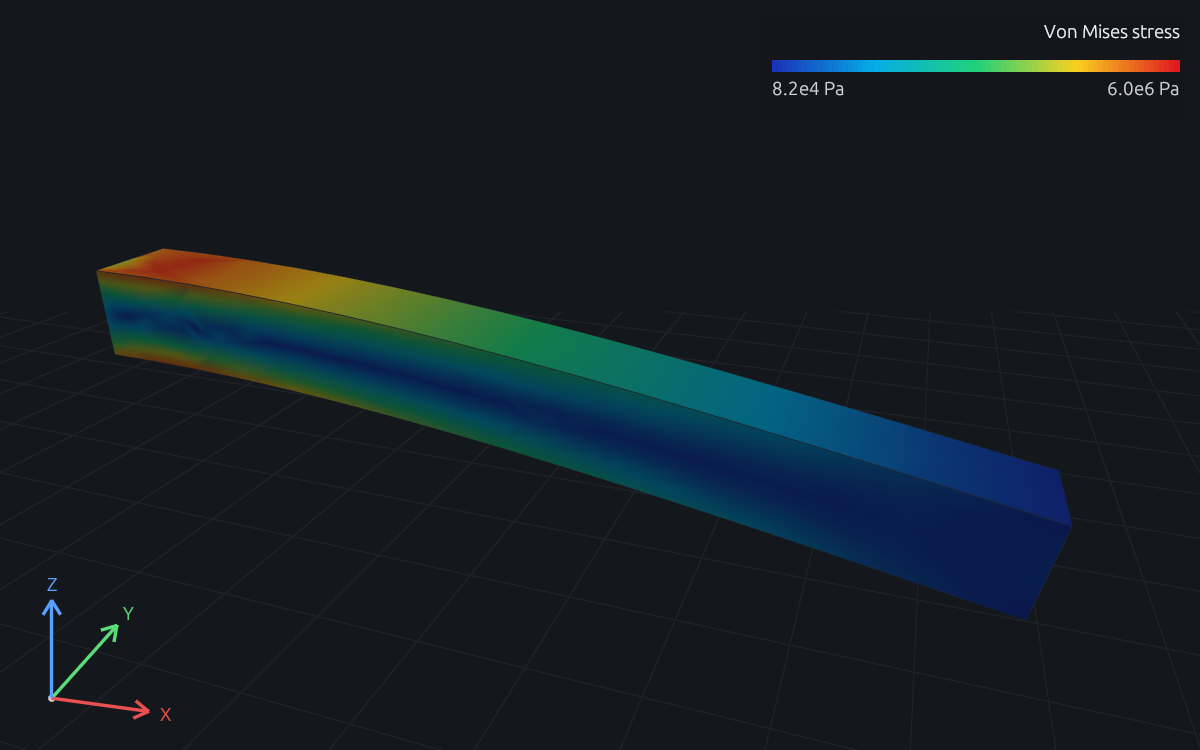
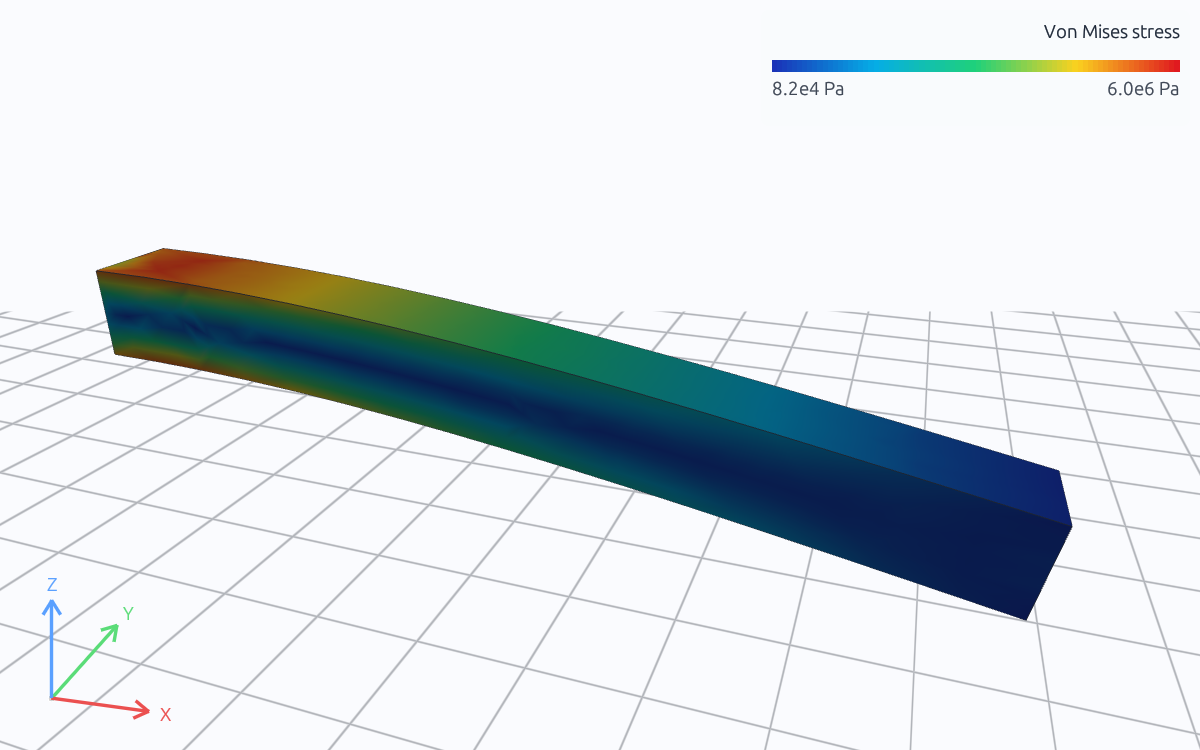
- Tip deflection
- 0.2000 mm (beam theory 0.2000 mm)
- Top-surface stress at x = 100 mm
- 5.43 MPa (beam theory 5.40 MPa)
A study file you can read, checked before it meshes
This is the whole study for a steel wall hook bolted at three holes with 2 kN on its seat: geometry and named faces from the STEP file, mesh, material, supports, load and outputs, each number with its unit. It is the file guided setup writes, and you own it.
RunMat checks it in about a second. A face name the CAD file does not carry is reported with the names it does carry, and a force written in kPa is refused at the line. An AI model that writes the study gets the same errors back and fixes them before anything runs.
geometry bracket {file = "./geometry/bracket.step"region body : solid { select name "WallHook_30mm"; expect exactly_one }region mounting_holes : face { select name "Mounting holes"; expect one_or_more }region hook_seat : face { select name "Hook seat"; expect exactly_one }}mesh bracket on geometry.bracket {tetrahedra {order = lineartarget_size = 6 mmmaximum_deviation = 0.05 mmcells_across_gap = 3}}material s355 {name = "S355 (EN 10025-2), machined plate"mass_density = 7850 kg/m^3elastic { youngs_modulus = 210 GPa; poisson_ratio = 0.30 }}model loaded_bracket {input service_load : force = 2 kNassign material.s355 to geometry.bracket.region.bodyconstraint mounting {structural.fixed { target = geometry.bracket.region.mounting_holes }}load hanging {force on geometry.bracket.region.hook_seat = [0 N, -input.service_load, 0 N]}load_case service { include load.hanging }}study bracket_static {input service_load : force = 2 kNgeometry = geometry.bracketmesh = mesh.bracketmodel = model.loaded_bracket(service_load = input.service_load)analysis static { structural static {} }output displacement = analysis.static.field.node.displacementoutput von_mises = analysis.static.field.element.von_mises_stressoutput peak_hook_deflection = max(magnitude(output.displacement),over = geometry.bracket.region.hook_seat,)assessment hook_deflection {value = output.peak_hook_deflectionmaximum = 0.1 mmevidence = authored_samples}}sweep load_sweep over study.bracket_static {axis service_load {load_1_0 = 1 kNload_1_5 = 1.5 kNload_2_0 = 2 kNload_2_5 = 2.5 kNload_3_0 = 3 kNload_3_5 = 3.5 kNload_4_0 = 4 kN}combine = productoutput deflection_by_case = collect(case.output.peak_hook_deflection.value)output governing_deflection = max(case.output.peak_hook_deflection.value, over = cases)}
$ runmat check bracket-hook-load.feachecked bracket-hook-load.fea: 0 error(s), 0 warning(s)$ runmat check bracket-name-bug.feaerror[fea.semantic.geometry]: region `hook_seat` selects face name "Hook set", which `geometry/bracket.step` does not carry; named faces: "Corner fillets", "Hook seat", "Mounting holes", "Top face"--> bracket-name-bug.fea:1:1|1 | geometry bracket {| ^^^^^^^^^^^^^^^^^^checked bracket-name-bug.fea: 1 error(s), 0 warning(s)$ runmat check bracket-unit-bug.feaerror[fea.semantic.model]: force must be force, found kPa--> bracket-unit-bug.fea:24:54|24 | force on geometry.bracket.region.hook_seat = [0, -2, 0] kPa| ^^^^^^^^^^^^^^ expected Nchecked bracket-unit-bug.fea: 1 error(s), 0 warning(s)
The study as shown checks clean. bracket-name-bug.fea changes line 5 to select the face "Hook set"; bracket-unit-bug.fea writes the load on line 24 in kPa. Each check takes about a second, before anything meshes.
What you can simulate in RunMat
Import a STEP, IGES or BREP file and set up any of these analyses on it, in a short study file you can read.
Structural
- Static stress and deflection
- Modal, harmonic and transient response
- Buckling and response spectrum
- Random vibration and plasticity
Thermal
- Steady and transient conduction
- Convection, heat flux and radiation
- Heat sources and fixed temperatures
- Energy balance in every result
Coupled
- Thermal stress and distortion
- Prestressed modes and buckling
- Joule heating
- Conjugate heat transfer and fluid–structure
Electromagnetic and acoustic
- Electrostatics and current flow
- Magnetostatics and time-harmonic fields
- Sound pressure at each frequency
- Acoustic modes of a volume
Model
- STEP, IGES and BREP import
- Named regions from the CAD file
- Load cases, ties, couplings and connectors
- Tetrahedra, beams and layered shells
Run and review
- Set up by an AI agent from a description
- Sweeps driven from MATLAB code
- Runs on a laptop, your servers or a cluster
- Results reviewed live with your team
When RunMat is the better choice
RunMat is the better choice when the bottleneck is getting a study set up and reviewed, rather than the breadth of physics.
A design engineer who needs a stress, deflection or modal answer on a part this week, without first taking a course in the tool.
Studies that a lead or customer reviews: each one is a text file that reads top to bottom and diffs in version control.
Setup mistakes caught early. Wrong units, face names the CAD file does not carry and broken analysis chains are reported before meshing.
AI agents that set up and run studies, with every number coming from the solver and every input listed.
Sweeps and design studies driven from MATLAB code, with results returned as arrays.
Teams on macOS, Linux or a browser. Ansys Student runs on Windows only [11].
When Ansys is the better choice
- Explicit dynamics, crash and drop tests.
- Turbulent or compressible flow, and high-frequency electromagnetics such as antenna design.
- Fatigue life and large-deformation contact problems.
- Contracts or reporting requirements that specify Ansys results.
- Existing Workbench projects and APDL macros, and analysts trained on them.
Simulation works with the rest of RunMat
- Runtime
With MATLAB code
Sweep a dimension or a load from a MATLAB script, solve every case across your cores and read the results back as arrays, beside your hand calculations.
- MCAD
With MCAD
Model the part in RunMat MCAD and the study reads it directly. Change a dimension and the study reruns on the new geometry, with its supports and loads still on the right faces.
- ECAD
With ECAD
Board temperature, IR drop and warpage solve on the board you laid out in RunMat ECAD, from its stackup, copper and the circuit's power, with no export step.
Try a study
- 01
Open a solved study
Open the cantilever on this page in your browser, change a load or a dimension and run it again. No account needed.
- 02
Bring your own part
Give RunMat a STEP file and describe the loads. The agent writes the study, lists every input it used and asks about the ones you did not state.
- 03
Check it against what you trust
Solve a part you have already analyzed in Ansys and compare the numbers. RunMat's own reference cases are published with their results.
License
RunMat is source-available under the Business Source License 1.1, and each version converts to the Apache License 2.0 three years after the date it is first published.
The source code is available on GitHub, so you can read, build and modify the code that produces every result. Enterprise adds self-hosted deployment, including fully offline, under contract.
Questions
01Is RunMat a replacement for Ansys Mechanical?
For linear structural, thermal and coupled thermal-structural studies on CAD geometry, RunMat does the work and lets an engineer or an AI model set it up in text. For explicit dynamics, turbulent CFD, fatigue and large-deformation contact, Ansys is the better tool.
02How much does Ansys cost?
Ansys does not publish list prices on its product pages; licenses are quoted by Ansys [1], with HPC licenses added for more than four cores [6]. RunMat is free for individuals, academics, open-source contributors and smaller organizations. Larger organizations pay $99 per person per month for Professional in the US, or the local equivalent.
03What are the limits of Ansys Student?
Ansys lists 128K nodes or elements for structural physics and 1 million cells or nodes for fluids, on 64-bit Windows 10 and 11, for educational use only [11].
04Can I import my CAD into RunMat?
Yes. RunMat imports STEP, IGES and BREP files and meshes them in the study. Faces and bodies named in the CAD file become regions the study refers to by name.
05How does RunMat check a study before it solves?
Every number in a study carries a unit, and every region refers to the geometry. RunMat checks units, regions and the chain of analyses before it meshes, and reports each error with the line and the reason.
06How long does it take to set up a study in RunMat?
Guided setup takes a STEP file to a runnable study by asking about the goal, supports, loads and material, one question at a time; faces are answered by clicking them on the part. The result is a study file of a few dozen lines that RunMat checks in about a second. The wall-hook bracket on this page, with its seven-case load sweep, is 67 lines.
07Is RunMat's AI a surrogate model like SimAI?
No. RunMat's agent writes the study; the solver computes the result from the governing equations on your mesh. SimAI predicts results from a model trained on earlier simulations [10].
Sources
We checked the facts about Ansys on this page against these sources on November 6, 2026.
- [1]Ansys, Ansys Mechanicalansys.synopsys.com
- [2]PyAnsys documentationdocs.pyansys.com
- [3]Ansys, Ansys Learning Hubansys.synopsys.com
- [4]Ansys, Productsansys.com
- [5]Ansys Help, Mechanical APDL: GPU Accelerator Capability (2026 R1)ansyshelp.ansys.com
- [6]Ansys Help, Mechanical APDL: HPC Licensing (2025 R1)ansyshelp.ansys.com
- [7]Ansys Help, Using Ansys Cloud Burst Compute to Solve (2026 R1)ansyshelp.ansys.com
- [8]Ansys, Ansys Minervaansys.com
- [9]Ansys Help, AnsysGPT Virtual AI Assistant (2025 R2)ansyshelp.ansys.com
- [10]Ansys, SimAIansys.com
- [11]Ansys, Ansys Studentansys.synopsys.com