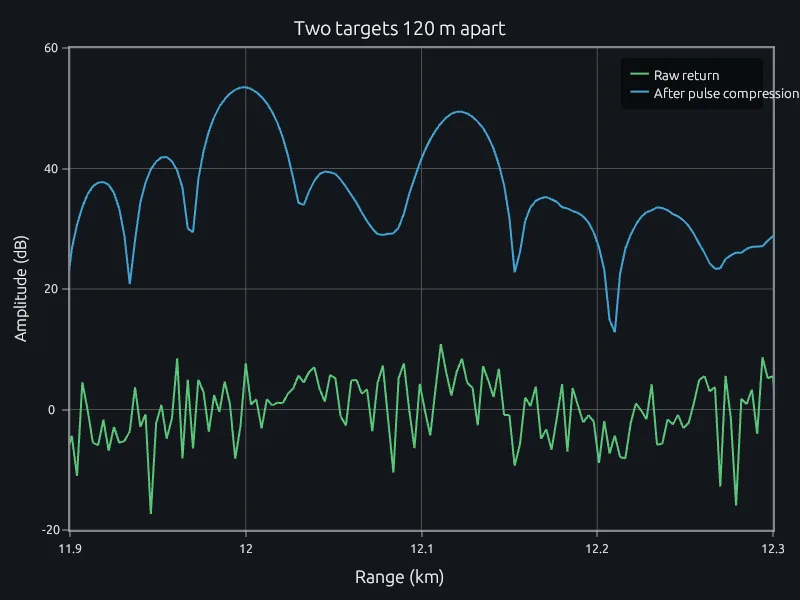
Pulse compression
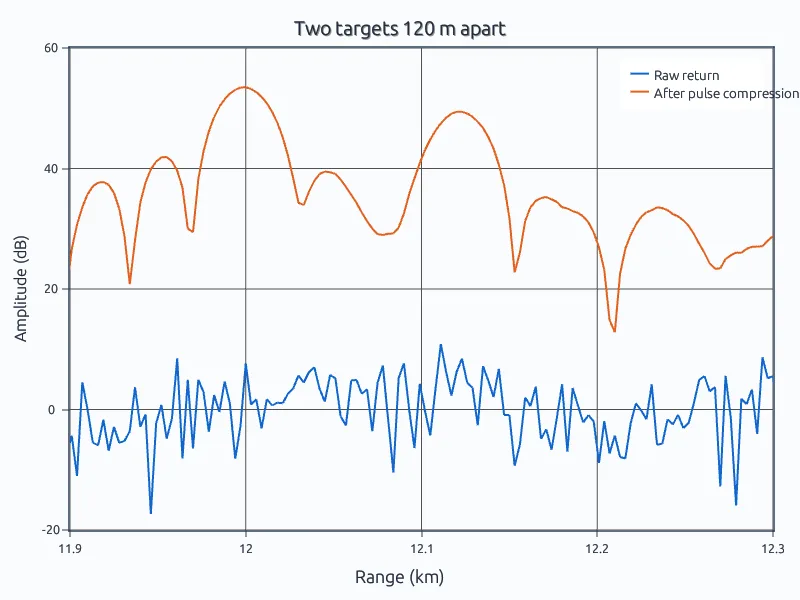
A 5 MHz chirp separates two targets 120 m apart.
Process radar, sonar and test data, design detection and tracking algorithms, and run simulations, in one MATLAB-language tool your team works in together.
Radar and sonar processing, tracking and test analysis are mostly written in MATLAB: matched filters, Doppler processing, detection thresholds, beamformers and Kalman filters. The engineers who build them know the language, and their scripts are where the work lives.
RunMat runs that code and opens the figures it makes, so a team can keep writing radar processing the way it already does.
% Pulse compression of a 10 us chirp with 5 MHz of bandwidth. Two targets% 120 m apart near 12 km overlap in the raw return; the matched filter% separates them and lifts them out of the noise.c = 3e8; fs = 50e6; T = 10e-6; B = 5e6;t = (0:round(T*fs)-1)' / fs;pulse = exp(1i*pi*(B/T)*(t - T/2).^2);n = 2^14;R = [12000; 12120]; amp = [1; 0.7];rx = zeros(n, 1);for q = 1:2idx = round(2*R(q)/c*fs) + (1:numel(pulse))';rx(idx) = rx(idx) + amp(q) * pulse;endrng(1);noise = (randn(n, 1) + 1i*randn(n, 1)) / sqrt(2);rx = rx + noise;y = ifft(fft(rx) .* conj(fft(pulse, n)));yn = ifft(fft(noise) .* conj(fft(pulse, n))); % noise aloner_km = (0:n-1)' * c / (2*fs) / 1000;
$ runmat pulse-compression.mpeaks at 12.000 and 12.120 km, 120 m apart (resolution c/2B = 30 m)compression gain 26.3 dB, against 27.0 dB expected for the 500 samples in the pulse
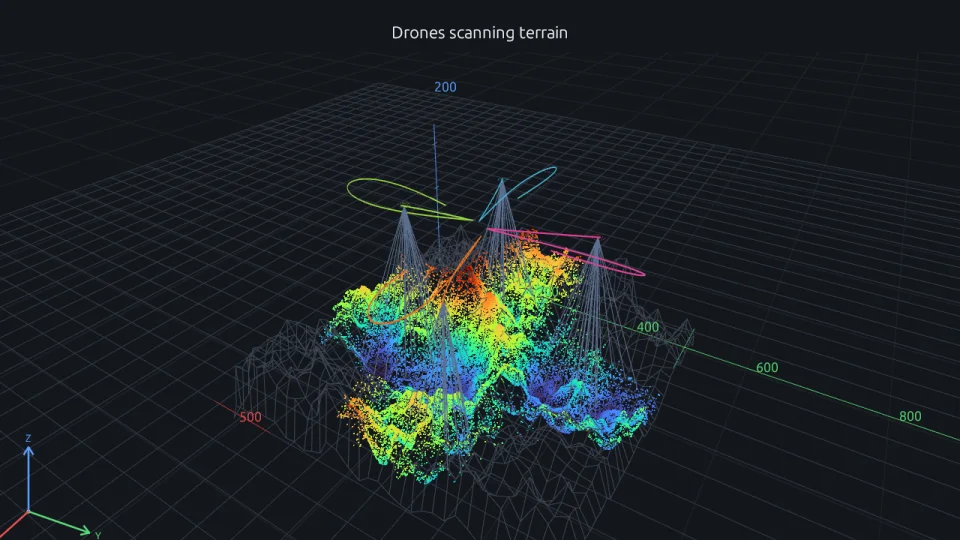
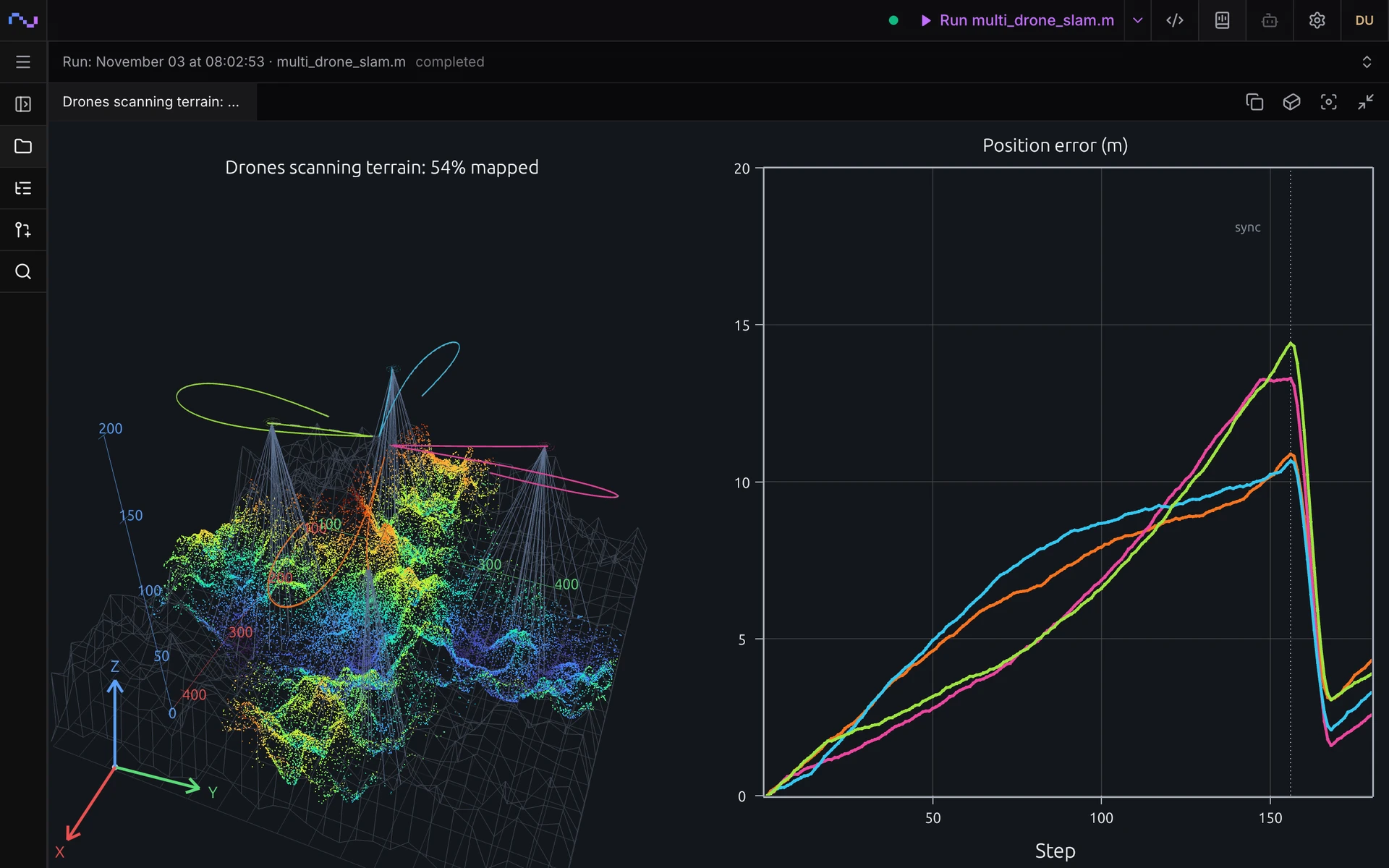
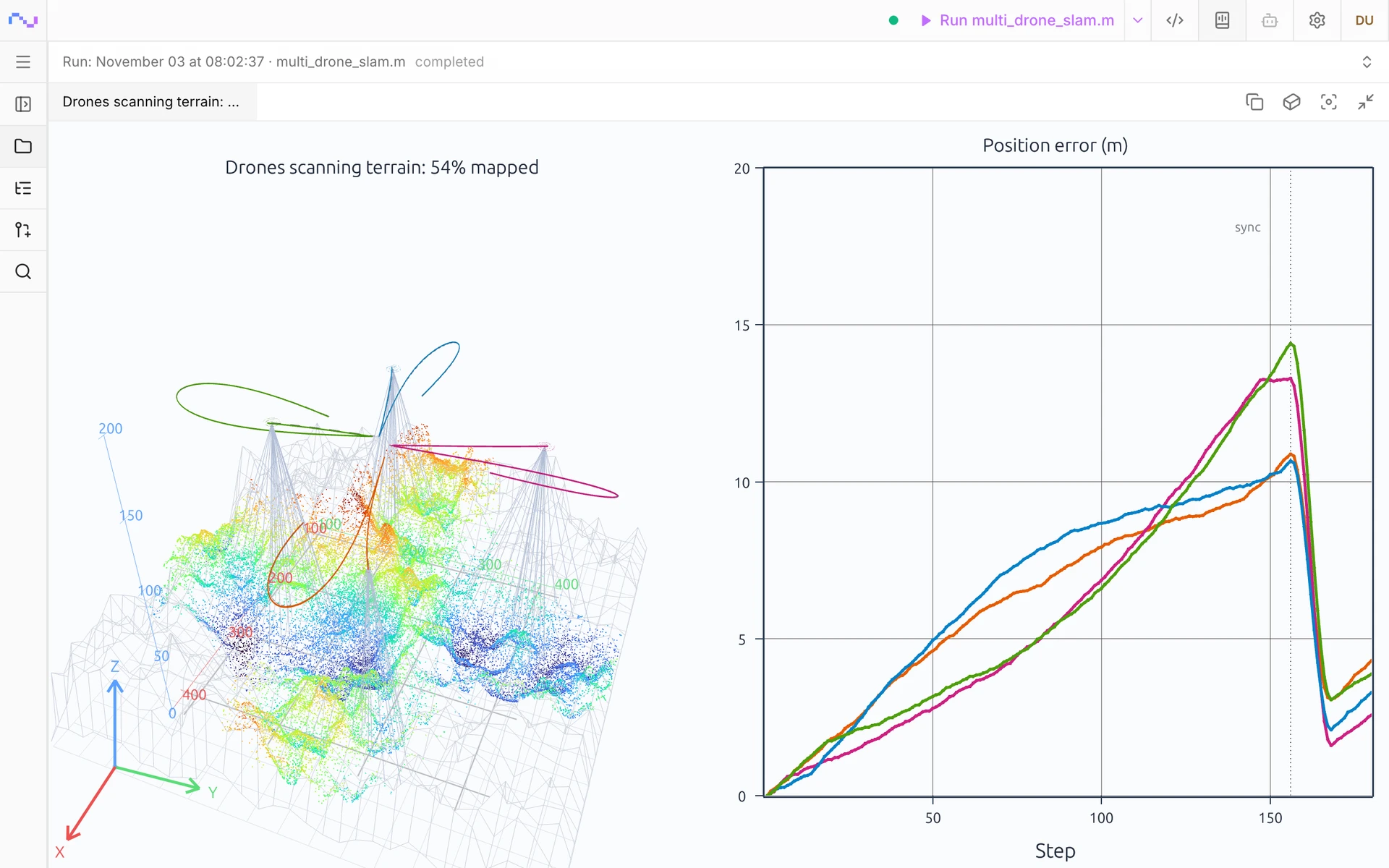
Write the vehicle models, the sensor model and the estimator as MATLAB-language functions and run the whole simulation in RunMat. The app plays its 3D figures back step by step, with the map beside each vehicle's position error.
You see the step where drift builds up and the step where a loop closure corrects it, before a flight test. Change a sensor's range or a route in the script and run it again.
RunMat is a deterministic engine: the same script or study gives the same result every time. It is designed for AI models to use in a controlled loop, for work like the analyses on this page.
The model writes the script. RunMat checks its types, shapes and units and sends any error back for the model to fix, then runs it. The model reports the result and how it was computed, and every number in that answer came from RunMat, so it can go in a test report.
Point it at a model your program approves, running inside your network, or use the agent built into RunMat.
Works withClaude CodeCodexAny MCP client
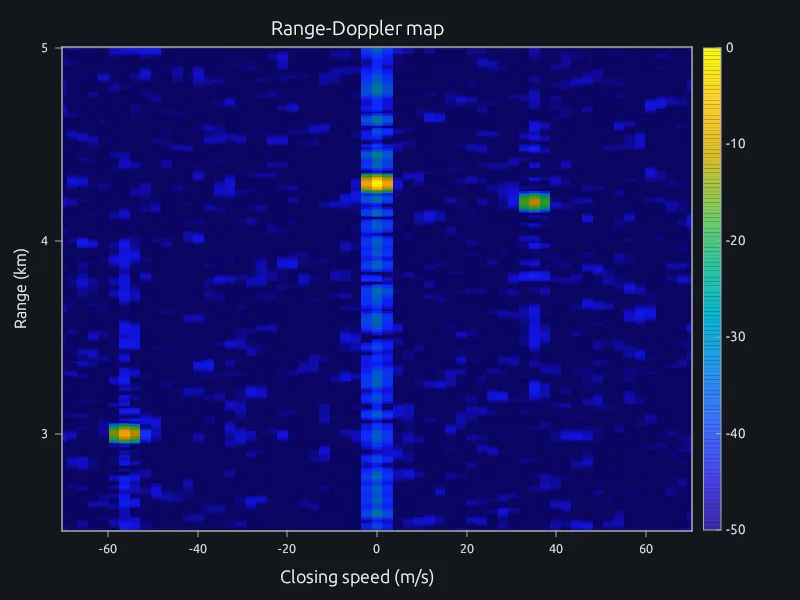
Everyone on the project opens the same range-Doppler map from their own desk. When one person points at a return, the others see the pointer, and when someone changes the detection threshold in the script, everyone sees the new detections appear.
Questions about a target get settled on the result itself, without screenshots or a screen-share, and each run keeps the script and inputs that produced it.
The desktop app, server and workers can run fully offline on your own machines, which makes ITAR-aligned private deployment possible under enterprise contract. The source of the runtime and solver is public, so your security team can read what runs.
What RunMat connects to, deployed offline
| Runtime and CLI | Nothing. Scripts run on the machine with no network |
|---|---|
| Desktop app | Your RunMat server |
| RunMat server | Your database, object storage and identity provider |
| Workers | Your RunMat server |
| AI agent | A model endpoint you operate, or switched off |
| Packages | Vendored copies or your internal mirror |
| Updates | Your internal update host, or pinned |
| Telemetry and analytics | Off |
| Anything outside your network | Nothing |
A 5 MHz chirp separates two targets 120 m apart.
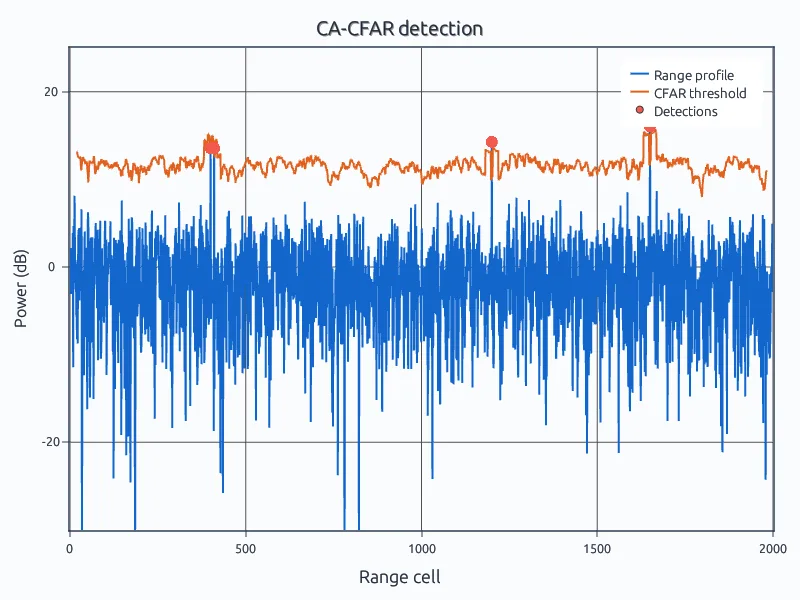
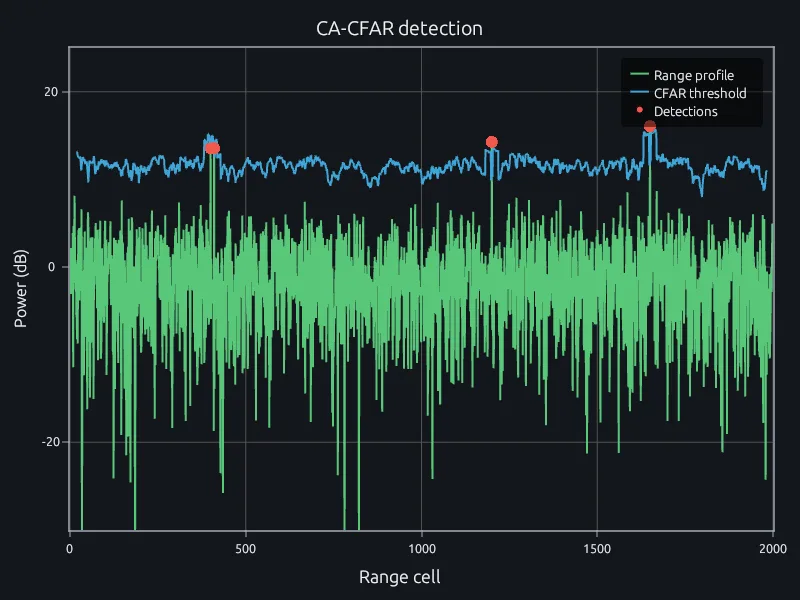
Cell-averaging CFAR at a false-alarm rate of 1e-5.
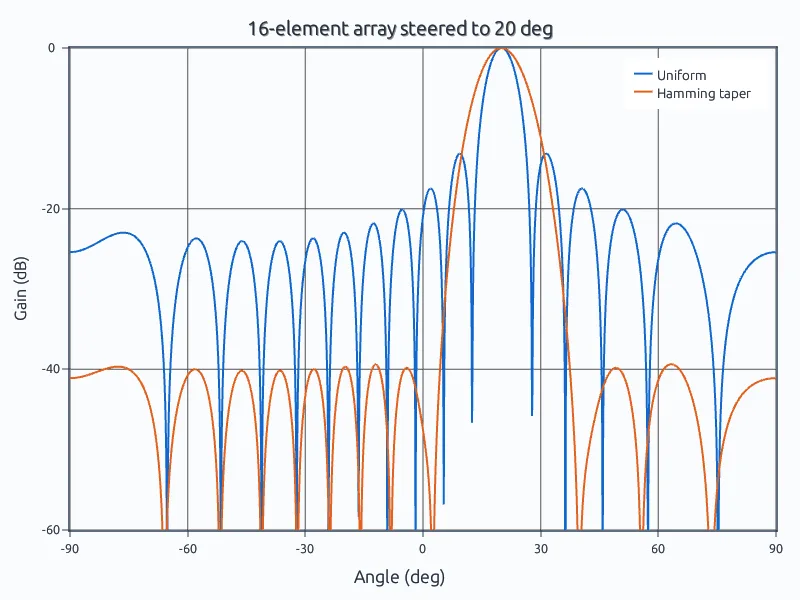
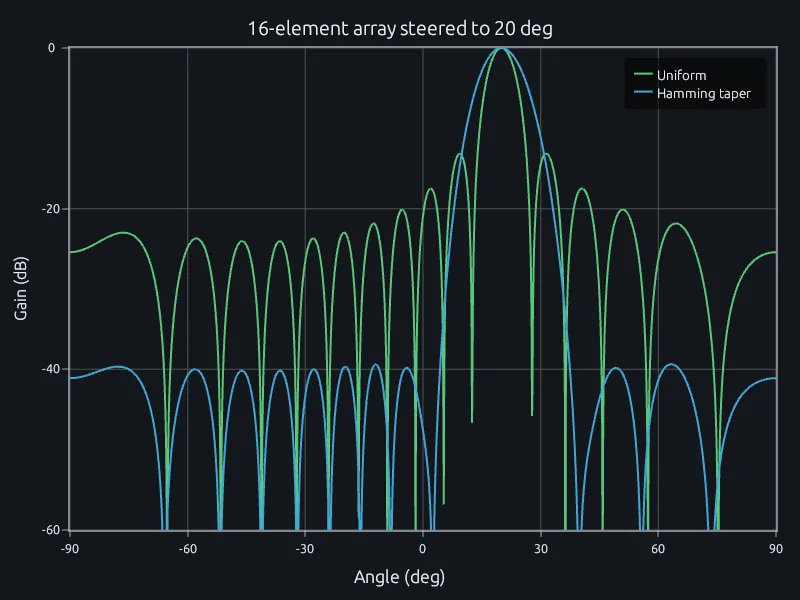
16 elements steered to 20 degrees, with and without a taper.
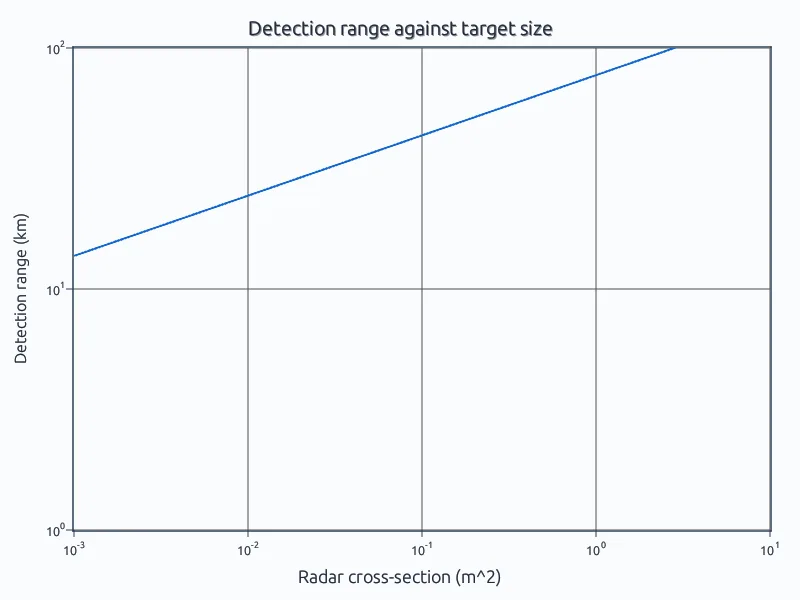
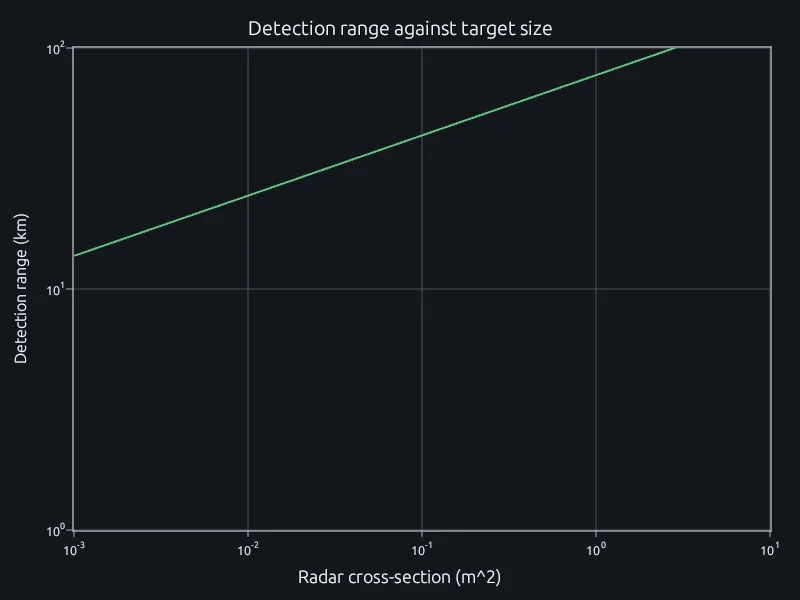
The radar range equation from 0.001 to 10 m² of RCS.
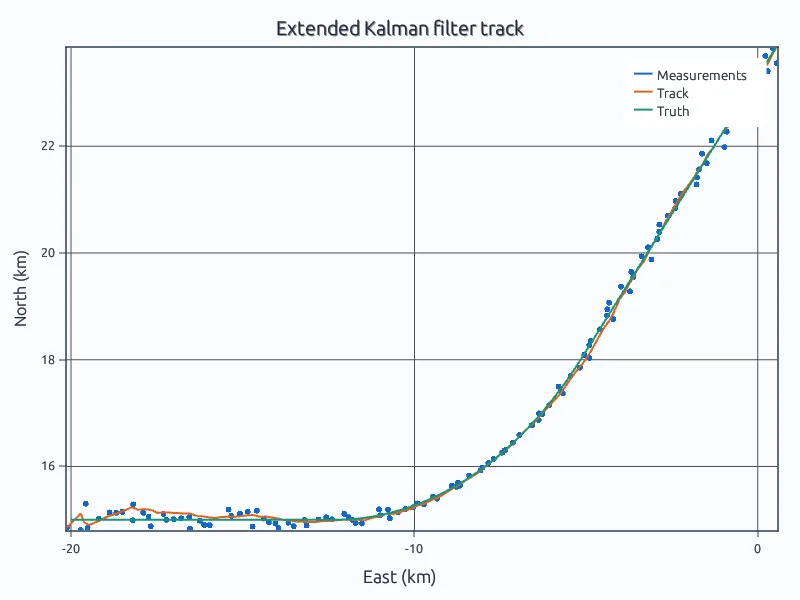
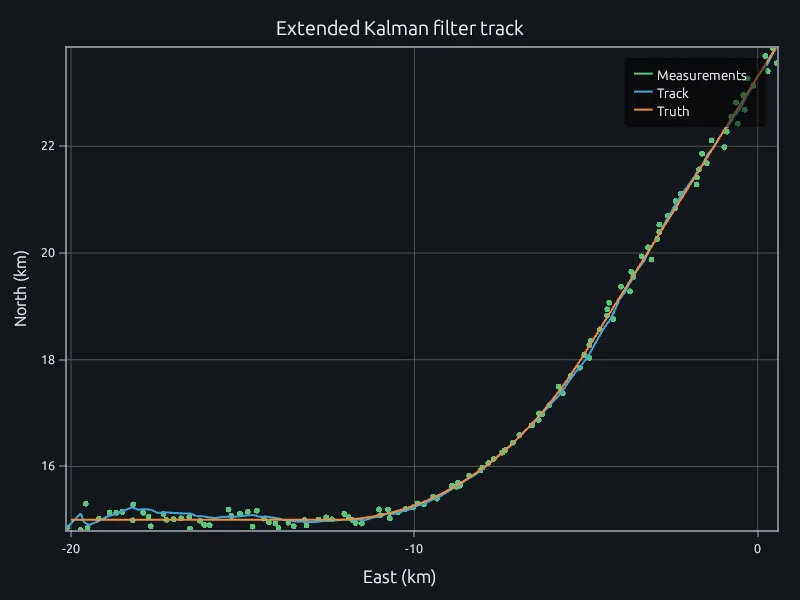
An extended Kalman filter on radar range and bearing.
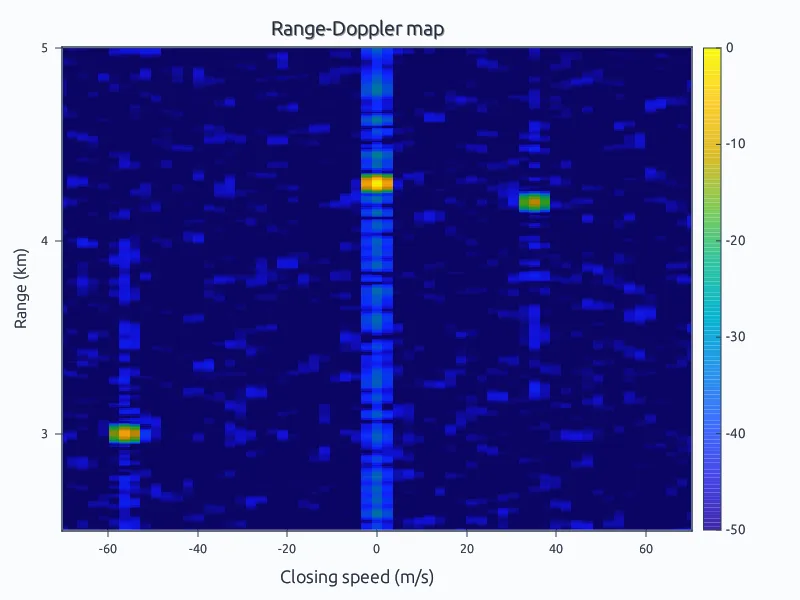
64 pulses resolve three targets in range and closing speed.
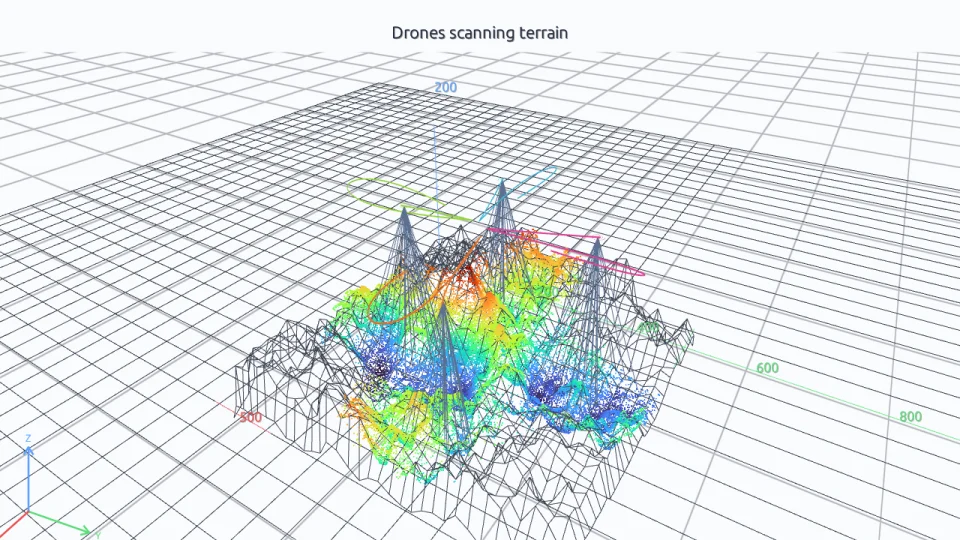
Four drones map unknown terrain with LIDAR and correct their drift.
Open the radar example in your browser. No account needed.
Run three of your own scripts and compare their run times.
Talk to us about your team, your programs and where it runs.