ADC characterization
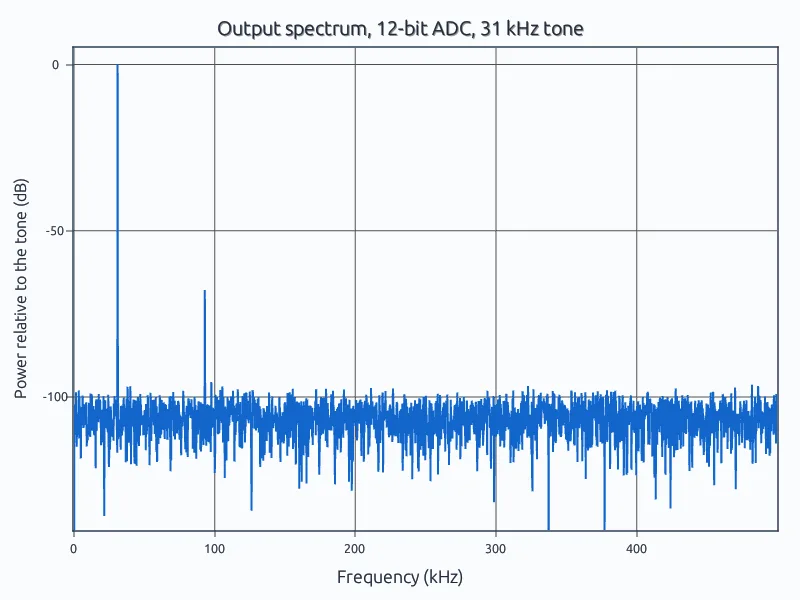
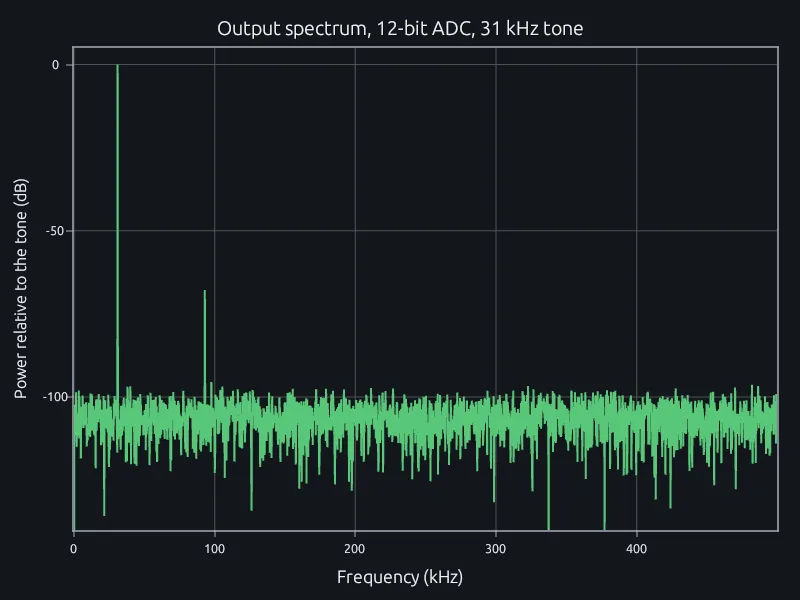
SINAD, ENOB and SFDR of a 12-bit converter from one FFT.
Characterize converters and signal chains, work through test-station and CT data, and size heat sinks, in one MATLAB-language tool your whole team edits at once.
Engineers on the same program open the same project and edit the same scripts at once, so the analysis no longer waits on one person to finish before the next can start.
One points at a spur in the spectrum while another changes the test setup, and both see the new result when it reruns. Every save keeps everyone's work.
MATLAB is still the best math calculator you have, because everyone on your team already speaks it.
RunMat runs the scripts you have, from filter loops and FFTs to tables and image volumes, so nobody learns a new language.
fs = 1e6; N = 4096; cycles = 127; % rate, record length, sine cyclescodes = adc_capture(fs, N, cycles);X = abs(fft(codes - mean(codes))) / (N/2);P = X(1:N/2).^2; % one-sided powerk = cycles + 1; % the tone's bin, no leakagesignal = P(k);rest = sum(P) - signal - P(1); % noise plus distortionsinad = 10*log10(signal / rest);enob = (sinad - 1.76) / 6.02;spurs = P; spurs(k) = 0; spurs(1) = 0;sfdr = 10*log10(signal / max(spurs));fprintf('SINAD %.1f dB, ENOB %.2f bits\n', sinad, enob);fprintf('SFDR %.1f dB\n', sfdr);
$ runmat adc-enob.mSINAD 66.2 dB, ENOB 10.71 bitsSFDR 67.8 dB
RunMat is a deterministic engine: the same script or study gives the same result every time. It is designed for AI models to use in a controlled loop, for work like the analyses on this page.
The model writes the script or the study. RunMat checks its units, shapes and regions and sends any error back for the model to fix, then runs it. The model reports the result and how it was computed, and every number in that answer came from RunMat, so you can bring it to a design review.
Use Claude Code, Codex, any MCP client or the agent built into RunMat, on the model your company already uses.
Works withClaude CodeCodexAny MCP client
A script that reads one unit's CT scan or one station's log soon has to run across every unit in a build and every station on the line. Spreading that over machines usually means someone writes and maintains a cluster job.
In RunMat you change for to parfor. The same script runs across every core of your laptop, on its GPU or on a cluster your team runs, and every run is kept in the project.
% Check every unit's CT scan in a build
files = dir('scans/*.mat');
voids = zeros(1, numel(files));
parfor k = 1:numel(files)
    voids(k) = count_voids(fullfile('scans', files(k).name));
end
flagged = files(voids > 0);You have a conductor, its rated current and a temperature limit at the terminals, and you want to know this week whether the design holds.
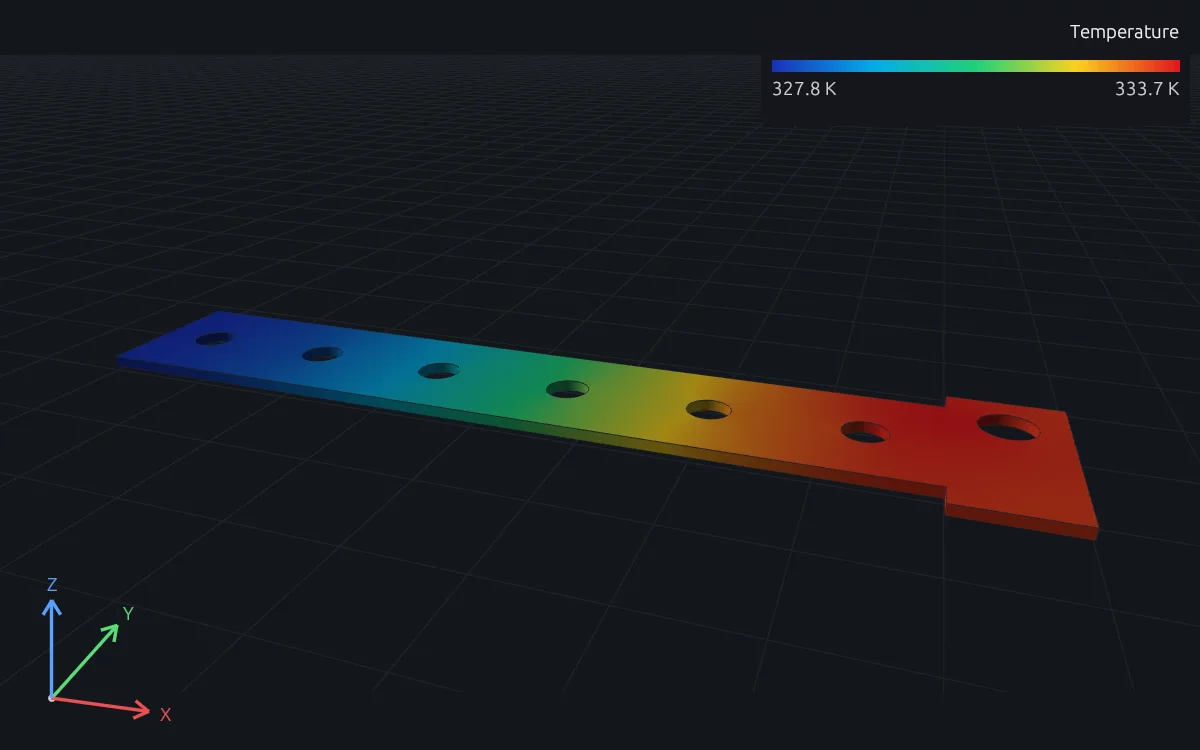
In RunMat the busbar is a short study in your project: its copper, 400 A in at the bolts and still-air cooling, with a unit on every number. RunMat solves current flow and temperature together, with conductivity that falls as the copper heats. Change the current or the cooling, run it again, and bring numbers to the review.
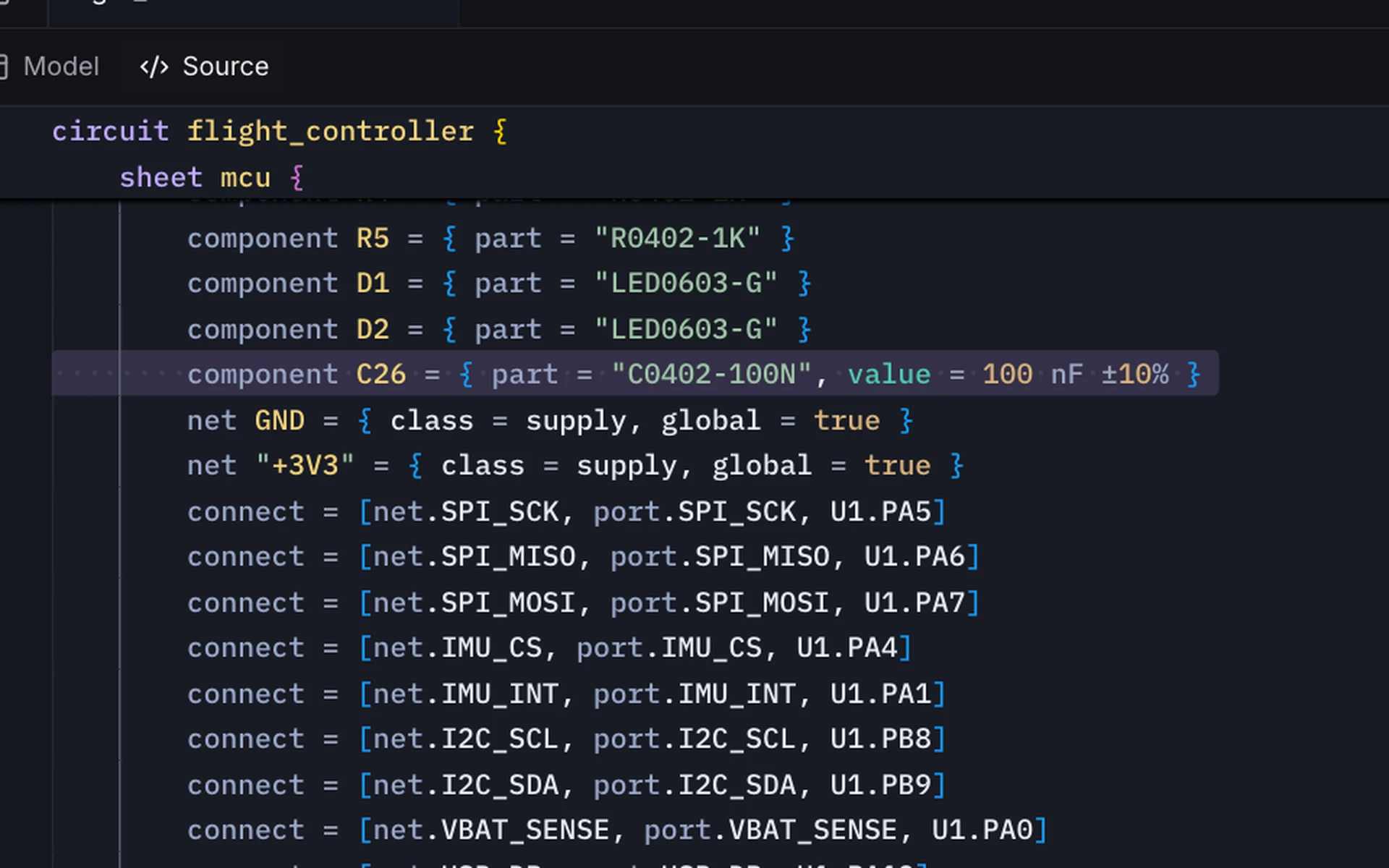
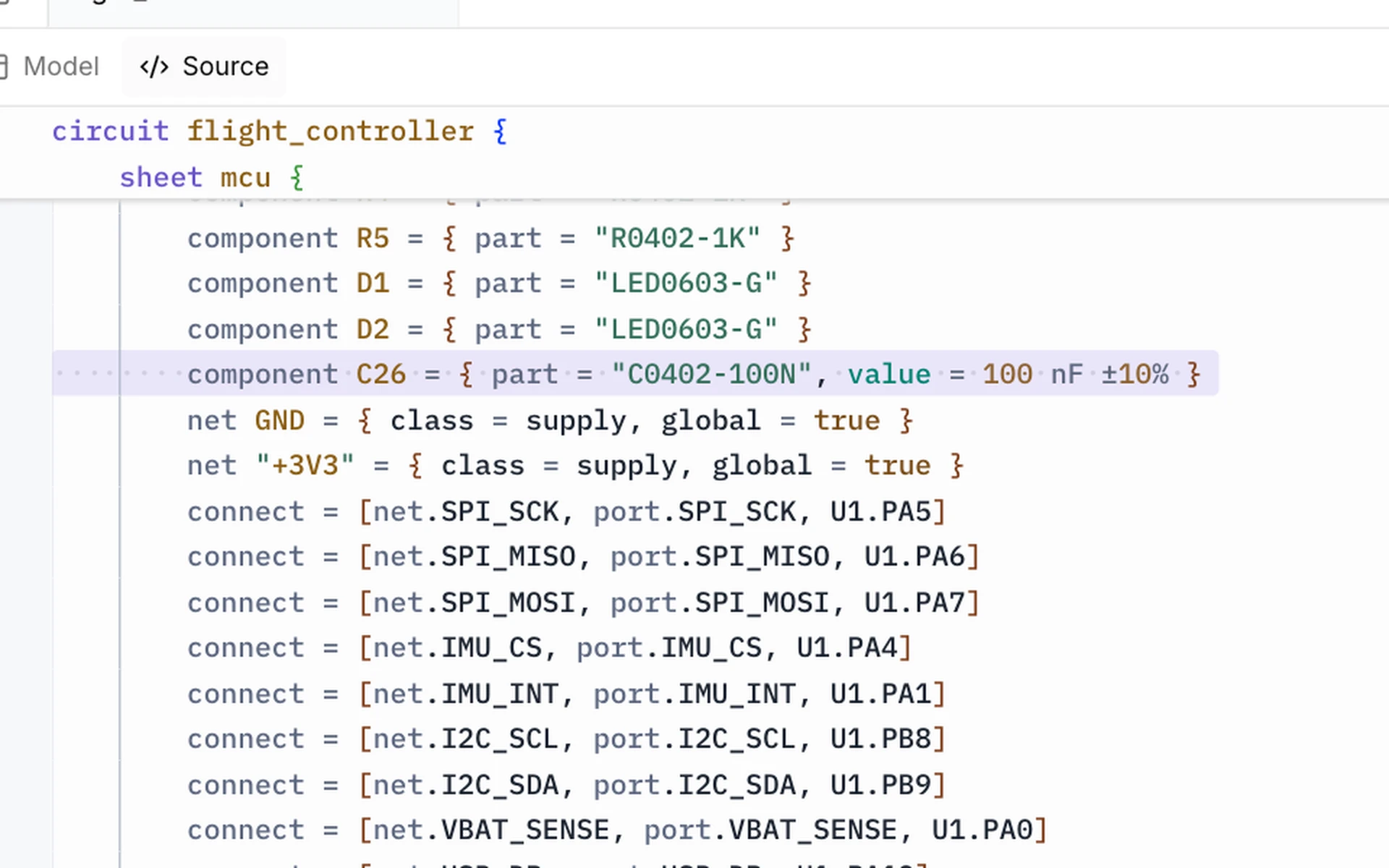
Draw the schematic and route the board in RunMat ECAD. Update board brings each schematic change onto the layout as a list of changes to review, and DRC checks the board against its rules, with each marker linked to the rule that set it.
Run the circuit's simulations from a MATLAB-language script beside the design. A sweep of a part value comes back as arrays, which you plot and check against the spec like any test-station data.
RunMat can run on your own servers, fully offline if you need to, so factory and station data and unreleased designs stay inside your company.
SINAD, ENOB and SFDR of a 12-bit converter from one FFT.
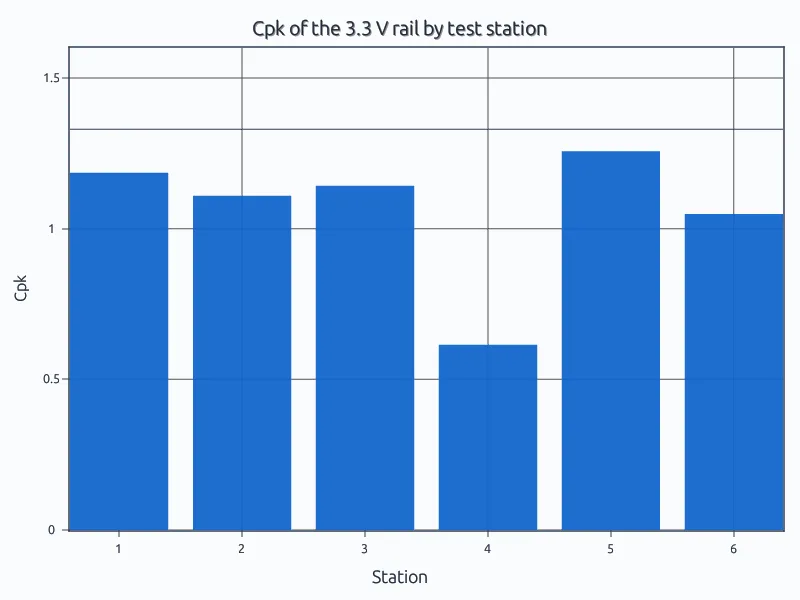
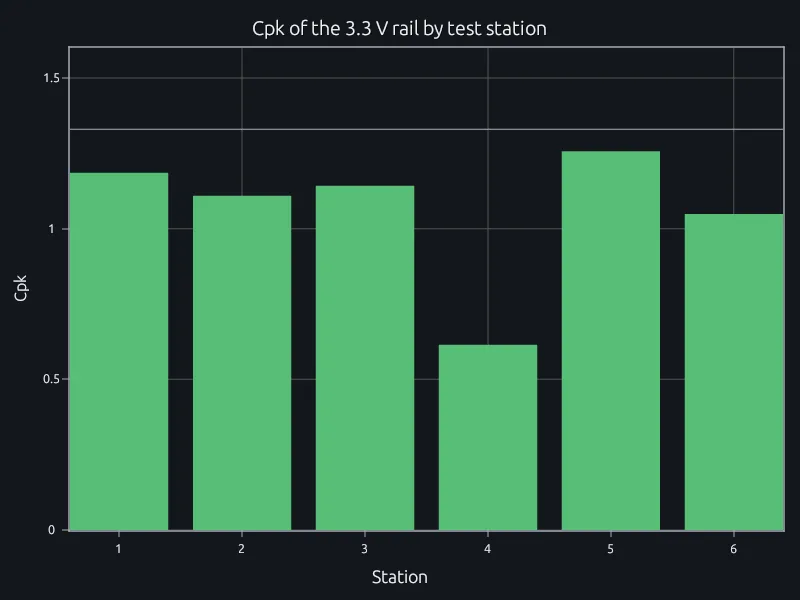
One 3.3 V test across six stations; one station reads high.
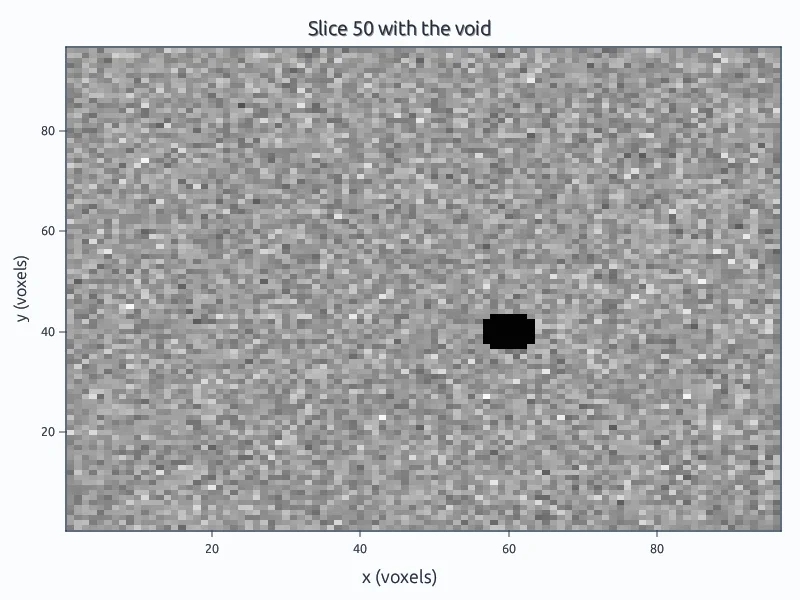
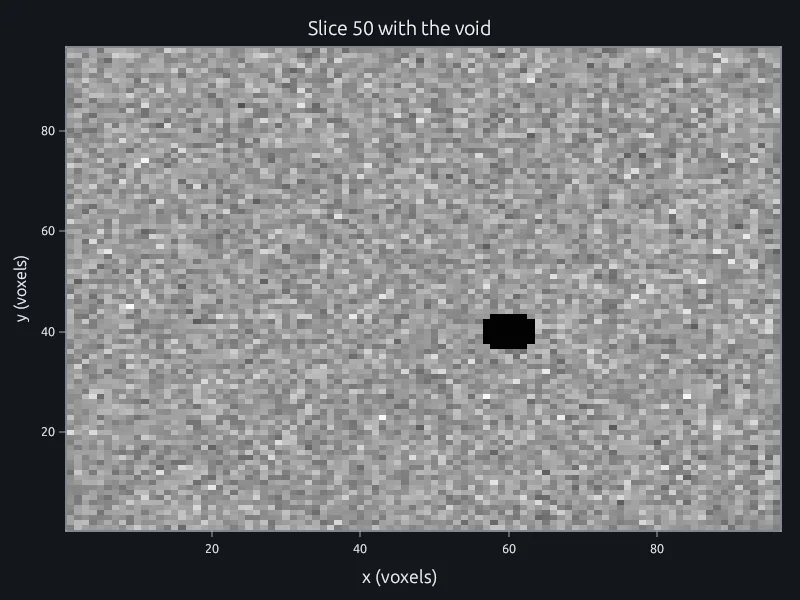
96 slices of a potted module searched for low-density voxels.
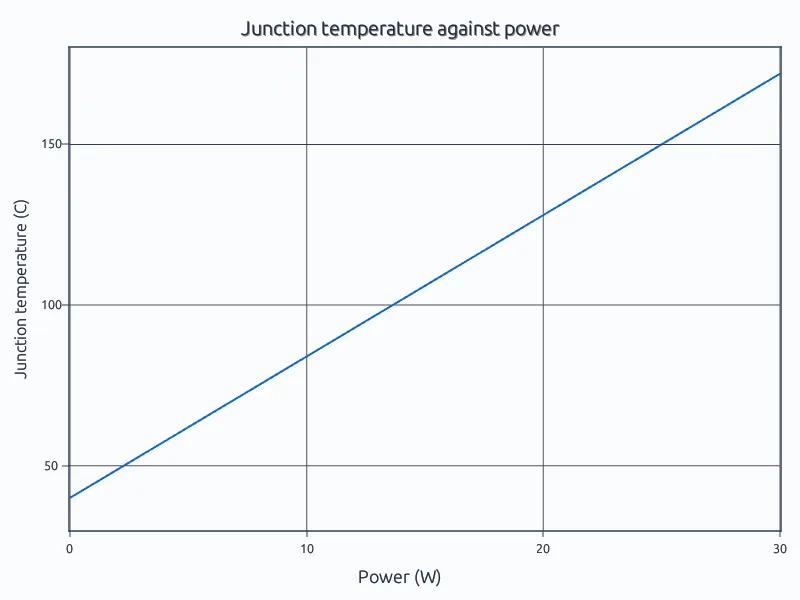
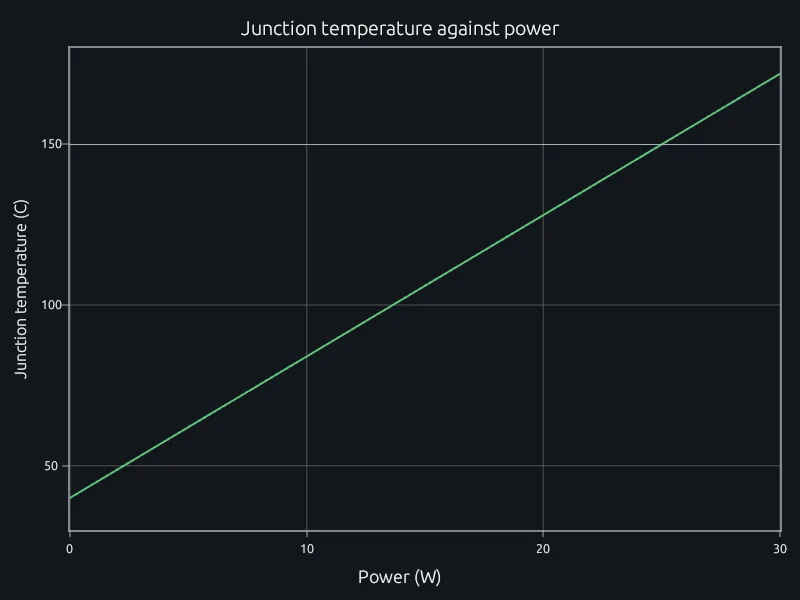
A power device's thermal resistance chain against its limit.
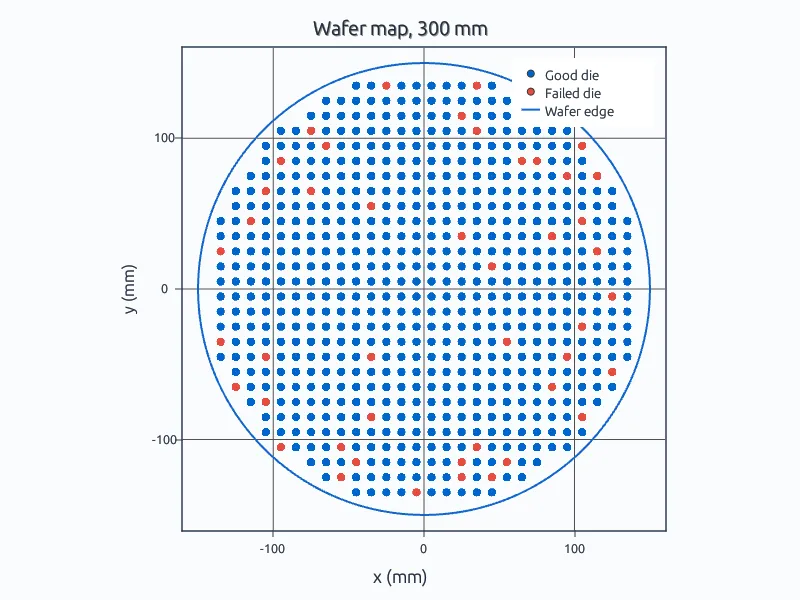
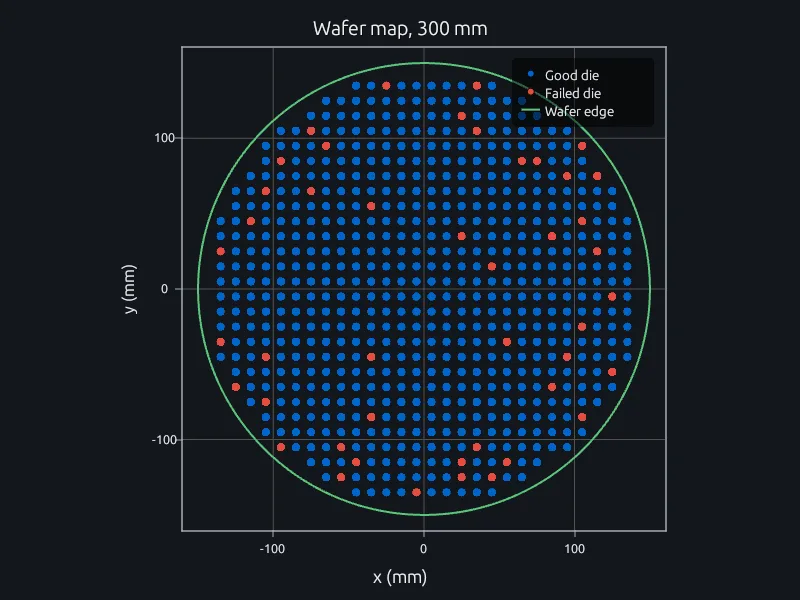
Die yield across a 300 mm wafer, center against edge.
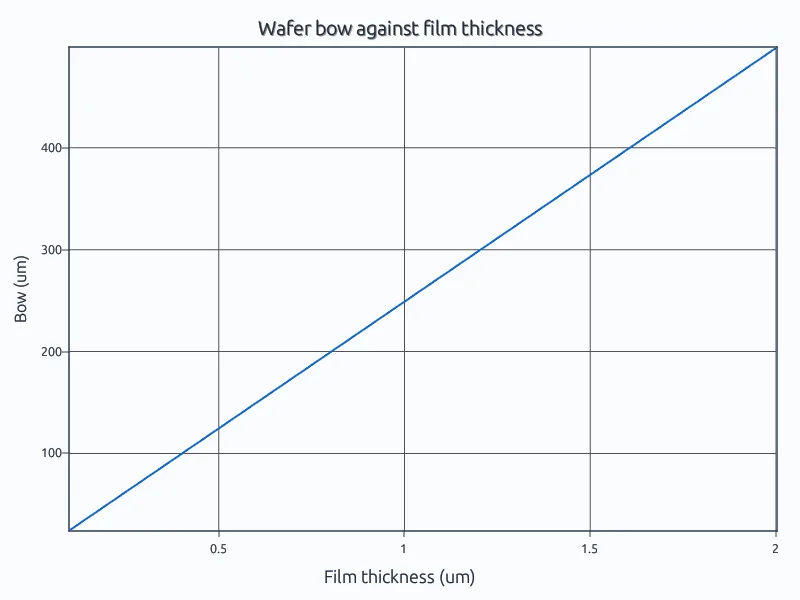
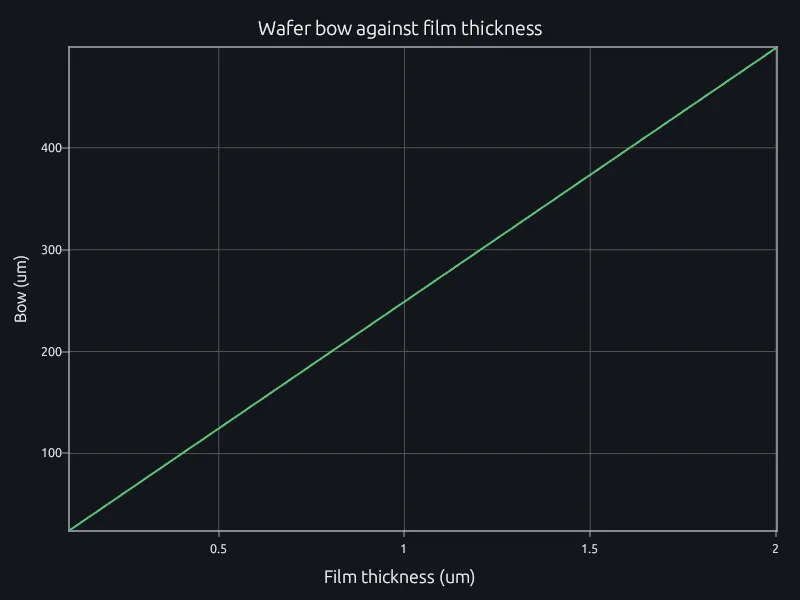
Stoney's equation for a stressed film on a 300 mm wafer.
Open the ADC example in your browser. No account needed.
Run three of your own scripts and compare their results and run times.
Talk to us about your team, your data and where it runs.