Bearing fault in an envelope spectrum
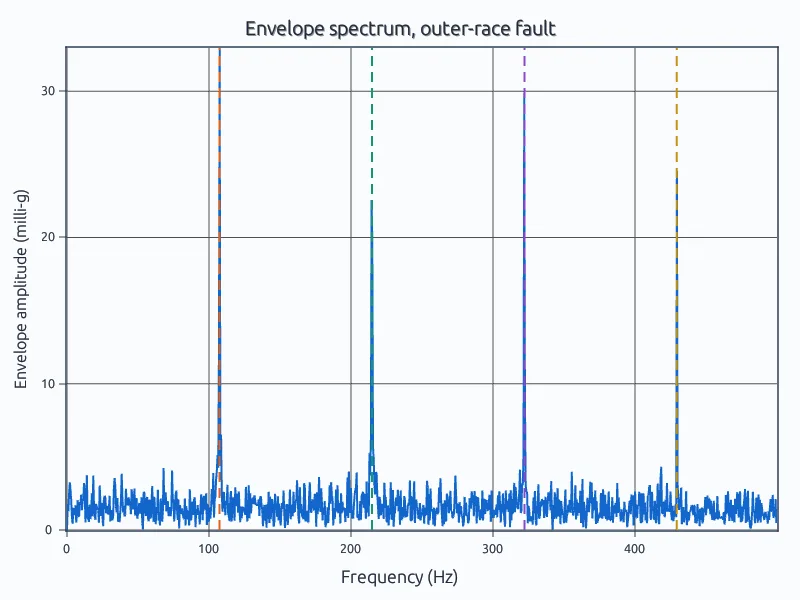
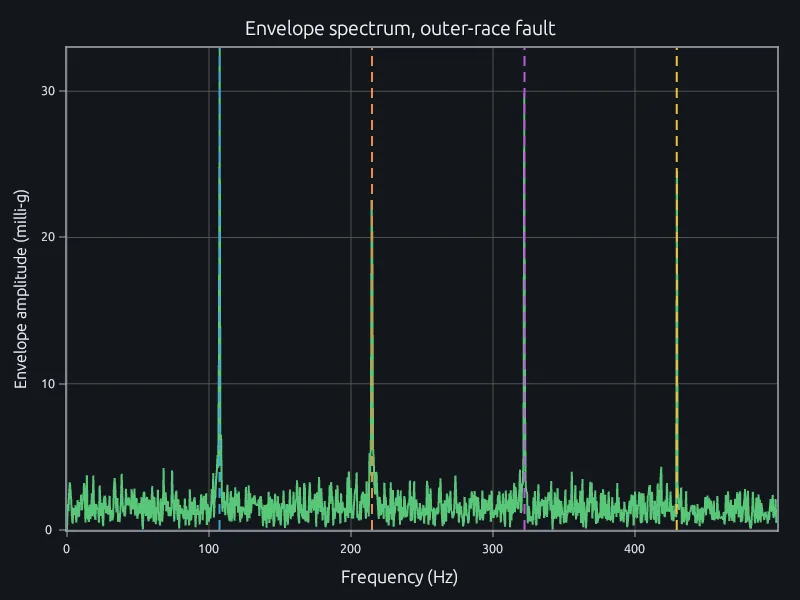
An outer-race defect on a 6205 bearing, found at its defect frequency.
Run your vibration, motor-current and rotor scripts in the MATLAB language, from the engineer's laptop to the industrial PC on every machine you ship.
Your bearing, gear and motor-current diagnostics run in RunMat as they are, so nobody rewrites them in Python and validates them again.
The script beside this finds an outer-race fault where the bearing's geometry predicts it.
fs = 12000; fr = 1797/60; % sample rate, shaft speed (Hz)n = 9; d = 7.94; D = 39.04; phi = 0; % balls; ball and pitch diameter (mm)bpfo = n/2 * fr * (1 - d/D*cos(phi));x = test_signal(fs, fr, bpfo);% Band-pass around the resonance, take the envelope, then its spectrum.[b, a] = butter(4, [2000 4000]/(fs/2));env = abs(hilbert(filtfilt(b, a, x)));E = abs(fft(env - mean(env))) / numel(env);f = (0:numel(env)-1)' * fs / numel(env);inband = E;inband(f < 50 | f > 300) = 0;[~, j] = max(inband);fprintf('outer-race defect frequency %.1f Hz from the bearing geometry\n', bpfo);fprintf('envelope spectrum peaks at %.1f Hz\n', (j - 1) * fs / numel(env));
$ runmat bearing-envelope.mouter-race defect frequency 107.4 Hz from the bearing geometryenvelope spectrum peaks at 107.5 Hz
Run the same diagnostic on the industrial PC or edge box that ships with the machine, so the field runs the code the lab validated.
RunMat is a single executable of about 200 MB that starts in under a second on Linux and Windows, with no license server.
FROM debian:bookworm-slimRUN apt-get update && apt-get install -y curl libopenblas0 \&& curl -fsSL https://runmat.com/install.sh | shCOPY monitor/ /monitorCMD ["runmat", "/monitor/bearing-envelope.m"]
Run the diagnostic you wrote for one machine across every capture from every machine, so a developing fault shows up on the machine that has it. Change for to parfor and RunMat spreads the work across a server's cores or a cluster.
Each machine's result comes back into one table in the same script, and every run is kept with the capture it came from, so a trend over months comes straight from the run history.
% The same diagnostic on every machine in the plant
files = dir('vibration/*.mat');
level = zeros(1, numel(files));
parfor k = 1:numel(files)
    level(k) = defect_level(load(fullfile('vibration', files(k).name)));
end
watch = files(level > 3*median(level));The analyst who flagged a reading and the engineer who owns the machine work in the same project at once, so an alarm gets settled on the spectrum itself, not over screenshots.
Each run is kept with the data and script version that produced it.
The same script and data give the same result in RunMat every time, which makes it safe to put in a loop with an AI model. Ask the model to add a cage-frequency check to your bearing script.
RunMat checks types, shapes and units, sends any error back for the model to fix, then runs it. Every number the model reports was computed by RunMat and can be rerun from the saved run.
It works with Claude Code, Codex, any MCP client or the agent built into RunMat, on the model your company already uses.
Works withClaude CodeCodexAny MCP client
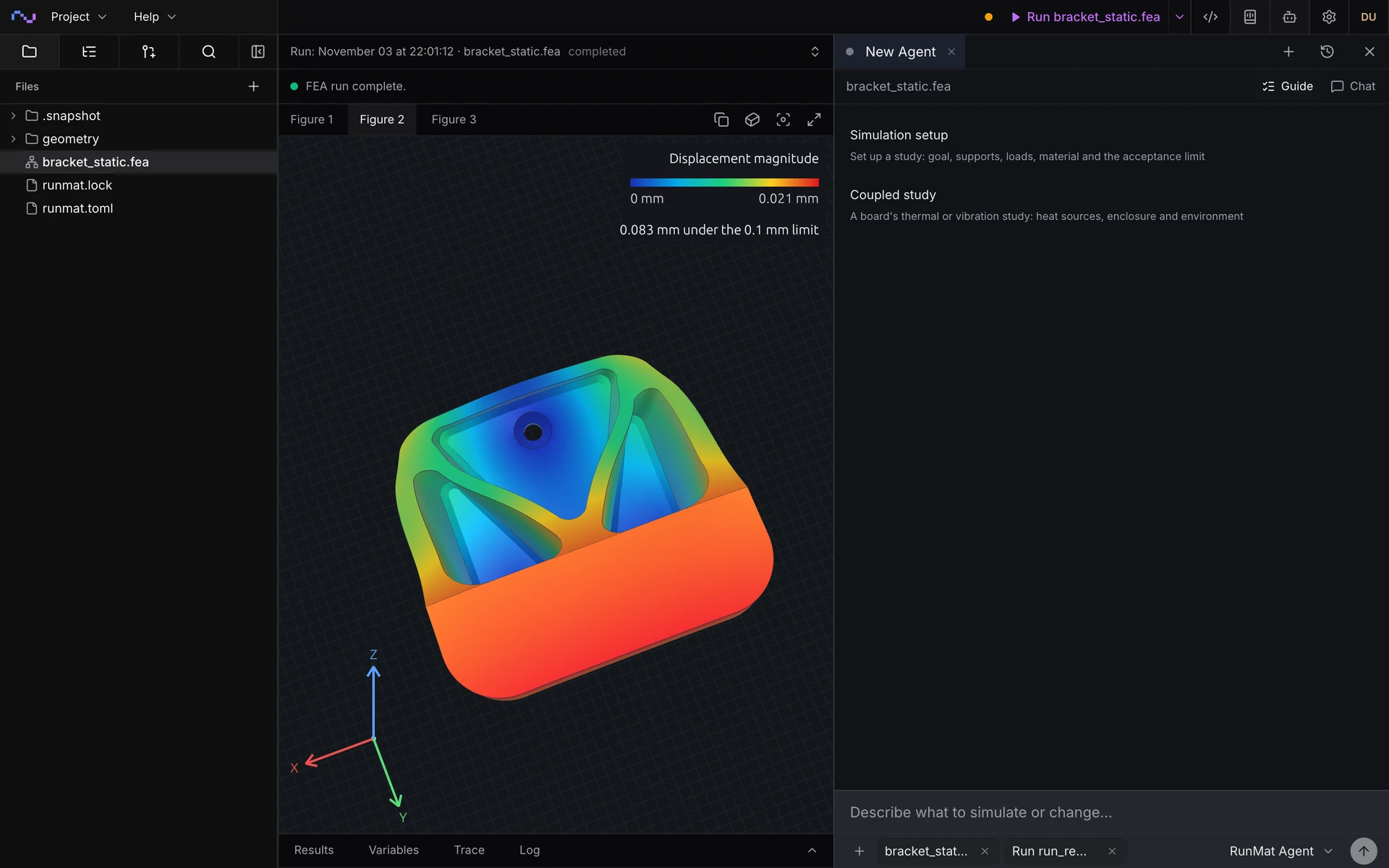
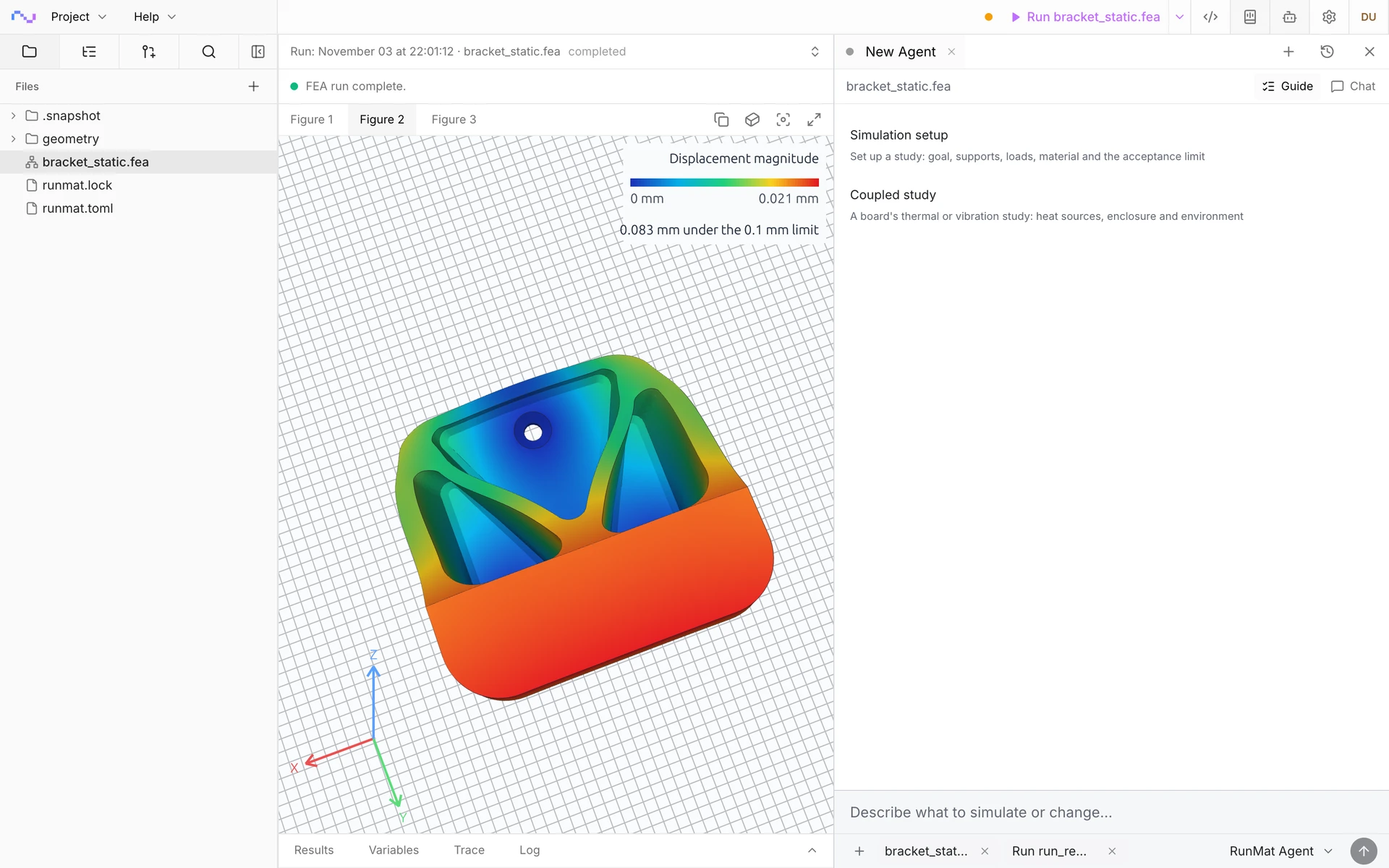
Import the STEP file of a bracket or a machine frame. Guided setup asks how the part is held and loaded, you answer by clicking its faces, and RunMat writes the study and solves it.
The study is a short text file with a unit on every number, so a new load case or support is an edit you can review. A sweep over loads or variants runs in parallel like any script.
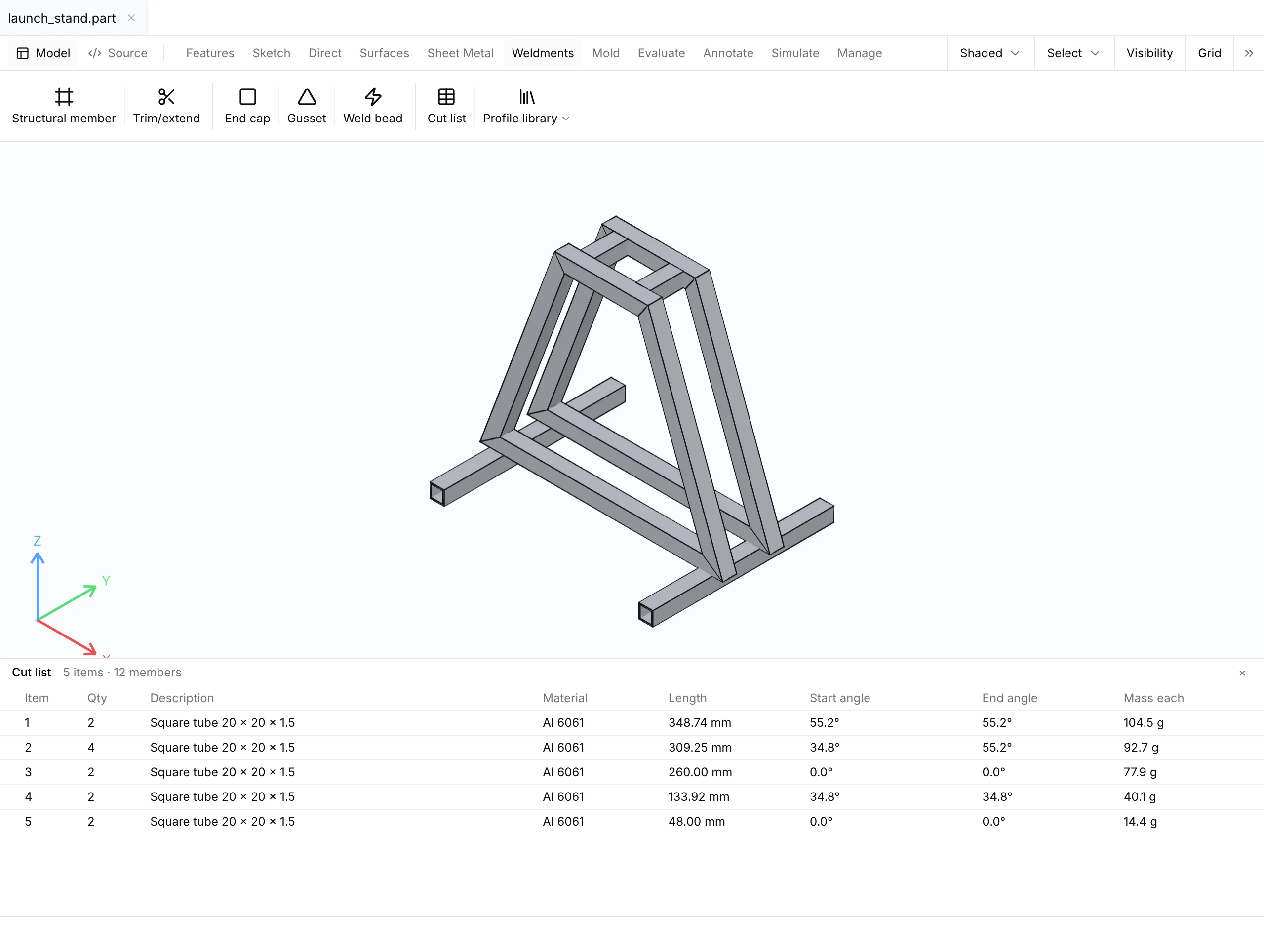
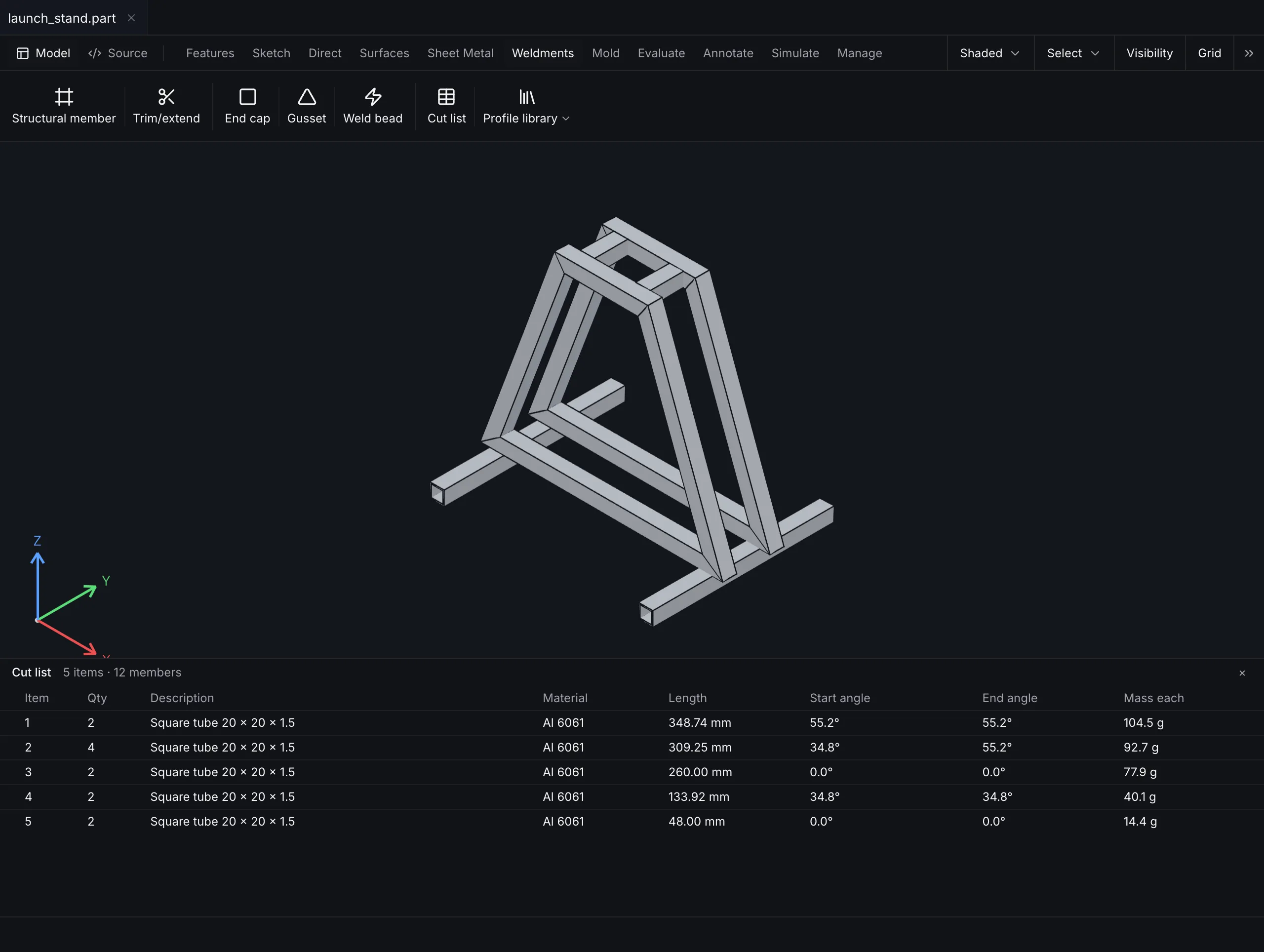
Lay out structural members from standard profiles along a sketch in RunMat MCAD, trim them at the joints and add end caps and gussets. The cut list gives each member's length, miter angles and mass.
The frame is a part in your project, so its static and modal studies rerun on the new geometry after a layout change, with their setup in place.
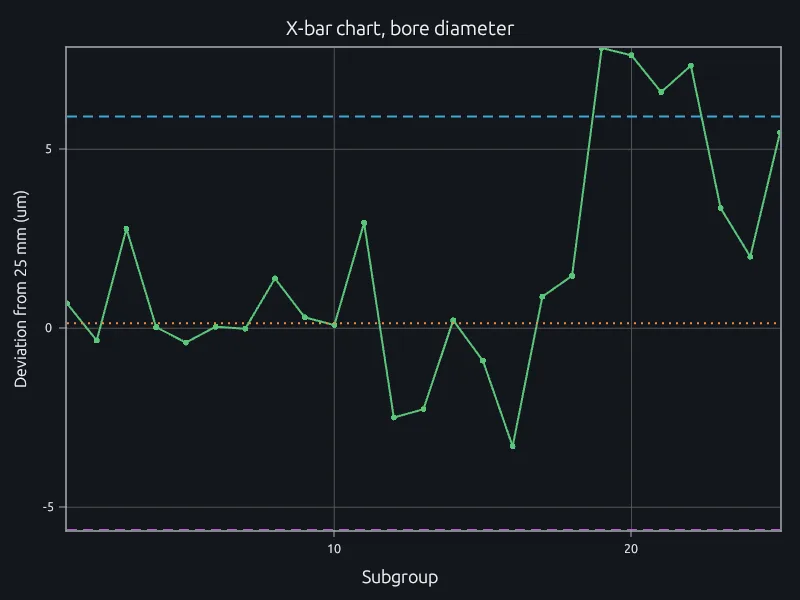
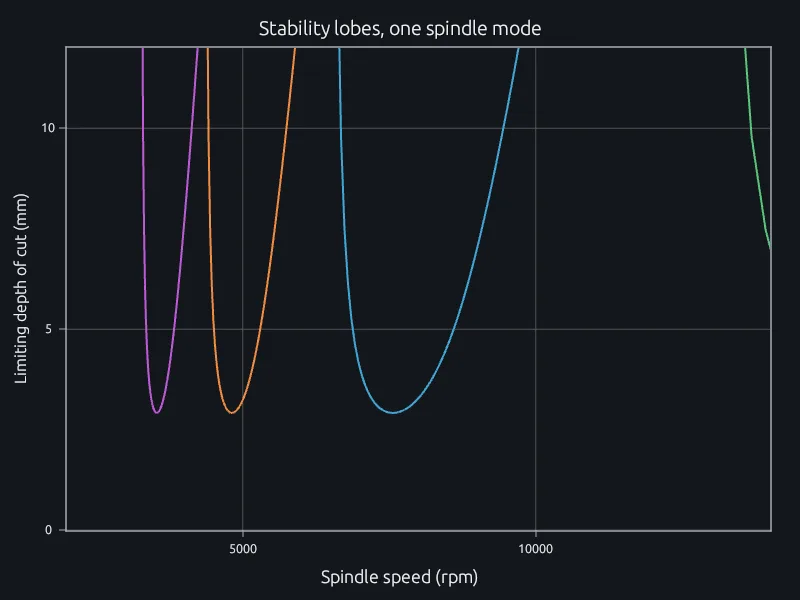
Keep the shop-floor math in the same project: stability lobes for chatter-free spindle speeds and control charts for the parts coming off the line, so a process drift shows up where you diagnose the machine.
Process engineers and machine designers work from the same data and scripts, so a tooling change and the drift that follows it are visible to both.
RunMat runs on servers you control, including offline on an isolated plant network, so vibration and process data stay on site.
An outer-race defect on a 6205 bearing, found at its defect frequency.
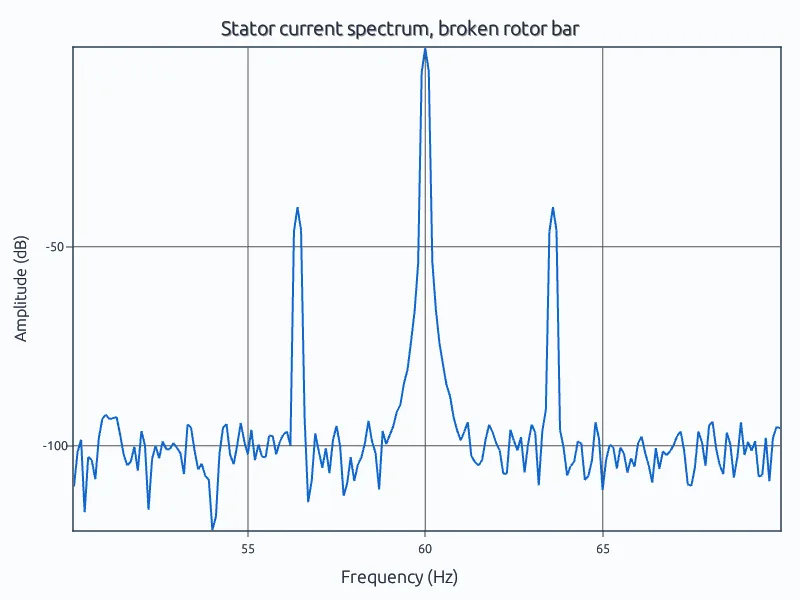
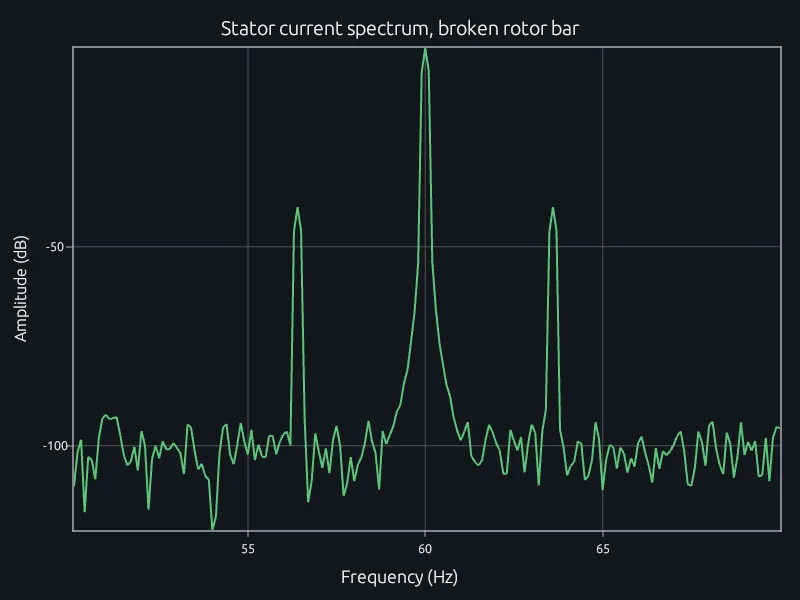
Slip sidebands in an induction motor's stator current.
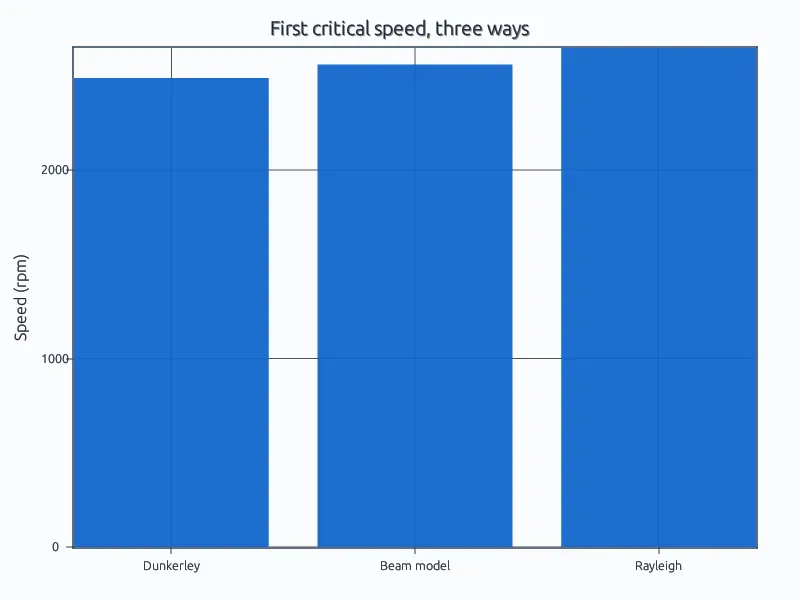
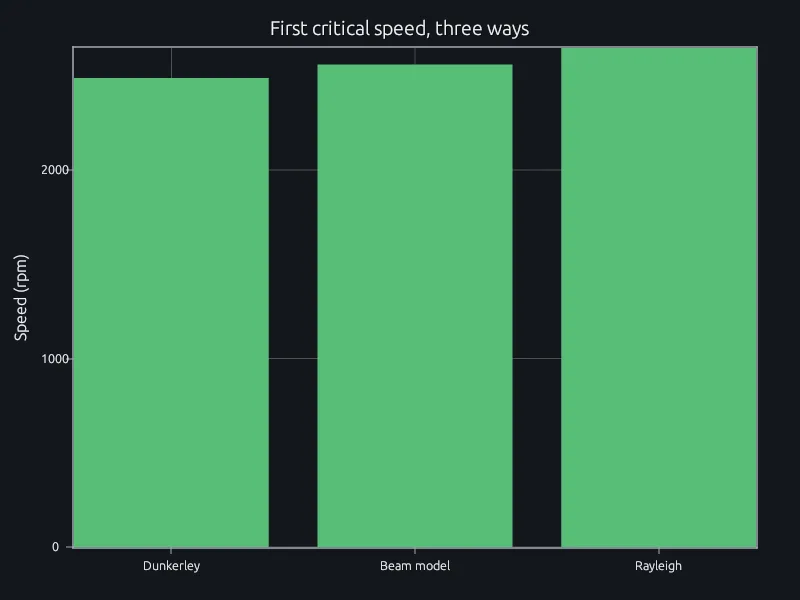
Dunkerley, a beam model and Rayleigh for a stepped shaft with two discs.
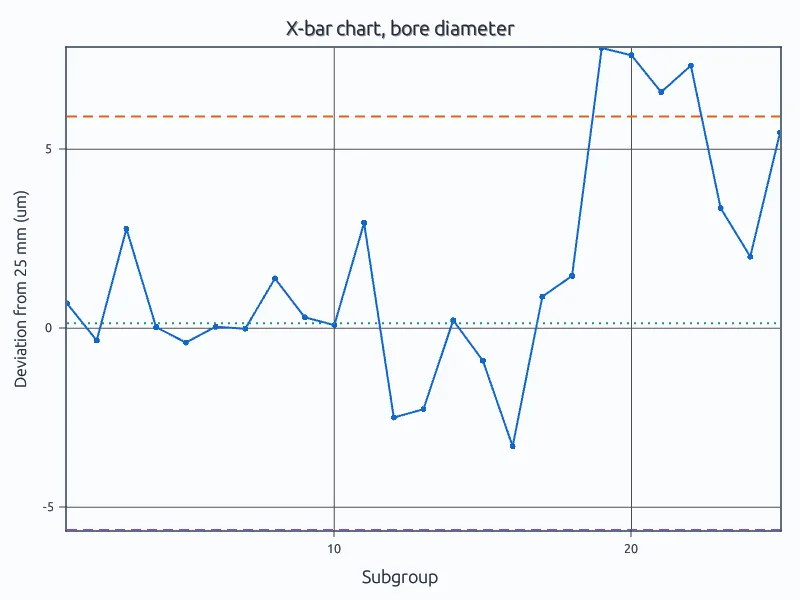
A bore diameter drifting out of control.
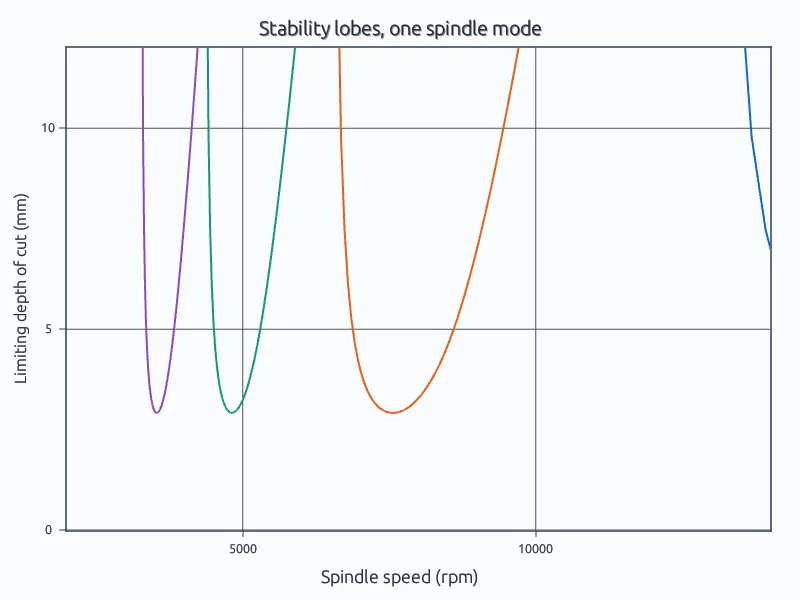
Chatter-free depth of cut against spindle speed.
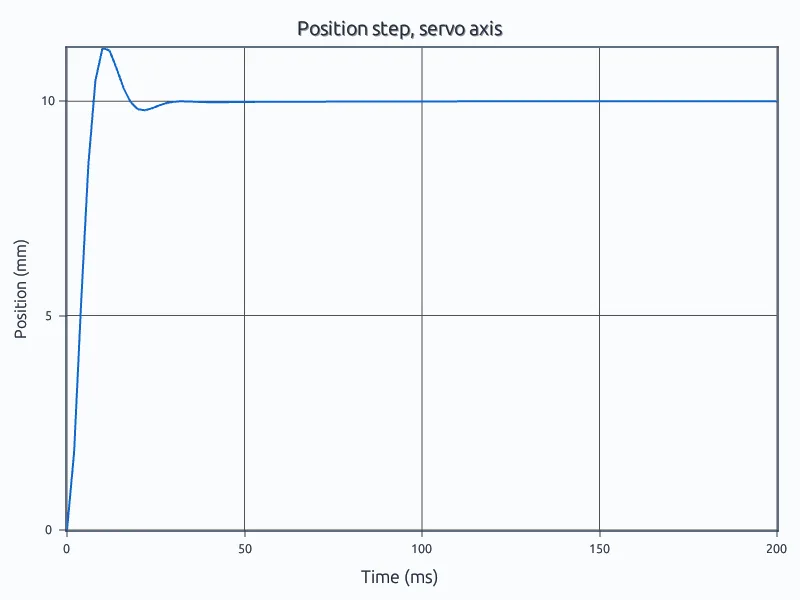
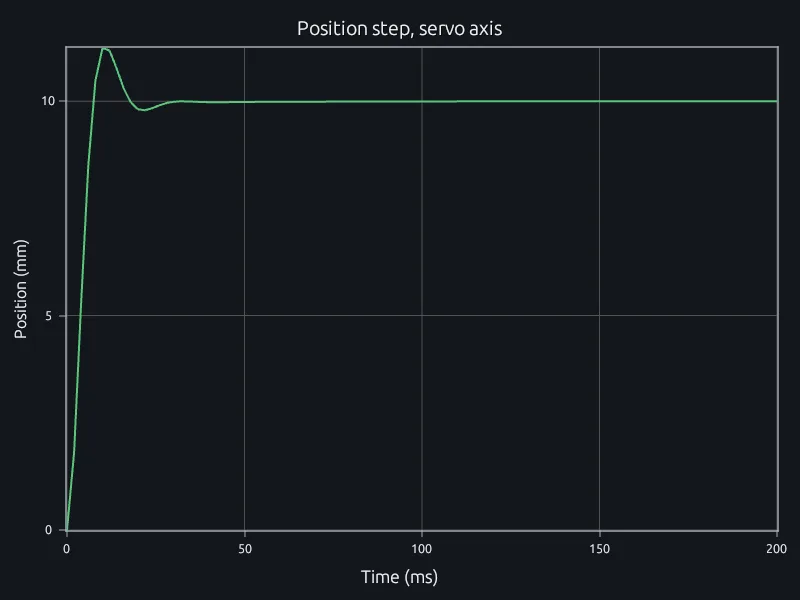
A cascaded position loop's response to a 10 mm step.
Open the bearing example in a browser. No account needed.
Run three of your diagnostic scripts and compare results and run times.
Talk to us about your machines and where the diagnostics need to run.
Signal processingControl systemsStatisticsSimulation in RunMat