
Connect RunMat to any MCP client
Add the RunMat MCP server to an AI tool that supports MCP and it can run MATLAB code and physics simulations, read and edit Project files, inspect variables and return figures. RunMat Desktop serves the tools on your computer while it's open.
Plot the Bode response of a second-order low-pass filter with a natural frequency of 10 rad/s and mark its -3 dB bandwidth.
 Running code in RunMat
The gain falls 3 dB at 9.99 rad/s, right at the natural frequency, as expected with damping of 1/√2.
When to use it
Use it when the answer has to come from running something: your team's MATLAB code, a large calculation, or a simulation of a part.
- 01
Your MATLAB code
The client can run scripts and Project files as written, with more than 2,100 builtins and the full core language and no MATLAB install, then read the errors, fix the code and run it again.
- 02
Math at GPU speed
Array math runs on the GPU and sweeps run in parallel, so one answer can cover 10 million samples or 10,000 design cases.
- 03
Simulations of your parts
The client can set up a study on a CAD file (STEP, IGES or BREP), with material, loads, supports and mesh, and RunMat solves it and returns stress, temperature or mode shapes.
The client works in the Projects open in RunMat Desktop on the same computer, and runs appear in the app. Sign-in, permissions and usage limits are handled by RunMat.
What you can ask for
“Find the first natural frequency of this tuning fork and show the mode shape.”
“Here's my steel wall hook. Hang 2 kN from the hook seat with the three mounting holes fixed. What's the maximum deflection, and the mean von Mises stress in the two hook corner fillets?”
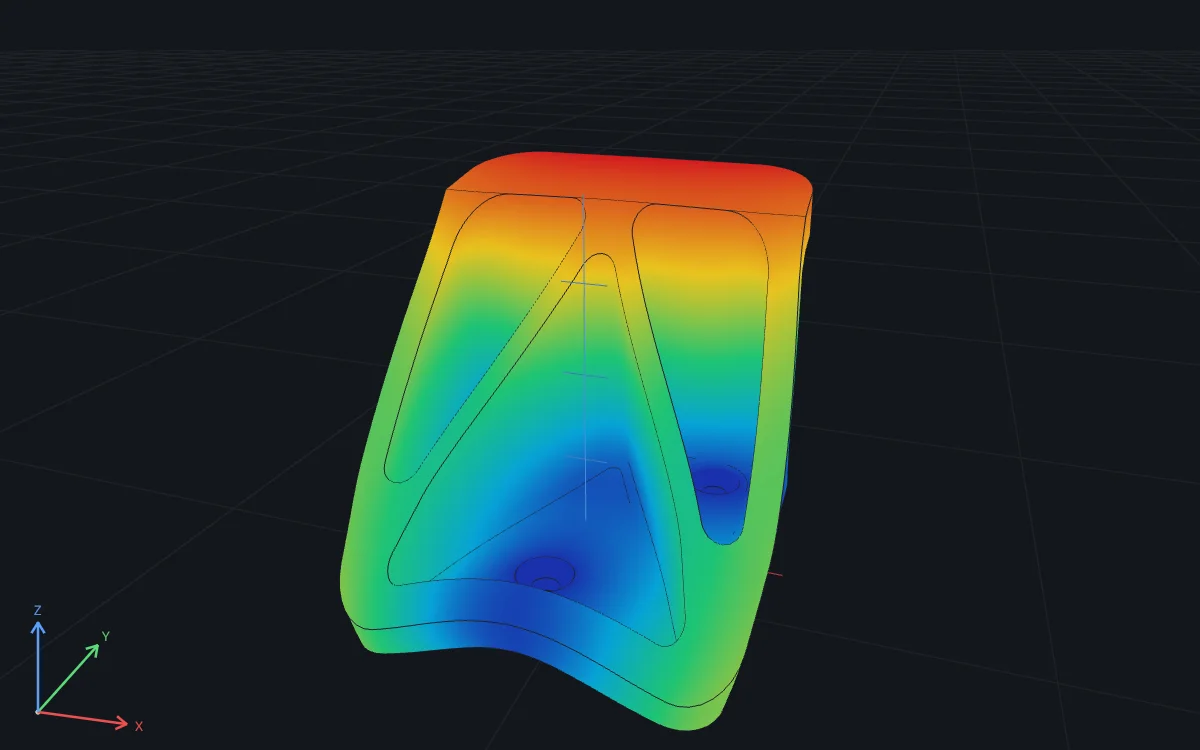
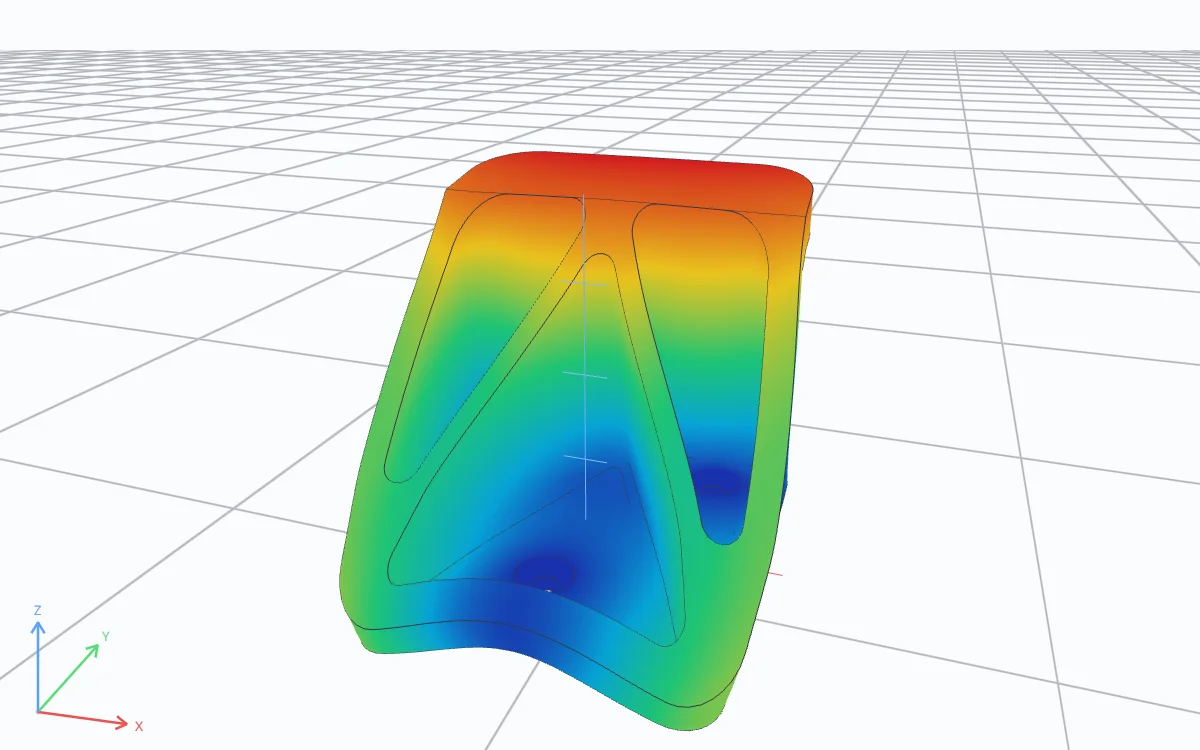
“Price this option with 10 million Monte Carlo paths on my GPU and check it against Black-Scholes.”
% 10 million price paths; RunMat runs the array math on the GPUS0 = 100; K = 105; r = 0.03; sigma = 0.2; T = 1;Z = randn(1e7, 1);ST = S0 * exp((r - sigma^2/2)*T + sigma*sqrt(T)*Z);price = exp(-r*T) * mean(max(ST - K, 0));fprintf("Call price: %.2f\n", price);
Call price: 7.13
“Sweep 10,000 combinations of damping and stiffness across all my cores and find the worst case.”
[Z, K] = ndgrid(linspace(0.05, 0.5, 200), ...linspace(10, 500, 50));t = linspace(0, 20, 4001);peak = zeros(size(Z));parfor n = 1:numel(Z)wn = sqrt(K(n)); wd = wn*sqrt(1 - Z(n)^2);peak(n) = max(abs(exp(-Z(n)*wn*t) .* sin(wd*t) / wd));end[pmax, i] = max(peak(:));fprintf("Worst case: %.3f m (zeta %.2f, k %.0f N/m)\n", ...pmax, Z(i), K(i));
Worst case: 0.293 m (zeta 0.05, k 10 N/m)
Connecting a client
RunMat Desktop
- 1Install RunMat Desktop, sign in and open your Project.
- 2Add a server named
runmatwith transport Streamable HTTP and URLhttp://127.0.0.1:47862/mcp. - 3Send the header
Authorization: Bearer <token>, reading the token from~/.runmat/mcp-headers.jsonwhen the client starts. - 4Restart the client and confirm the
runmattools are listed.
The first time a tool works in a Project, RunMat asks in Connected agents: Allow while this project is open, or Always allow.
{
  "mcpServers": {
    "runmat": {
      "type": "http",
      "url": "http://127.0.0.1:47862/mcp",
      "headers": { "Authorization": "Bearer <token from ~/.runmat/mcp-headers.json>" }
    }
  }
}Plans and usage
Running code with RunMat is included in the Free plan, with no monthly cap. You can start up to 120 runs an hour, 5 at a time. Installing, signing in, reading files and reopening a plot don't count as runs.
- Works in
- Streamable HTTP, RunMat Desktop on your computer
- Made by
- RunMat
- Price
- Included with RunMat Free
More AI integrations