
Build an assembly
This guide builds a small rotary stage: a base plate, a turntable that turns on a revolute mate, and four standoffs repeated by a pattern. It shows how an assembly finds its parts, places them, joins the moving ones and checks the result.
1. The parts
An assembly places parts by their names. Parts in the same folder need no import, and a +<package>/ folder above the assembly holds parts many assemblies share. This page's three parts sit beside the assembly:
runmat 0.7
std 1

part base {
    sketch s on origin.xy {
        l1 = line(start = [0 mm, 0 mm], end = [100 mm, 0 mm])
        l2 = line(start = [100 mm, 0 mm], end = [100 mm, 100 mm])
        l3 = line(start = [100 mm, 100 mm], end = [0 mm, 100 mm])
        l4 = line(start = [0 mm, 100 mm], end = [0 mm, 0 mm])
    }
    feature body = extrude(profile = sketch.s, distance = 8 mm)
    output base = { body = feature.body.body, part_number = "RS-BASE", material = "material.aluminum_6061" }
}
runmat 0.7
std 1
part turntable {
input radius : length = 35 mm
sketch s on origin.xy {
c = circle(center = [0 mm, 0 mm], radius = input.radius)
}
feature body = extrude(profile = sketch.s, distance = 6 mm)
output turntable = { body = feature.body.body, part_number = "RS-TT", material = "material.aluminum_6061" }
}runmat 0.7
std 1
part standoff {
input height : length = 12 mm
sketch s on origin.xy {
c = circle(center = [0 mm, 0 mm], radius = 3 mm)
}
feature body = extrude(profile = sketch.s, distance = input.height)
output standoff = { body = feature.body.body, part_number = "SO-M3", material = "material.steel_304" }
}2. Place the parts
use part <design> as <occurrence> places a design. The occurrence's block sets where it goes and how it is configured. An occurrence is fixed at its placement unless it says fixed = false, which makes the placement a starting pose that mates move.
runmat 0.7
std 1

assembly stage {
    input angle : angle = 0 deg

    use part base as base
    use part turntable as table {
        fixed = false
        configuration = { select = inputs, values = { radius = 40 mm } }
        placement = { placement = offset, offset = { translation = [50 mm, 50 mm, 8 mm] } }
    }
    use part standoff as post {
        placement = { placement = offset, offset = { translation = [10 mm, 10 mm, 8 mm] } }
    }

    connector axis = { occurrence = [{ name = base }], anchor = { anchor = explicit, offset = { translation = [50 mm, 50 mm, 8 mm] } } }
    connector hub = { occurrence = [{ name = table }], anchor = { anchor = origin } }
    mate spin = { kind = { mate = revolute, angle = { target = exact, value = input.angle } }, a = axis, b = hub }

    pattern posts = grid(seeds = [post], first = [1, 0, 0], first_spacing = 80 mm, first_count = 2, second = [0, 1, 0], second_spacing = 80 mm, second_count = 2)

    part_number = "RS-100"
}
configuration = { select = inputs, values = { radius = 40 mm } }sets this occurrence's radius. The sameturntable.partcan serve another stage at its default 35 mm.placement = offsetputs the occurrence at a translation and an optional rotation in the assembly's axes.
3. Join the moving parts
A connector is a frame on an occurrence; its Z axis is the joint axis. A mate joins two connectors and leaves some motion free. revolute leaves rotation about Z, so the turntable spins about the axis at the base's center.
The mate's angle drives that rotation from the assembly's angle input. Set the input in Properties, or in a run, and the turntable turns. A range in place of an exact value ({ target = range, min = 0 deg, max = 270 deg }) limits the motion, and the solve reports cad.asm.limit_active when the turntable rests on a limit.
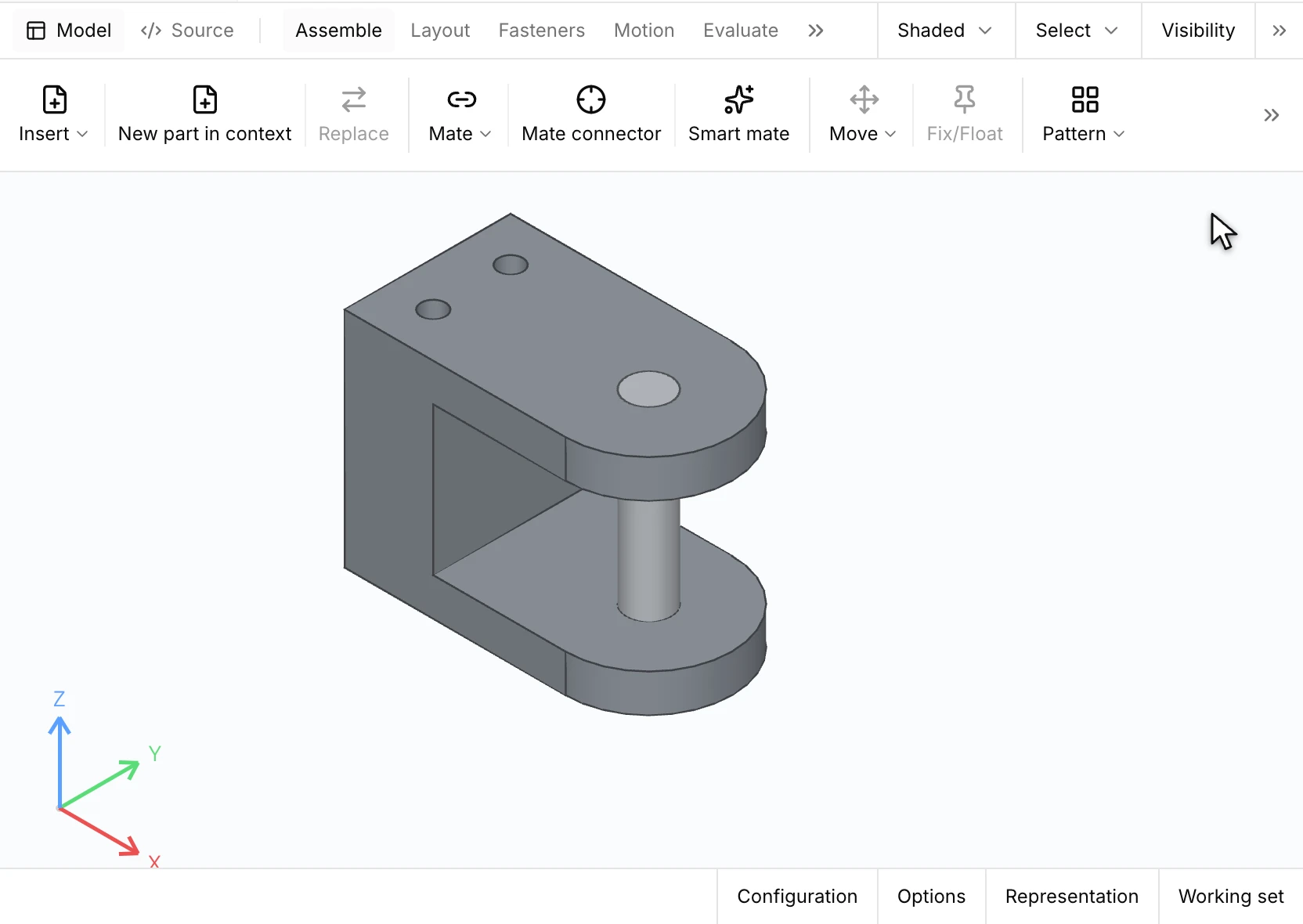
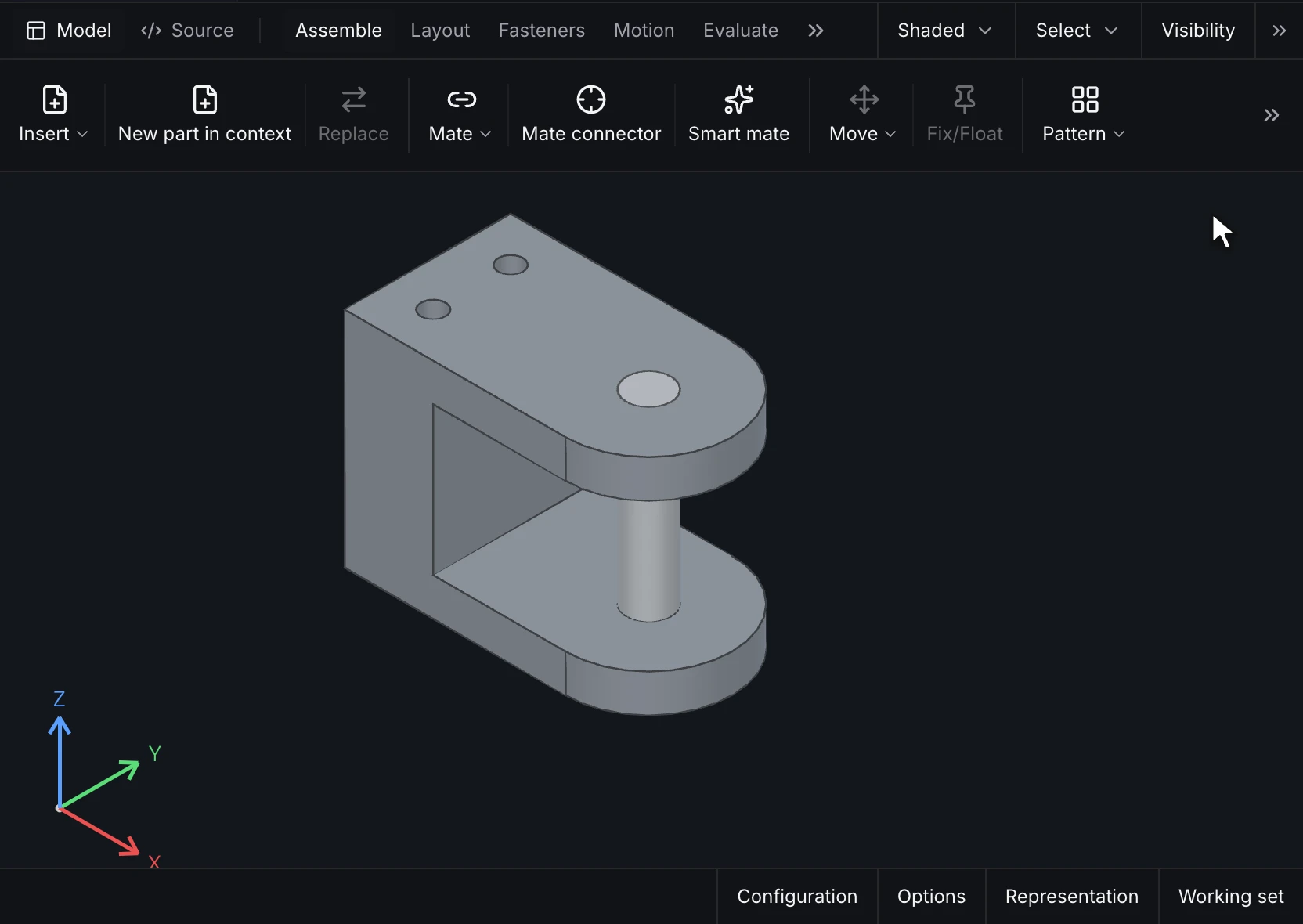
In the Desktop, Mate takes two faces picked on the model and a mate type. The preview shows where the floating occurrence goes, and confirming moves it there. Here a concentric mate puts a hinge pin in its bore:
The solve reports an occurrence that still moves freely (cad.asm.under_defined) and mates that contradict each other (cad.asm.mate_conflict). See Occurrences and mates for every mate kind, including gear, rack-and-pinion, screw and pin-in-slot mates.
4. Repeat parts
pattern posts = grid(…) copies the standoff into a 2 × 2 grid 80 mm apart. Each copy has a key that later statements name it by, and skip leaves copies out. A follow_pattern places one copy per hole of a hole pattern a part publishes, so fasteners stay on their holes as the part changes. See Patterns, mirrors and fasteners.
5. Check the assembly
Evaluate measures the assembly in its current pose:
- Interference lists pairs of occurrences whose solids overlap, with the overlap volume.
- Clearance lists pairs closer than a gap you set, such as 0.5 mm between the turntable and the standoffs.
- Mass properties adds every part at its placement: total mass, center of gravity and inertia.
The bill of materials lists each part number with its quantity: one base, one turntable and four standoffs. A drawing places the same list as a BOM table with balloons. See Evaluate.
Next
- Make a drawing of the assembly with its BOM.
- Scripting and sweeps runs the stage at many angles from a
.mscript.